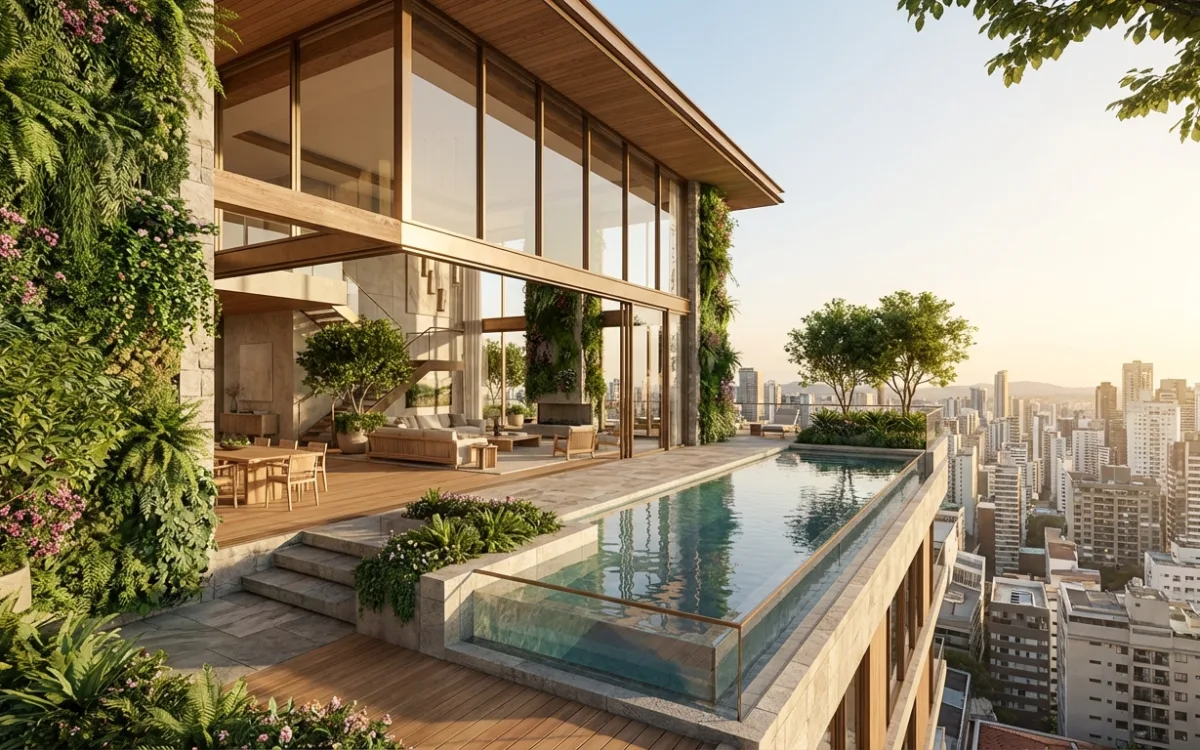
Beyond 'Acceptable': Achieving Photorealism in Architectural Renders

| 21 min read | Architectural Visualization AI Rendering
Beyond 'Acceptable': Achieving Photorealism in Architectural Renders

Introduction: The Pursuit of Unmistakable Realism

Every architect knows the feeling: you've poured your heart and soul into a design, meticulously crafted every detail in your 3D model, and then spent hours rendering. The result? A visualization that's... "acceptable." It gets the point across, sure, but there's a nagging sense that it's not quite there. It's immediately obvious that it's not real, lacking the depth, the nuance, the very soul of a photograph. This is the architect's dilemma: renders that are 'acceptable, but not convincing enough.'

This frustration is palpable when your vision, so clear in your mind, translates into an image that, while technically correct, fails to evoke the emotion or the tangible presence of a real building. You strive for perfection, for a render that doesn't just show a design, but sells it, makes it feel real, inhabitable, and utterly desirable. The gap between 'good enough' and 'unmistakably real' often feels like an insurmountable chasm, demanding endless hours, specialized skills, and powerful hardware.

But what if you could bridge that gap? What if you could move beyond merely 'good enough' to truly indistinguishable photorealism, where your architectural renders are so convincing they could be mistaken for actual photographs? This guide is your roadmap to achieving just that. We'll deconstruct the elements that elevate a render from merely presentable to profoundly persuasive, exploring foundational techniques, advanced strategies, and the revolutionary role of AI in achieving photorealism architectural renders. Prepare to elevate your visualizations and bring your designs to life with unprecedented realism.

The Elusive Gap: Why Renders Fall Short of Reality

Before we can master photorealism, we must first understand why renders often fall short. The human eye is an incredibly sophisticated instrument, honed over millennia to interpret light, shadow, texture, and atmosphere. We possess an innate ability to spot subtle imperfections, inconsistencies, and artificialities that betray a simulated image. This discerning nature is why renders often look 'fake,' even when they appear technically correct.

Let's deconstruct the common pitfalls that prevent renders from truly convincing us:

  • Lighting Inconsistencies: This is perhaps the most significant betrayer of realism. A render might suffer from flatness, where light lacks directionality and depth, making objects appear two-dimensional. Unnatural shadows, too sharp or too soft, or shadows that don't accurately reflect the light source's position and intensity, immediately break the illusion. Furthermore, a lack of environmental interaction – where light doesn't bounce, bleed color, or cast subtle reflections – makes the scene feel sterile and disconnected from its surroundings. Real-world light is complex, dynamic, and interacts with everything it touches; simulated light often simplifies this, leading to an artificial look.

  • Material Inaccuracies: How surfaces react to light is crucial. Many renders fall victim to 'plastic-like' surfaces, where materials lack the subtle imperfections, variations, and micro-details that define real-world textures. Repetitive textures, especially on large surfaces, are another common giveaway, as the human eye quickly picks up on patterns that wouldn't exist in reality. Missing micro-details like subtle scratches, dust, fingerprints, or variations in sheen make materials feel generic and lifeless. The way light scatters, reflects, or absorbs within a material is incredibly complex, and simplifying this process results in a render that feels synthetic.

  • Environmental Disconnect: A building doesn't exist in a vacuum. Its surroundings, the atmosphere, and the overall context play a vital role in its appearance. Renders often lack this crucial environmental integration. A flat, uninteresting sky, generic background elements, or a complete absence of atmospheric effects like haze, fog, or dust can make a scene feel isolated and artificial. Without depth, achieved through atmospheric perspective and varied elements, the image lacks the visual cues that tell our brains it's a real, expansive space. The building simply floats, rather than being grounded in a believable world.

The cumulative effect of these imperfections is a render that, while perhaps visually appealing, fails to trick the brain into believing it's a photograph. Our innate ability to spot these subtle flaws is precisely what makes achieving photorealism architectural renders such a challenging yet rewarding pursuit.

Foundational Pillars of Photorealism: Mastering the Core Elements

To move beyond the 'fake' look, we must build our renders on strong foundations. The pursuit of photorealism begins with a deep understanding and meticulous application of two core elements: lighting and materials.

Lighting Mastery

Light is the ultimate sculptor of form and mood. In architectural visualization, mastering light is paramount to creating believable scenes.

  • The Critical Role of Realistic Light Sources:

    • HDRI (High Dynamic Range Imaging): HDRIs are panoramic images that capture a full range of light information from a real-world location. When used as environment maps, they provide incredibly realistic ambient light, reflections, and background visuals, mimicking the exact lighting conditions of a specific time and place. They are indispensable for natural, nuanced illumination.
    • Sun & Sky Systems: These procedural systems simulate the sun's position, intensity, and color based on geographical location and time of day, along with an atmospheric model for the sky. They offer precise control over direct sunlight, sky illumination, and shadow direction, crucial for architectural context.
    • Artificial Lights: For interiors or night scenes, accurate modeling of artificial light sources (spotlights, area lights, IES profiles for real-world light distribution) is essential. Pay attention to their color temperature, intensity, and falloff to match real-world fixtures.
  • Understanding Global Illumination (GI), Caustics, and Light Bounce:

    • Global Illumination (GI): This is the simulation of light bouncing off surfaces and illuminating other parts of the scene. Without GI, scenes appear flat and unrealistic. Modern renderers use techniques like path tracing or photon mapping to accurately calculate these complex light interactions, creating soft ambient light, color bleed, and realistic shadow transitions.
    • Caustics: These are the patterns of light created when light is focused or refracted by transparent or reflective surfaces (e.g., light passing through a glass of water or reflecting off a shiny metal object). While computationally intensive, accurate caustics add a profound layer of realism to specific materials.
    • Light Bounce: The way light reflects and scatters within an environment, picking up the color of surfaces it hits, is critical. A red wall will subtly tint the light bouncing onto an adjacent white wall. Simulating this color bleed adds immense depth and realism.
  • Simulating Real-World Light Behavior:

    • Soft Shadows: Direct sunlight creates sharp shadows, but ambient light and diffused light sources create softer, more nuanced shadows. Understanding how light sources interact to produce varying shadow qualities is vital.
    • Color Bleed: As mentioned, light picks up the color of surfaces. This subtle color interaction is a hallmark of real-world lighting and must be accurately simulated.
    • Intensity Falloff: Light diminishes in intensity over distance. Accurately modeling this inverse-square law falloff for artificial lights prevents them from looking unnaturally bright or casting infinite illumination.
  • Actionable Takeaway: Become a student of light. Analyze real-world photography, paying close attention to how light interacts with different materials, how shadows are formed, and how colors are affected. Replicate these observations in your renders, experimenting with HDRI rotations, sun angles, and artificial light placements.

Material Science

Materials are the skin of your architecture, defining its character and how it interacts with light. The key to realistic materials lies in understanding their physical properties.

  • The Power of Physically Based Rendering (PBR) Workflows:

    • PBR is a rendering approach that aims to simulate how light interacts with materials in a physically accurate way. Instead of artistic approximations, PBR materials are defined by properties that correspond to real-world physics, making them look correct under any lighting condition. This is a non-negotiable for achieving photorealism architectural renders.
  • Essential Texture Maps: PBR relies on a suite of texture maps, each controlling a specific material property:

    • Albedo (Base Color): The pure color of the surface, stripped of any lighting or shadowing information.
    • Normal Map: Adds surface detail (bumps, grooves) without increasing polygon count, by faking how light reflects off tiny surface variations.
    • Roughness Map: Defines how rough or smooth a surface is, directly impacting how light reflects (rough surfaces scatter light, smooth surfaces reflect it cleanly).
    • Metallic Map: Indicates whether a material is metallic (0 for non-metal, 1 for metal), influencing its reflective properties.
    • Displacement Map: Physically displaces the geometry of the surface, adding true 3D detail (e.g., brick mortar lines, uneven concrete). Requires higher polygon counts.
    • Ambient Occlusion (AO) Map: Simulates subtle self-shadowing in crevices and corners, adding depth and contact shadows.
  • Achieving Micro-Detail: Imperfections, Wear, and Tear:

    • Perfect surfaces rarely exist in the real world. Adding subtle imperfections like scratches, smudges, dust, water stains, or slight variations in color and sheen is crucial. These micro-details break up uniformity and add authenticity.
    • Wear and tear, such as chipped paint on a corner or weathered concrete, tell a story and ground the material in reality. Layering these subtle details is key.
  • Simulating Complex Materials: Subsurface Scattering (SSS):

    • For materials like human skin, plants, marble, or wax, light doesn't just reflect off the surface; it penetrates slightly, scatters within the material, and then exits. This phenomenon is called Subsurface Scattering (SSS). Simulating SSS adds a soft, translucent quality and a lifelike glow to these materials, preventing them from looking opaque and flat.
  • Actionable Takeaway: Always use high-resolution, tileable PBR textures. Don't be afraid to layer multiple textures and blend them with masks to create unique, non-uniform surfaces. Reference real material samples and photographs to understand their specific properties and imperfections.

The Art of Environment, Composition, and Camera

Beyond the foundational elements of light and materials, the overall presentation of your architectural design—its context, framing, and the 'eye' through which it's viewed—is equally vital for achieving true photorealism.

Contextual Storytelling

A building is part of a larger narrative. Its surroundings are not just background noise; they are integral to its identity and believability.

  • Integrating Your Design Seamlessly into Its Surroundings:

    • Realistic Vegetation: Trees, shrubs, grass, and ground cover should be varied, appropriately scaled, and placed naturally. Use high-quality 3D models or scatter systems to avoid repetitive patterns. Consider seasonal variations and local flora.
    • Urban Elements: Street furniture, vehicles, power lines, distant buildings, and even subtle litter can ground your design in a believable urban or suburban fabric. These elements provide scale and context.
    • Background: A convincing background, whether a detailed city skyline or a natural landscape, is crucial. HDRIs often provide excellent backgrounds, but sometimes 3D models or matte paintings are necessary for specific views. Ensure the background's lighting and atmosphere match your foreground.
  • Atmospheric Effects: Fog, Haze, Dust, and Volumetric Lighting for Depth and Mood:

    • Atmosphere adds depth and realism by scattering light and obscuring distant objects.
    • Haze/Fog: Creates atmospheric perspective, making distant objects appear lighter and less saturated. This is a powerful tool for conveying scale and distance.
    • Dust/Particulates: Subtle dust motes or atmospheric particles caught in shafts of light (volumetric lighting) add a sense of air and presence, especially in interior scenes or sunlit exteriors.
    • Volumetric Lighting: Light rays passing through a medium (like fog or dust) become visible, creating dramatic shafts of light. This effect adds immense mood and realism.
  • Weather Conditions:

    • Simulating rain, snow, or even just an overcast sky can dramatically alter the mood and appearance of your render.
    • Rain: Wet surfaces reflect light differently, puddles form, and raindrops can be rendered.
    • Snow: Snow accumulation, frosted surfaces, and a muted, diffused light quality.
    • These conditions impact light, materials, and the overall emotional resonance of the scene.

Compositional Impact

Just like a photographer, you are composing an image. Strong composition guides the viewer's eye and enhances the aesthetic appeal and realism.

  • Applying Photographic Principles:

    • Rule of Thirds: Placing key elements along the intersecting lines or at the intersection points of a 3x3 grid often creates a more balanced and engaging composition.
    • Leading Lines: Use architectural elements, roads, or natural features to draw the viewer's eye towards the main subject.
    • Framing: Use elements within the scene (doorways, trees, other buildings) to frame your subject, adding depth and focus.
    • Negative Space: The empty space around and between objects can be just as important as the objects themselves, providing breathing room and emphasizing the subject.
  • Strategic Use of Depth of Field (DOF) to Guide the Viewer's Eye:

    • DOF simulates the way a real camera focuses, blurring elements in the foreground and background while keeping the main subject sharp. This effect naturally draws the viewer's attention to the intended focal point and adds a photographic quality. Use it subtly to avoid an artificial miniature look.
  • Camera Settings: Aperture, Focal Length, and White Balance for a Natural Look:

    • Aperture: Controls the amount of light entering the camera and the depth of field. A wider aperture (lower f-stop) creates more blur.
    • Focal Length: Determines the field of view and perspective. Wide-angle lenses (e.g., 24mm) can exaggerate perspective, while telephoto lenses (e.g., 85mm+) compress space. Choose a focal length that mimics how a photographer would capture the scene.
    • White Balance: Adjusts the color temperature of the image to ensure whites appear white, correcting for color casts from different light sources. This is crucial for natural-looking colors.

Human Elements

  • Thoughtful Integration of Scale Figures and Entourage for Life and Context:

    • Adding people, animals, and vehicles provides a sense of scale, activity, and life to your scene. They help viewers imagine themselves in the space.
    • Ensure your entourage is high-quality, appropriately posed, and integrated seamlessly with the lighting and shadows of your scene. Avoid generic, repetitive figures.
  • Actionable Takeaway: Before rendering, spend time scouting your virtual scene like a professional photographer. Experiment with different camera angles, focal lengths, and compositions. Look for opportunities to tell a story with your environment and guide the viewer's eye.

Post-Production: The Final Polish (and Avoiding Over-Reliance)

Post-production is the final stage where you can enhance your render, adding that last layer of photographic realism. However, it's crucial to understand its role: post-production should enhance an already strong render, not fix a fundamentally flawed one. Think of it as the final polish, not a magic wand.

  • Enhancing, Not Fixing: The Role of Post-Processing in Achieving Realism:

    • If your lighting is off, materials are plastic, or composition is weak, no amount of post-processing will make it truly photorealistic. Post-production is about refining, subtly adjusting, and adding subtle photographic effects that are difficult or impossible to achieve purely in the 3D renderer.
  • Color Grading and Correction: Adjusting Mood, Contrast, and Vibrancy:

    • Color Grading: This involves adjusting the overall color palette of your image to evoke a specific mood or style (e.g., warm and inviting, cool and modern, cinematic).
    • Color Correction: Ensures accurate color representation, correcting any color casts and balancing highlights, midtones, and shadows.
    • Contrast and Vibrancy: Fine-tuning these can make an image pop, adding depth and visual interest. Be careful not to overdo it, as oversaturated or overly contrasty images can look artificial.
  • Lens Effects: Vignetting, Chromatic Aberration, Bloom, and Glare for Photographic Realism:

    • These effects mimic the imperfections and characteristics of real camera lenses:
      • Vignetting: A subtle darkening of the image corners, a common characteristic of many lenses, which can help draw attention to the center.
      • Chromatic Aberration: A slight color fringing around high-contrast edges, caused by a lens's inability to focus all colors to the same point. Use sparingly for a subtle effect.
      • Bloom: A soft glow around bright light sources, simulating light scattering within the lens.
      • Glare/Lens Flares: Streaks or circles of light caused by light reflecting off internal lens elements. Use judiciously, as they can easily look fake if overdone.
  • Adding Subtle Imperfections: Dust, Smudges, and Grain for an Organic Feel:

    • Real photographs are rarely perfectly clean. Adding a very subtle layer of photographic grain, or even barely perceptible dust and smudges, can break up the digital perfection and lend an organic, film-like quality. These should be almost invisible, only contributing to the overall sense of realism.
  • Warning: Post-production cannot salvage a fundamentally flawed render; it refines an already strong base. Focus on getting your 3D scene as close to perfect as possible before moving to post-processing.

The AI Advantage: Bridging the Realism Gap with SecondRender

The pursuit of photorealism in architectural renders has traditionally been a demanding journey. It requires not only a deep understanding of the principles discussed above but also significant technical expertise, powerful hardware, and, most critically, an enormous investment of time. Architects often find themselves caught in a loop of time-consuming iterations, battling steep learning curves for complex software, and ultimately hitting that 'acceptable but not convincing' plateau. The dream of truly indistinguishable renders often remains just that – a dream, constrained by practical limitations.

This is where AI steps in, revolutionizing the very fabric of architectural visualization. Introducing SecondRender: an AI-powered platform designed to bridge the realism gap, transforming your workflow and elevating your renders to unprecedented levels of authenticity. SecondRender doesn't just assist; it intelligently enhances, optimizes, and generates, freeing you from the technical minutiae and allowing you to focus on your design vision.

Here's how SecondRender leverages the AI advantage to solve the pain points of achieving photorealism architectural renders:

  • AI-powered Material Refinement: Gone are the days of endlessly tweaking PBR maps. SecondRender's AI analyzes your base materials, automatically generating and enhancing PBR textures. It intelligently adds subtle imperfections, wear, and tear, ensuring material accuracy that goes beyond generic presets. Imagine concrete that looks genuinely weathered, wood with natural grain variations, or glass with realistic smudges – all without manual effort. The AI learns from vast datasets of real-world materials, applying nuances that are incredibly difficult to replicate by hand.

  • Intelligent Lighting Optimization: Lighting is complex, but SecondRender makes it intuitive. Our AI analyzes your scene context, understanding the architectural forms, the desired mood, and the environmental conditions. It then suggests and applies hyper-realistic lighting setups, dynamically adjusting sun angles, sky illumination, and artificial light intensities. The AI ensures accurate global illumination, realistic shadows, and nuanced reflections, eliminating flatness and bringing your scene to life with natural light interaction. It can even adapt lighting for different times of day or weather conditions with a few clicks.

  • Contextual Environment Generation: Populating a scene with realistic surroundings is a huge time sink. SecondRender's AI effortlessly generates and populates scenes with realistic vegetation, skies, and atmospheric effects that perfectly match your design and desired aesthetic. Need a lush urban park or a serene desert landscape? The AI can intelligently place trees, shrubs, ground cover, and even subtle atmospheric haze, ensuring seamless integration and a believable context for your architecture. It understands how these elements interact with light and perspective, creating depth and immersion automatically.

SecondRender's promise is simple yet profound: to move beyond the 'same level of realism' that traditional tools offer and deliver truly groundbreaking, unmistakable results. We empower architects to achieve a level of photorealism that was once the exclusive domain of highly specialized artists with limitless budgets and time.

SecondRender in Action: Elevating Your Workflow to Unmistakable Realism

SecondRender isn't just a concept; it's a practical, powerful tool that fundamentally changes how architects approach visualization. It's designed to overcome the most significant hurdles in achieving photorealism architectural renders, making the process faster, more intuitive, and ultimately, more effective.

  • From Concept to Conviction: Imagine starting with a simple sketch or a basic 3D model. Traditionally, transforming this into a photorealistic render is a multi-stage, labor-intensive process. SecondRender's AI interprets these initial inputs, rapidly generating detailed PBR materials, intelligent lighting setups, and contextual environments. This means you can go from a conceptual idea to a highly convincing, photorealistic visualization in a fraction of the time, allowing you to present your designs with unparalleled clarity and impact from the earliest stages.

  • Accelerated Iteration: Design is an iterative process, and visualization should support that. With traditional rendering, exploring different design variations, material palettes, or lighting scenarios can take hours or even days per iteration. SecondRender's AI-driven engine drastically accelerates this. You can experiment with multiple options, generate new renders, and see the photorealistic results in minutes, not hours. This rapid feedback loop empowers you to make more informed design decisions and refine your vision with unprecedented speed.

  • Focus on Design, Not Rendering: Architects are designers first and foremost. Yet, traditional rendering often forces them into the role of a technical artist, wrestling with complex software settings, render engines, and post-production workflows. SecondRender frees architects to dedicate more time to creative problem-solving, conceptual development, and client communication, and less to the technical complexities of rendering. The AI handles the heavy lifting of realism, allowing your design expertise to shine.

  • Overcoming the 'Immediately Obvious It's Not Real' Challenge: The most frustrating aspect of many renders is that immediate visual cue that tells the viewer, "This isn't real." SecondRender's advanced algorithms are trained on vast datasets of real-world imagery, learning the subtle nuances of light, shadow, texture, and atmosphere that define true photographic realism. This deep learning ensures that the outputs are not just 'good,' but genuinely indistinguishable from photographs, eliminating that tell-tale artificiality. It understands how light scatters, how materials age, and how environments breathe, translating that knowledge into your visualizations.

  • Actionable Takeaway: Leverage SecondRender to achieve a level of realism that was previously unattainable or prohibitively time-consuming. Use its AI-powered features to rapidly prototype, iterate, and finalize your architectural renders, allowing you to present your designs with the conviction and authenticity they deserve.

Advanced Techniques & Mindset for the Realism Obsessed

While foundational knowledge and AI tools like SecondRender provide a powerful base, true mastery of photorealism also requires a specific mindset and continuous refinement of your observational skills. For those truly obsessed with achieving photorealism architectural renders, these advanced techniques and perspectives are invaluable.

  • The Power of Observation: This cannot be stressed enough. Become a relentless observer of the real world. Study how light behaves at different times of day, in various weather conditions, and across diverse materials. Pay attention to the subtle reflections on wet pavement, the way dust motes dance in a sunbeam, the imperfections on a weathered brick wall, or the soft translucency of a leaf. The more you consciously observe these details in reality, the better equipped you'll be to recreate them in your renders. Carry a camera, take mental notes, and build a personal library of real-world references.

  • Embracing Imperfection: The digital world often strives for perfection, but reality is inherently imperfect. A perfectly clean, uniform surface often looks artificial. Embrace the subtle beauty of dirt, wear, natural irregularities, and entropy. Add subtle smudges, scratches, dust, water stains, slight variations in color, or unevenness in surfaces. These imperfections tell a story, add character, and are crucial for breaking the 'plastic' look. The goal isn't to make things look dirty, but to make them look lived-in and real.

  • Storytelling Through Detail: Every element in your render should contribute to the narrative and authenticity of your scene. Don't just place objects; consider their purpose and history. Why is that chair there? Has it been moved recently? Is there a subtle coffee stain on the table? Are the leaves on the ground scattered naturally by the wind? These tiny, often overlooked details, when thoughtfully integrated, build a rich, believable world around your architecture. They invite the viewer to imagine themselves within the space, making the render emotionally resonant.

  • Continuous Learning: The field of architectural visualization is constantly evolving. New rendering techniques, software features, and AI advancements emerge regularly. Stay updated with industry trends, experiment with new tools (like SecondRender!), and never stop learning. Follow leading artists, read tutorials, and participate in communities. The pursuit of photorealism is a journey, not a destination.

Conclusion: Your Journey to Unmistakable Realism Starts Now

We've journeyed through the intricate world of architectural visualization, dissecting the elements that elevate a render from merely 'acceptable' to truly indistinguishable from reality. We've explored the foundational pillars of lighting mastery and material science, delved into the art of environment, composition, and camera work, and understood the critical role of post-production as a final polish. Each of these elements, meticulously applied, contributes to the elusive goal of achieving photorealism architectural renders.

However, the landscape of visualization is undergoing a profound transformation. The traditional path to photorealism, often fraught with technical complexities and time-consuming iterations, is being redefined by the transformative role of AI. Tools like SecondRender are democratizing and elevating high-fidelity visualization, making it accessible, efficient, and more powerful than ever before. By intelligently automating complex tasks like material refinement, lighting optimization, and environment generation, AI empowers architects to achieve stunning realism without sacrificing precious design time.

It's time to move beyond 'acceptable' and embrace a future where your architectural renders are not just convincing, but emotionally resonant, undeniably real, and truly reflective of your visionary designs. The power to create visualizations that captivate, persuade, and inspire is now within your reach.

Ready to transform your renders and achieve unmistakable realism? Explore SecondRender's capabilities today and experience the future of architectural visualization.

Ready to transform your architectural visualization?

Create stunning AI-powered renders from your architectural models in minutes, not hours.

Get Started