Hyper-realistic rendering materials: why surfaces read as fake
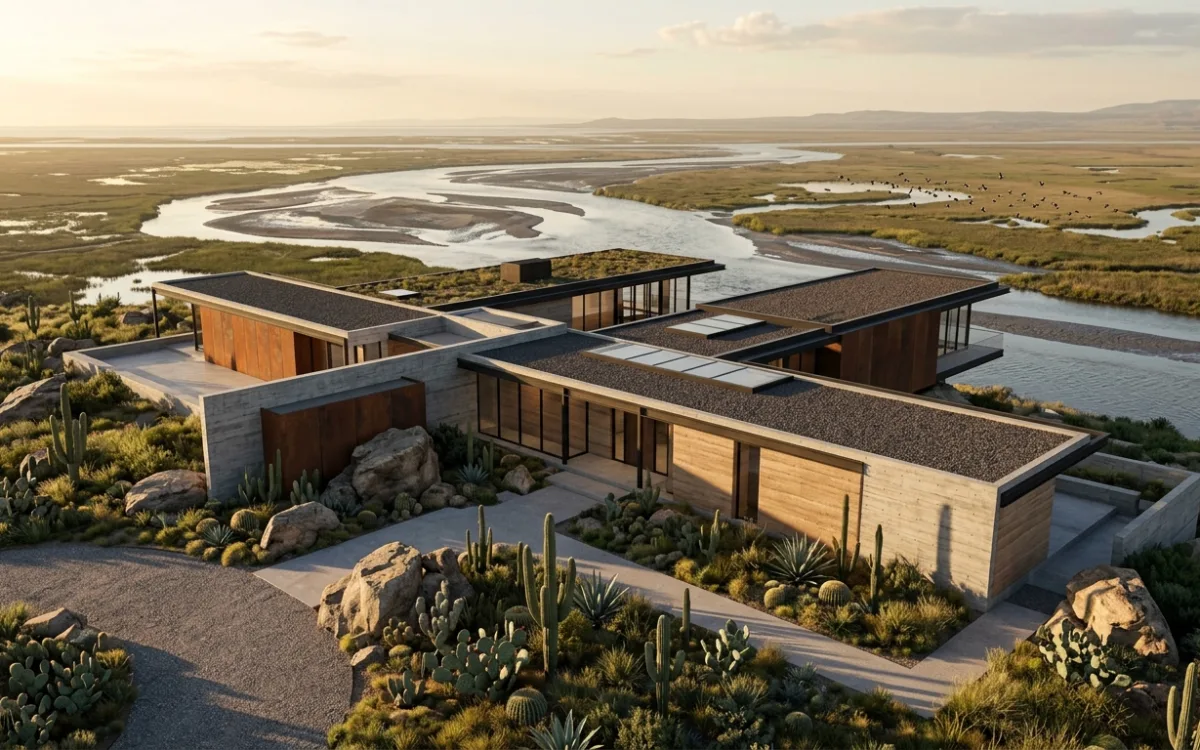
A material reads as real when light interacts with it honestly. That is the whole subject. Everything filed under hyper-realistic rendering materials, the map stacks, the imperfection layers, the 8K textures, feeds a render engine enough correct information for light to behave as it does on that surface in the real world.
That makes the usual diagnosis backwards. When a concrete wall looks like grey plastic, the first instinct is to find a better concrete texture. The texture may not be the problem.
I came at this from the engineering side. An architect saw an AI app I had built for a different industry and asked whether it could render his CAD models into photorealistic images. I said yes, then spent 2 weeks finding out what yes required. Everything since has been built with practicing architects, iteration by iteration. I have had to approach realistic surfaces from both directions: specifying them by hand and learning them from photographs.
Why hyper-realistic rendering materials still read as fake
Two sentences from architects describe the failure better than any tutorial I have read.
The first: "I've been hovering at the same level of realism for quite a while. The results are acceptable, but not convincing enough."
The second, from someone trying to work out why a render would not come right: "it feels like the light has no real impact or as if there are a lot of 'fake' and hidden light sources."
Those are the same problem from different angles. A surface is never visible on its own. You see the light it returns. A material that reads as fake may be reporting on the light, not the texture.
Honest light is light that behaves consistently across the whole image: one coherent set of sources, shadows that agree with those sources, bounce that carries the colour of whatever it hit, and falloff that matches the real distances in the scene. Dishonest light is what you get when you add a fill here and lift a shadow there until every region looks acceptable on its own. Each fix is local. The eye takes in the whole frame at once and registers that the parts came from different worlds.
This is why post-production is the wrong tool for the fake look. Grading polishes what is already in the image. It cannot invent behaviour that never happened.
Perfect surfaces are the giveaway
Materials also read as synthetic when the digital version is too clean.
Nothing you have ever touched is uniform. A polished marble floor carries microscopic scratches from foot traffic. A concrete wall varies with its aggregate and how it cured. A wooden desk holds faint rings from cups and a sheen where sleeves have rested for years. Even a factory-fresh panel has manufacturing variation and dust already settling on it.
Your brain reads those variations as evidence of a physical object. Remove them and it reports "computer" before you have finished looking. Uniform roughness across an entire wall is a stronger fake tell than a slightly wrong colour.
That matters commercially, not only aesthetically. A synthetic render quietly discounts the design it shows. The client may not say the materials are wrong. They respond to the image as a proposal rather than a place.
The PBR stack behind hyper-realistic rendering materials
Physically based rendering is the craft answer, and it is a good one. It defines a surface by properties that correspond to real physics, so the same material holds up under sunlight, overcast and interior fixtures without being retuned for each. If you render in V-Ray, Corona, D5 or anything comparable, this is the vocabulary.
A material is a stack of maps, each controlling one aspect of light response.
- Albedo, or base colour. The pure colour of the surface with no lighting baked in. It should look flat and slightly dull on its own. Shadows or highlights painted into an albedo map fight the engine forever after.
- Roughness. The most important map in the stack for realism. It decides whether reflections are tight and mirror-like or scattered and diffuse. Uniform roughness is the plastic look. Varied roughness, worn smoother where people walk and rougher where they do not, is most of the difference between a surface and a swatch.
- Metallic. Effectively binary. Metals tint their reflections, non-metals do not. Steel beams, aluminium frames and copper cladding need it set correctly or they never sit right.
- Normal and bump. Surface detail without geometry. Fabric weave, grout lines, the grain of stone, all without adding millions of polygons to a model that is already slowing your machine down.
- Displacement. Real geometric relief driven by a height map. Heavier to compute, unmatched for deep mortar joints, carved timber or rough stone where a normal map's flatness shows at grazing angles.
- Ambient occlusion and subsurface scattering. Contact shadow in the crevices, and light that enters a material before it exits again. Marble, alabaster, leaves and skin look dead without the second one.
Then comes the history of the surface. Grunge and staining applied at low opacity in roughness or albedo. Dirt in the corners and crevices where gravity and rain put it. Wear on the edges that get knocked. Real surfaces are rarely one pristine material. They are a base with a history layered on top, and blend modes describe that history.
Two practical traps are worth naming. Texture scale must match real dimensions, so a brick reads at brick size rather than at a size no kiln has produced. Obvious tiling can expose the whole construction. Break it with randomisation, tri-planar mapping, or several variants blended through masks.
None of this knowledge is wasted. It describes how surfaces behave and supports the best images our industry produces. For the wider pipeline, see achieving photorealism in architectural renders. Materials only pay off under lighting that deserves them, covered in natural light technique for archviz.
What hand-tuning every map actually costs
Here is the part the tutorials leave out.
Every map above is you, manually, supplying a fact about physics that the engine does not know. Roughness value by roughness value, imperfection layer by imperfection layer, for every surface in the scene. Get most of it right and you get a technically correct image.
The realism plateau is the level at which a render is technically correct but not convincing, and past which more settings, more maps and more tweaking stop paying back. When architects reach it, many read the plateau as a personal skill gap.
It is not. It is structural.
The reconstruction tax is the cost of rebuilding reality from zero: geometry, materials, vegetation and light, all specified by hand, before an image can exist at all. The map stack is not overhead somebody invented. It is the honest price of reconstruction, and a render engine cannot charge you less, because reconstruction is what it does.
My first customers had paid that tax for years. They came from V-Ray-class workflows: hours per render, days or weeks on materials, lights and shadows. Nobody was doing it wrong. That is simply what the work costs when you build every surface response by hand. The general shape of that workflow is laid out in architectural rendering.
The useful question is not whether the stack is worth learning. It is whether you, an architect with a deadline, need to reconstruct at all.
Hyper-realistic rendering materials that were learned instead of specified
An AI renderer does not ask you for a roughness value.
It was trained on photographs, where material and light were never separated. Wet asphalt at dusk, weathered concrete in low sun, oak flooring under a north window: the model encounters imperfection and light response together. It is not simulating physics from equations. It is reproducing a relationship learned from images.
That is why imperfections can appear without a grunge map, and light can behave honestly without a rig. Those same customers, coming off days of material work, were stunned to get photorealistic renders in about 30 seconds.
Two things this does not mean.
It does not mean AI replaces visualization artists. High-end archviz is art, made by people who are extremely good at it, and this is not that. The architects I build for never had that option. No viz team, no outsourcing budget, no months to learn Corona. Their alternative to an AI render was not a studio image, it was no image. The category context for that sits in archviz.
It also does not mean control disappears. A style is a saved visual identity that transfers rendering look, never geometry or content. Fidelity mode keeps your source authoritative: geometry and physical materials are preserved, while the style contributes rendering quality. If you specified brushed concrete and dark timber in the model, that is what should come back.
The limits, named
AI rendering has real limits. They are category-wide properties of image models, not one product's bugs. Any honest account needs to name them.
Consistency and predictability. The same input does not guarantee the same output. That is the trade the entire generative category makes in exchange for not reconstructing anything. Styles and fidelity mode exist to narrow the variance, not to abolish it.
Cross-perspective transfer. Get a surface exactly right in one view, then carry it into another perspective of the same building, and holding every detail steady is still a challenge. This is the honest edge of the technology today.
Iteration regression. Feed generated images back in as sources repeatedly and quality can drift downward across iterations. The defence is a pipeline that keeps the original source authoritative rather than compounding its own output, which is the design decision I made early and keep testing.
Claim engineering, not magic. That is the standard I try to hold this to.
Where this leaves your materials
If your render is stuck at acceptable, check the light before you buy another texture pack. Then check whether your surfaces are too clean. Uniformity is one of the loudest fake tells. Both checks cost nothing and may move the image further than another map.
And if you have been hand-building material stacks because you thought convincing surfaces demanded it, that is worth reconsidering. Convincing surfaces demand honest light. Reconstruction is one way to get there. It is no longer the only one.
Book a free 30-minute demo. I will show you a live render from scratch and answer every question.