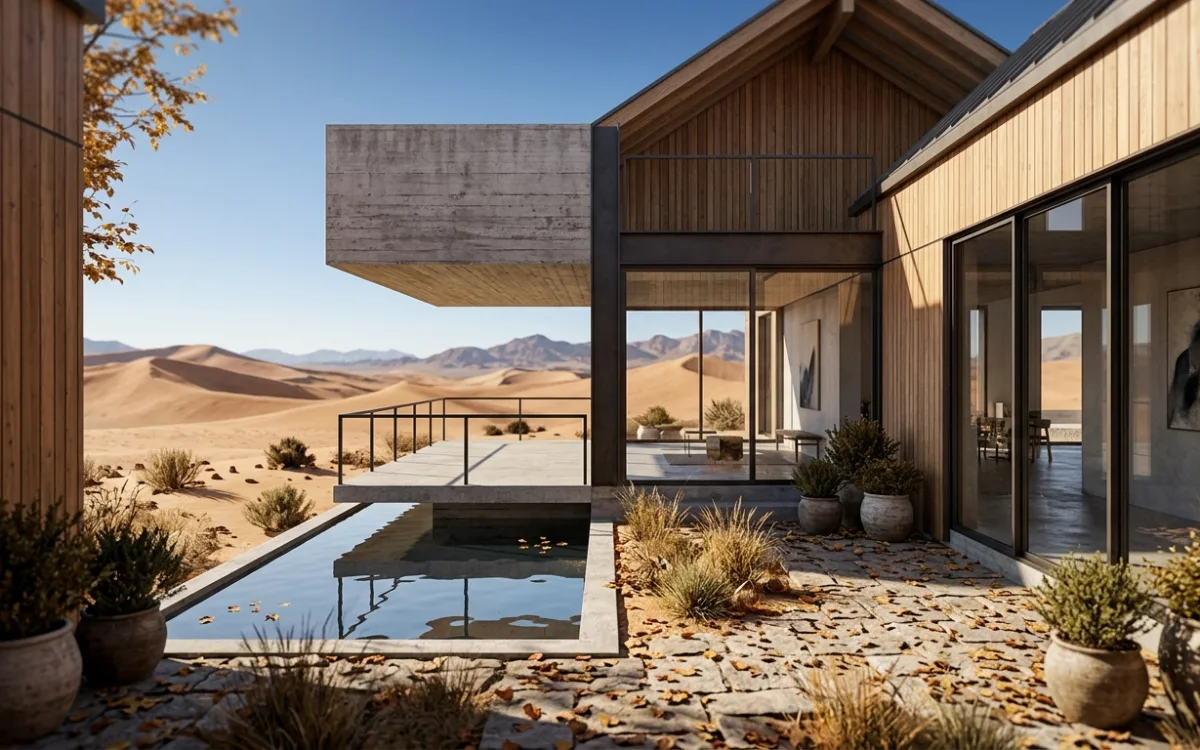
Flux2 vs. SecondRender: AI Archviz Comparison for Architects

Flux2 vs. SecondRender: AI Archviz Comparison for Architects

TITLE: Flux2 vs. SecondRender: AI Archviz Comparison for Architects META DESCRIPTION: Compare Flux2 and SecondRender for AI architectural visualization. Discover which tool best fits your workflow for photorealistic renders and enhanced design. Make an informed choice.

Introduction: Navigating the AI Revolution in Architectural Visualization

The world of architectural visualization is undergoing a seismic shift, driven by the rapid advancements in Artificial Intelligence. What once took hours, days, or even weeks of meticulous rendering and post-production can now be achieved in a fraction of the time, transforming concepts into photorealistic imagery faster than ever before. This growing buzz around AI in archviz isn't just hype; it's a tangible reality that's empowering architects to explore, iterate, and present their designs with unprecedented speed and quality.

Every few months, a new tool emerges that captures the imagination of the design community. We've all seen the viral posts: "Waow, is this Flux2? It looks great!" The excitement is palpable, and for good reason. These innovative platforms promise to democratize high-quality visualization, making it accessible to more architects and firms.

However, amidst the excitement, a critical question arises for every architect: "Is [this new tool] your final workflow?" While a tool might generate stunning results quickly, its true value lies in its reliability, integration into existing pipelines, and ability to deliver production-ready assets consistently. The challenge isn't just about generating a pretty image; it's about integrating that capability into a robust, professional workflow that supports the entire design process, from initial sketch to final client presentation.

To help you navigate this dynamic landscape, we're setting the stage for a head-to-head Flux2 SecondRender comparison. This in-depth analysis aims to provide architects with the insights needed to make informed decisions, ensuring they choose the AI archviz solution that best aligns with their specific needs, project demands, and long-term vision.

Understanding the AI Archviz Landscape: Speed, Quality, and Iteration

The core promise of AI in architectural rendering is revolutionary: to accelerate design cycles, enhance realism, and empower rapid iteration like never before. Traditional rendering, while capable of stunning results, is often a bottleneck in the design process. It demands significant computational resources, specialized expertise, and considerable time, especially for high-fidelity outputs. AI tools are fundamentally changing this paradigm.

For architects, the benefits are profound and multifaceted:

  • Faster Client Approvals: Presenting multiple design options and high-quality visuals early in the process can significantly reduce revision cycles and expedite client buy-in. AI allows for quick generation of diverse perspectives and styles, helping clients visualize the final product more effectively.
  • More Design Exploration: With the ability to generate renders in minutes instead of hours, architects can experiment with a wider range of materials, lighting conditions, massing options, and contextual variations. This fosters greater creativity and leads to more refined and innovative designs.
  • Reduced Rendering Costs: By minimizing the need for expensive render farms or extensive manual post-production, AI tools can dramatically lower the operational costs associated with high-quality visualization, making professional-grade renders accessible even for smaller firms or projects with tighter budgets.

Briefly, most AI tools in this space function by leveraging advanced machine learning models trained on vast datasets of images and 3D models. They can interpret various inputs:

  • Image-to-image: Transforming a simple sketch, wireframe, or basic render into a photorealistic image, often guided by text prompts.
  • Text-to-image: Generating architectural concepts purely from descriptive text.
  • 3D model enhancement: Applying realistic textures, lighting, and environmental context directly to existing 3D models, often with intelligent scene interpretation.

These capabilities are not just about automation; they're about augmentation, empowering architects to focus more on design intent and less on the technical intricacies of rendering.

Flux2: A Deep Dive into its Strengths and Typical Workflows

Flux2 has rapidly gained traction within the architectural community, generating considerable excitement for its innovative approach to AI-powered visualization. It represents a significant leap forward in making AI rendering accessible and intuitive, particularly for those looking to quickly visualize concepts.

What makes Flux2 stand out?

  • Real-time Interaction: One of Flux2's most compelling features is its ability to provide near real-time feedback. Architects can often see their designs evolve as they adjust parameters, offering an immediate visual loop that accelerates the conceptualization phase.
  • Intuitive Interface: Flux2 is often praised for its user-friendly interface, which lowers the barrier to entry for architects who may not have extensive rendering experience. Its streamlined controls allow users to quickly experiment with different styles, materials, and environments.
  • Stylistic Versatility: Flux2 excels at generating a wide array of artistic and realistic styles from simple inputs. Whether you need a watercolor sketch, a detailed line drawing, or a more photorealistic interpretation, Flux2 offers a diverse palette of options, making it a powerful tool for exploring aesthetic directions.
  • Rapid Concept Generation: For architects in the early stages of design, Flux2 can quickly transform rudimentary sketches or massing models into visually compelling images. This speed allows for rapid prototyping and testing of ideas, facilitating quick internal reviews and initial client feedback.

Common use cases: Where Flux2 shines in the architectural design process:

  • Early-stage visualization: From napkin sketches to basic 3D models, Flux2 can breathe life into nascent ideas, helping architects and clients visualize the potential of a design before significant time is invested.
  • Conceptual renders: When the goal is to convey mood, scale, and overall aesthetic rather than precise material specifications, Flux2 is highly effective. It can quickly generate multiple conceptual options for a facade, interior space, or urban context.
  • Design exploration: Architects can use Flux2 to rapidly iterate on design elements, testing different window patterns, roof forms, or landscape treatments without the overhead of traditional rendering.

Workflow integration: How architects typically incorporate Flux2 into their existing design pipelines: Flux2 often serves as a powerful "front-end" visualization tool. Architects might start with a basic model from SketchUp, Rhino, Revit, or even a hand-drawn sketch, feed it into Flux2, and use AI to quickly generate a range of visual interpretations. These outputs are then often used for internal discussions, preliminary client meetings, or as a base for further refinement in traditional rendering software or post-production tools like Photoshop. It acts as a bridge between raw design data and compelling visual communication.

Potential considerations: Addressing the "final workflow" question – where Flux2 might complement or require additional tools for a complete solution: While Flux2 is exceptional for speed and conceptual exploration, architects often find that for truly production-ready, high-fidelity renders that demand precise material accuracy, specific lighting conditions, and intricate detailing, it may serve as a powerful complement rather than a sole solution. The "final workflow" for many projects still requires the granular control and absolute realism offered by more specialized rendering engines or platforms. Flux2 excels at getting you 80% of the way there, quickly and beautifully, but the final 20% for critical client presentations often necessitates a tool designed for that ultimate level of precision and control.

SecondRender: Elevating Photorealism from Sketch to Final Model

Introducing SecondRender: our AI-powered platform designed specifically for architects seeking unparalleled photorealism and workflow efficiency throughout the entire design process. While many AI tools focus on rapid concept generation, SecondRender is engineered to bridge the gap between initial ideas and stunning, production-ready architectural visualizations that stand up to the most scrutinizing client eyes.

Key differentiators: How SecondRender transforms sketches and 3D models into stunning, production-ready renders: SecondRender leverages advanced proprietary AI models trained extensively on architectural datasets, focusing on the nuances of light, shadow, texture, and material properties that are critical for architectural accuracy.

  • Unrivaled Photorealism: Our core strength lies in generating images that are virtually indistinguishable from photographs. From the subtle reflections on glass to the intricate grain of wood and the realistic play of natural light, SecondRender prioritizes visual fidelity.
  • Intelligent Material & Context Application: SecondRender doesn't just apply generic textures. It intelligently interprets your design, suggesting and applying contextually appropriate materials, landscaping, and environmental elements that enhance realism and design intent.
  • Robust 3D Model Integration: Unlike tools that primarily operate on 2D inputs, SecondRender excels at processing complex 3D models directly. This allows for consistent, accurate visualization across multiple views and ensures that the AI output respects the underlying geometry and spatial relationships of your design.
  • Scalability for Large Projects: Designed with professional architectural practices in mind, SecondRender can handle large, intricate models and complex scenes without compromising on speed or quality, making it suitable for projects of any scale.

Addressing pain points: Overcoming challenges like long render times, inconsistent quality, and limited iteration capacity:

  • Eliminating Long Render Times: SecondRender drastically cuts down the time from design to final render, allowing architects to meet tight deadlines and present more options. What used to take hours of GPU processing can now be achieved in minutes.
  • Ensuring Consistent Quality: Our platform is built to deliver predictable, high-quality results every time. This consistency is crucial for maintaining brand standards and ensuring that every visualization reflects the professionalism of your firm.
  • Empowering Unlimited Iteration: By accelerating the rendering process, SecondRender removes the cost and time barriers to iteration. Architects can explore countless design variations, material palettes, and lighting scenarios, leading to more refined and confident design decisions.

Seamless integration: How SecondRender fits into existing CAD/BIM workflows, enhancing rather than replacing core design tools: SecondRender is designed to be a powerful addition to your existing architectural software ecosystem, not a replacement. We understand that architects have invested heavily in their CAD and BIM tools (Revit, SketchUp, Rhino, ArchiCAD, etc.). SecondRender integrates smoothly by accepting standard 3D model formats, allowing you to continue designing in your preferred environment. Our platform then takes your detailed models and elevates them with AI-powered photorealism, acting as the ultimate visualization engine that enhances, rather than disrupts, your established workflow. This ensures that your core design process remains intact while gaining the immense benefits of cutting-edge AI rendering.

Head-to-Head Comparison: Key Metrics for Architects

Choosing the right AI architectural visualization tool is a strategic decision that impacts your workflow, client presentations, and ultimately, your design process. This detailed Flux2 SecondRender comparison will break down key metrics to help you assess which platform aligns best with your professional needs.

Ease of Use & Learning Curve

  • Flux2: Generally praised for its intuitive interface and quick onboarding. Architects can often start generating compelling visuals with minimal training, making it highly accessible for rapid concept exploration. The learning curve is relatively shallow, focusing on prompt engineering and style selection.
  • SecondRender: Designed for professional architects, SecondRender balances ease of use with powerful, granular control. While it offers a streamlined interface for quick results, it also provides deeper customization options for those seeking ultimate photorealism. The learning curve is moderate; users familiar with 3D modeling concepts will find it intuitive, and dedicated resources ensure a smooth transition to generating high-fidelity renders.

Output Quality & Photorealism

  • Flux2: Excels at generating a wide range of artistic and conceptual styles, often producing visually striking results quickly. For early-stage visualization and stylistic exploration, its output quality is impressive. While it can achieve a degree of realism, its primary strength lies in rapid ideation and diverse aesthetic interpretations rather than absolute, production-grade photorealism.
  • SecondRender: Our platform is specifically engineered for unparalleled photorealism. SecondRender's AI models are trained to understand and accurately reproduce complex lighting physics, material properties (e.g., reflectivity, translucency, texture maps), and environmental details. The output is designed to be production-ready, suitable for high-stakes client presentations, marketing materials, and portfolio showcases where visual fidelity is paramount.

Speed & Iteration Capabilities

  • Flux2: Renowned for its speed in generating initial concepts and variations. Its real-time or near real-time feedback loop is a major advantage for rapid ideation and exploring numerous stylistic options in quick succession. This makes it excellent for brainstorming and early-stage design iterations.
  • SecondRender: While not "real-time" in the same interactive sense as some conceptual tools, SecondRender delivers photorealistic renders significantly faster than traditional methods. Its optimized AI processing ensures that even complex 3D models are rendered with high fidelity in minutes, not hours. This speed empowers architects to iterate on detailed design elements, material choices, and lighting scenarios without the typical time constraints, allowing for more refined and confident design decisions.

Workflow Integration & Flexibility

  • Flux2: Typically integrates well as a conceptual visualization tool. Architects often export basic models or sketches from their primary CAD/BIM software, process them in Flux2, and then potentially bring the AI-generated images into post-production tools. It's highly flexible for quick, standalone visual explorations.
  • SecondRender: Built for seamless integration into existing professional architectural workflows. SecondRender accepts standard 3D model formats from popular CAD/BIM software (Revit, SketchUp, Rhino, ArchiCAD, etc.), allowing architects to leverage their existing design data directly. It acts as a powerful rendering engine that enhances, rather than replaces, core design tools, providing a flexible solution for projects from concept to final construction documentation.

Feature Set & Specializations

  • Flux2: Specializes in diverse artistic styles, rapid conceptual generation, and intuitive prompt-based image manipulation. Its strengths lie in its versatility for stylistic exploration and quick visual feedback.
  • SecondRender: Specializes in high-fidelity photorealistic rendering from 3D models. Its feature set includes advanced material libraries, intelligent environment generation, precise lighting controls, and robust handling of complex architectural geometry. SecondRender is designed for architects who need accurate, detailed, and production-ready visualizations.

Pricing Models & Value Proposition

  • Flux2: Often offers various subscription tiers, potentially including free trials or entry-level options with limited features or usage. Its value proposition centers on accessibility, speed for conceptual work, and a wide range of stylistic outputs, making it attractive for individual designers or firms focused on early-stage exploration.
  • SecondRender: As a professional-grade platform, SecondRender typically operates on a subscription model tailored to the needs of architectural firms, offering different tiers based on usage, features, and support. Its value proposition is rooted in delivering unparalleled photorealism, significant time savings on high-quality renders, enhanced iteration capabilities, and seamless integration into professional workflows, ultimately leading to faster client approvals and superior project outcomes. It's an investment in efficiency, quality, and competitive advantage.

This comprehensive Flux2 SecondRender comparison highlights their distinct strengths, guiding you toward the tool that best serves your project's specific demands.

Real-World Scenarios: When to Choose Which Tool

The "best" tool isn't universal; it depends entirely on the specific stage of your project, your desired outcome, and your firm's operational needs. Let's explore some real-world scenarios to help you decide when to leverage Flux2 and when SecondRender is the optimal choice.

Conceptual Design & Rapid Prototyping

  • Choose Flux2 when: You're in the very early stages of a project, sketching ideas, exploring massing options, or brainstorming different aesthetic directions. Flux2's speed and stylistic versatility make it ideal for quickly generating numerous visual concepts to test ideas, get initial internal feedback, or present a range of possibilities to a client without committing to a single direction. It's perfect for "what if" scenarios and rapid visual iteration.

High-Fidelity Client Presentations

  • Choose SecondRender when: Photorealistic accuracy, precise material representation, and impeccable lighting are paramount. For final client presentations, marketing materials, or competition submissions, the visual quality needs to be indistinguishable from reality. SecondRender's focus on production-ready photorealism ensures that your designs are presented with the highest level of detail and professionalism, instilling confidence and securing approvals.

Complex 3D Model Rendering

  • Choose SecondRender when: You're working with detailed architectural models from Revit, ArchiCAD, SketchUp, or Rhino, and you need to render them with full fidelity, accurate geometry, and intricate material assignments. SecondRender is built to handle the complexity of professional 3D models, ensuring that all the design work you've put into your model translates directly into a stunning, accurate visualization.
  • Consider Flux2 for: Simpler 3D models or when you're primarily using the 3D model as a base for stylistic interpretation rather than precise photorealism.

Team Collaboration & Scalability

  • Choose SecondRender when: You're part of a larger firm or working on projects that require consistent quality across multiple team members and deliverables. SecondRender's robust platform and integration capabilities are designed to support professional workflows, ensuring that all renders maintain a high standard and can be easily managed within a collaborative environment. Its ability to handle complex projects efficiently makes it scalable for growing demands.
  • Consider Flux2 for: Individual designers or smaller teams focused on independent conceptual exploration, where the primary goal is quick visual output rather than a unified, high-fidelity production pipeline.

Budget & Project Scope

  • For projects with tighter budgets or early-stage exploration: Flux2 might offer a more accessible entry point for quick conceptual visuals.
  • For projects where visualization quality directly impacts client acquisition, project success, and firm reputation: Investing in SecondRender provides a clear return through superior presentation quality, faster delivery of high-fidelity assets, and enhanced design exploration capabilities. It's a strategic investment for firms committed to delivering top-tier architectural visualization.

This practical guide, informed by our Flux2 SecondRender comparison, should help you align the right tool with the right task, maximizing efficiency and impact throughout your architectural projects.

Optimizing Your AI Archviz Workflow: Best Practices

Regardless of which AI tool you choose, or if you opt for a hybrid approach, certain best practices can significantly enhance your results and streamline your workflow. AI is a powerful assistant, but it still benefits from intelligent guidance.

  • Tips for preparing your inputs (sketches, 3D models) for optimal AI rendering results:

    • Clean Geometry: For 3D models, ensure your geometry is clean, watertight, and organized. Remove unnecessary edges, faces, or overlapping elements. AI models perform best with well-structured data.
    • Basic Materials: Apply basic, distinct materials to different surfaces in your 3D model. Even simple color assignments help the AI differentiate between elements (e.g., wall, window, roof) and apply appropriate textures and reflections.
    • Clear Sketches: If using sketches, ensure they are clear, with defined lines and distinct areas. The clearer your input, the better the AI can interpret your intent.
    • Contextual Elements: Include basic contextual elements in your 3D model (e.g., a simple ground plane, surrounding buildings) to give the AI a better understanding of the scene's environment and scale.
  • Strategies for effective prompt engineering and style guidance:

    • Be Specific but Flexible: Start with clear, descriptive prompts (e.g., "modern minimalist house, concrete facade, large glass windows, lush green landscape, golden hour lighting").
    • Experiment with Keywords: Try different adjectives and stylistic terms (e.g., "brutalist," "biophilic," "futuristic," "warm," "cool," "dramatic").
    • Iterate and Refine: Don't expect perfection on the first try. Generate several options, identify what works, and refine your prompts based on the results. Add or remove keywords to steer the AI.
    • Use Negative Prompts: Many AI tools allow "negative prompts" (e.g., "no blurry edges," "avoid cartoonish style") to guide the AI away from undesirable outputs.
  • Integrating AI tools as part of a hybrid workflow (combining with traditional rendering or post-production):

    • AI for Base Renders: Use AI to quickly generate a base render with good lighting and general materials. This can save immense time compared to setting up a scene from scratch in a traditional renderer.
    • Traditional for Refinement: Bring the AI-generated base into a traditional rendering engine (if needed) for precise material adjustments, custom lighting setups, or specific camera angles that require granular control.
    • Post-Production for Polish: Always plan for post-production in software like Photoshop. AI renders, especially conceptual ones, can benefit from adjustments to contrast, color balance, adding people, or integrating specific landscape elements. AI can get you 90% there, post-production adds the final polish.
  • Leveraging AI for design exploration vs. final production:

    • Exploration: Use AI's speed and versatility to rapidly explore design options, test material palettes, and visualize different architectural styles. This is where tools like Flux2 shine, allowing for quick, low-stakes experimentation.
    • Production: For final, client-facing deliverables, prioritize tools like SecondRender that offer consistent, high-fidelity photorealism and robust integration with your 3D models. This ensures that the final output accurately reflects your design intent and meets professional standards.

By adopting these best practices, architects can harness the full power of AI to enhance their visualization capabilities, whether for quick conceptual sketches or stunning final renders.

Conclusion: Your AI Archviz Partner for the Future

The architectural visualization landscape is undeniably being reshaped by AI, offering unprecedented opportunities for speed, creativity, and quality. This comprehensive Flux2 SecondRender comparison has highlighted the distinct strengths of two prominent players in this evolving field.

Flux2 stands out for its remarkable speed, intuitive interface, and versatility in generating a wide array of conceptual and artistic styles. It's an invaluable tool for early-stage design exploration, rapid prototyping, and quickly visualizing "what if" scenarios, empowering architects to brainstorm and iterate with unparalleled efficiency.

SecondRender, on the other hand, is engineered for architects who demand unparalleled photorealism and seamless integration into their professional workflows. Our platform excels at transforming detailed 3D models into stunning, production-ready renders, drastically cutting down render times, ensuring consistent high quality, and facilitating extensive iteration for critical client presentations and marketing materials. SecondRender is your partner for delivering the highest standard of visual communication, enhancing your core design tools without replacing them.

Ultimately, the "best" tool depends on an architect's specific needs, the project phase, and the desired outcome. For rapid, stylistic exploration, Flux2 offers compelling advantages. For high-fidelity, production-grade photorealism and robust integration into a professional design pipeline, SecondRender is the clear choice. Many forward-thinking firms may even find value in a hybrid approach, leveraging the strengths of both for different stages of their projects.

The evolving landscape of AI in archviz demands agility and informed decision-making. By understanding the unique capabilities of platforms like Flux2 and SecondRender, architects can strategically equip themselves to thrive in this exciting new era, pushing the boundaries of design and visualization.

Ready to Transform Your Architectural Visions?

Don't let long render times or inconsistent quality hold back your designs. Discover how SecondRender can elevate your architectural visualization projects with unparalleled photorealism and workflow efficiency.

Try SecondRender today and experience the future of photorealistic rendering.

Ready to transform your architectural visualization?

Create stunning AI-powered renders from your architectural models in minutes, not hours.

Get Started