Overcoming the AI ArchViz Learning Curve with SecondRender
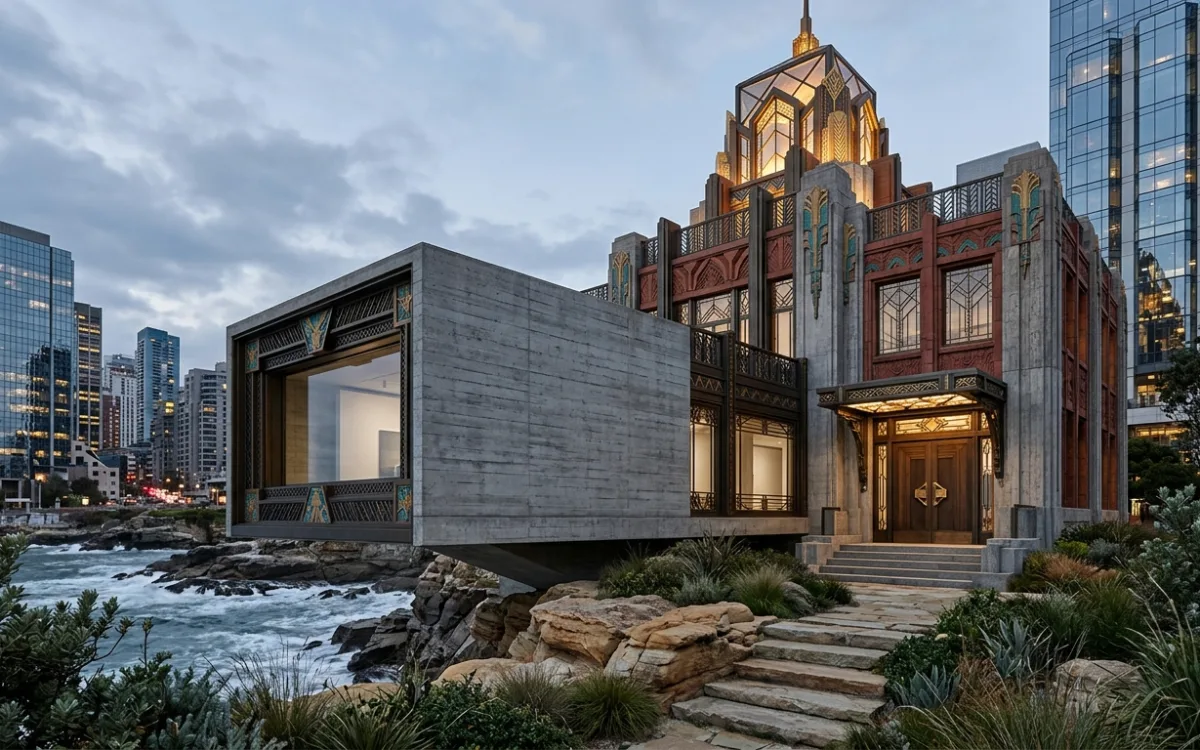
Introduction: From Hesitation to Hyper-Realism
The architectural world is in constant flux, driven by innovation and the relentless pursuit of efficiency and aesthetic perfection. In recent years, one technology has emerged as a transformative force, promising to redefine how architects visualize and present their designs: Artificial Intelligence. AI in architectural visualization, or ArchViz, is no longer a futuristic concept; it's a powerful reality, capable of generating photorealistic renders with unprecedented speed and detail.
Yet, despite its undeniable rise, a common sentiment echoes through many architectural studios: "I really need to get over my hesitation when it comes to utilising AI." This apprehension is understandable. The sheer volume of new tools, the perceived technical complexity, and the fear of a steep AI ArchViz learning curve can feel daunting. Terms like "ComfyUI" or "Stable Diffusion pipelines" might conjure images of complex coding and endless tweaking, pushing architects away from embracing these powerful capabilities.
But what if we told you that effortless, photorealistic renders are not only within reach but can be achieved without becoming an AI expert? What if the path to integrating AI into your workflow was intuitive, designed specifically for your creative needs, and focused on empowering your design vision rather than burdening you with technicalities?
This article is your guide to navigating and ultimately overcoming that initial AI ArchViz learning curve. We'll explore why AI is indispensable, demystify its perceived complexity, and introduce you to platforms like SecondRender that are specifically engineered to make AI-powered visualization accessible, intuitive, and incredibly effective for architects. Get ready to transform your hesitation into hyper-realism.
Why Architects Can't Afford to Ignore AI Anymore
In today's competitive landscape, standing still is not an option. Architects are constantly seeking ways to differentiate themselves, streamline their processes, and deliver exceptional value to clients. AI ArchViz offers a compelling answer to these demands, providing a competitive edge that is increasingly difficult to ignore.
The Competitive Edge: Speed, Efficiency, and Unparalleled Visual Quality
Traditional rendering processes are notoriously time-consuming and resource-intensive. Hours, if not days, can be spent on setting up scenes, adjusting lighting, refining materials, and waiting for renders to complete. This bottleneck often limits the number of design iterations that can be explored and presented, potentially stifling creativity and delaying project timelines.
AI fundamentally changes this equation. With AI-powered tools, architects can generate high-quality renders in minutes, not hours. This dramatic increase in speed translates directly into enhanced efficiency. Imagine being able to:
- Rapidly iterate on design concepts: Explore dozens of variations for a facade, a material palette, or a spatial arrangement in the time it would take to render a single traditional image.
- Accelerate client feedback cycles: Present multiple realistic options during a meeting, allowing clients to visualize changes instantly and make informed decisions on the spot.
- Reduce outsourcing costs: Bring high-quality rendering capabilities in-house, reducing reliance on external visualization studios and maintaining greater control over the creative output.
Beyond speed, AI elevates visual quality to new heights. It can interpret complex prompts and existing visual data (like sketches or 3D models) to generate images with stunning photorealism, intricate details, and nuanced lighting that often surpass what's achievable with traditional methods alone, especially for rapid prototyping.
Beyond Basic Renders: Exploring Design Iterations, Material Studies, and Client Presentations
The power of AI extends far beyond simply producing a final render. It becomes an integral part of the design process itself:
- Early-stage ideation: Transform rough sketches into conceptual visualizations, helping to solidify ideas and communicate initial design intent more effectively.
- Material and finish exploration: Experiment with various material applications – brick, concrete, glass, wood – and see their realistic impact on the design in different lighting conditions, all before committing to expensive samples.
- Environmental context: Place your building seamlessly within its intended environment, simulating different times of day, weather conditions, or seasonal changes to understand its interaction with the surroundings.
- Client presentations: Deliver immersive and dynamic presentations that captivate clients and convey the full vision of your project. Realistic renders foster deeper understanding and stronger emotional connections, leading to quicker approvals and more satisfied clients.
The Shift from Technical Burden to Creative Empowerment
Historically, achieving photorealistic renders required a significant technical skillset, often involving expertise in complex 3D software, rendering engines, and post-production tools. This technical burden could often overshadow the creative process, forcing architects to spend more time on software mechanics than on design exploration.
AI ArchViz shifts this paradigm. By automating many of the technical complexities, AI empowers architects to focus on what they do best: design. It transforms the rendering process from a technical chore into a creative extension of your design thinking. Instead of wrestling with settings, you're guiding an intelligent assistant with your vision, allowing you to explore, refine, and present your ideas with unprecedented freedom and speed. This fundamental shift is why overcoming the AI ArchViz learning curve is not just beneficial, but becoming essential.
Demystifying the AI Learning Curve: It's Simpler Than You Think
The phrase "AI learning curve" often conjures images of complex command-line interfaces, intricate node-based workflows, or even the need for coding knowledge. This perception, while true for some advanced, general-purpose AI tools, is a significant barrier for many architects. Let's break down these misconceptions and show why integrating AI into your architectural visualization workflow is far more accessible than you might believe.
Addressing the "ComfyUI" Fear: Not All AI Tools Require Deep Technical Knowledge or Coding
It's true that platforms like ComfyUI offer incredible flexibility and power for AI image generation. They allow users to build custom workflows, chain together various AI models, and fine-tune every parameter imaginable. However, this level of control comes with a steep learning curve, requiring a deep understanding of AI concepts, model types, and computational graphs. For an architect whose primary focus is design, diving into such a technical rabbit hole can be counterproductive.
The crucial point is this: you don't need to master general-purpose AI frameworks to leverage the power of AI in your ArchViz workflow. Just as you don't need to understand the internal combustion engine to drive a car, you don't need to be an AI engineer to create stunning renders. The market has evolved, offering specialized AI tools designed with specific user needs in mind. These tools abstract away the underlying complexity, presenting a user-friendly interface that focuses on architectural outcomes rather than AI mechanics.
Understanding the Core Concept: AI as a Powerful Assistant, Not a Replacement
At its heart, AI in ArchViz functions as an intelligent assistant. It doesn't replace your design skills, your artistic vision, or your architectural expertise. Instead, it augments them. Think of it as a highly skilled intern who can:
- Interpret your instructions: Understand your textual prompts and visual inputs (sketches, 3D models).
- Access vast visual knowledge: Draw upon an immense database of architectural styles, materials, lighting conditions, and environmental contexts.
- Generate visual possibilities: Quickly produce multiple high-quality images based on your guidance.
- Automate repetitive tasks: Handle the tedious aspects of rendering, freeing you to focus on creative decisions.
The goal isn't for AI to design for you, but to empower you to visualize your designs faster, more effectively, and with greater creative freedom. Your role remains paramount: providing the initial design, guiding the AI with your vision, and curating the best outputs.
The Difference Between General-Purpose AI and Specialized ArchViz AI Tools
This distinction is key to understanding why the AI ArchViz learning curve is often exaggerated.
-
General-Purpose AI Tools (e.g., Midjourney, Stable Diffusion, ComfyUI): These are incredibly versatile and can generate almost any image imaginable. However, their broad applicability means they require more explicit guidance, more nuanced prompting, and often more post-processing to achieve architectural specificity. They are powerful but demand a higher level of user expertise to get precise, architecturally relevant results.
-
Specialized ArchViz AI Tools (e.g., SecondRender): These platforms are built from the ground up with architects in mind. They are trained on vast datasets of architectural imagery, understand architectural terminology, and offer interfaces tailored to the architectural workflow. They often include:
- Pre-trained architectural styles: Libraries of styles (modern, brutalist, minimalist, traditional, etc.) that you can apply with a click.
- Material intelligence: Better understanding of how different materials behave under various lighting conditions.
- Contextual awareness: Ability to seamlessly integrate buildings into landscapes, urban environments, or interior settings.
- Direct integration: Compatibility with common CAD and 3D modeling software.
By choosing a specialized tool, you bypass much of the generic AI complexity and step directly into a workflow that speaks your language and understands your needs. This significantly flattens the AI ArchViz learning curve, making the technology accessible and immediately productive.
Your First Steps: Practical Foundations for AI-Powered ArchViz
Embarking on your AI ArchViz journey doesn't require a complete overhaul of your existing workflow. In fact, the most effective way to start is by leveraging the assets you already create. The key is to understand how to effectively communicate your vision to the AI and manage its outputs.
Starting with What You Know: Leveraging Existing Sketches and 3D Models
One of the most powerful aspects of specialized AI ArchViz tools is their ability to work with your existing design inputs. You don't need to learn new modeling software or drawing techniques.
- Sketches: Have a hand-drawn concept sketch? AI can interpret its lines, forms, and spatial relationships, transforming it into a more refined, realistic image. This is invaluable for early-stage ideation, allowing you to quickly visualize a concept before committing to detailed modeling.
- 2D Plans/Elevations: Even simple CAD drawings or exported 2D views can serve as a strong foundation. AI can infer depth and context, turning flat lines into volumetric representations.
- 3D Models: This is where AI truly shines. Whether you're working in SketchUp, Revit, Rhino, ArchiCAD, or any other 3D modeling software, you can export views or even entire models. AI can then take these wireframes, massing models, or detailed models and apply photorealistic textures, lighting, and environmental context, generating stunning renders that perfectly match your geometry. This means your existing investment in 3D modeling skills is directly transferable and amplified by AI.
The beauty is that the AI acts as a "smart renderer" for your existing work, adding a layer of realism and detail that would traditionally take hours of manual effort.
The Art of Effective Prompting: Guiding the AI with Clear, Concise Language
Prompting is your primary way of communicating with the AI. Think of it as giving instructions to a highly skilled, but literal, artist. The better your instructions, the closer the output will be to your vision. While some tools offer intuitive visual controls, text prompts remain a powerful way to guide the AI.
Here are some tips for effective prompting:
- Be Specific: Instead of "modern house," try "minimalist modern house, concrete facade, large glass windows, flat roof, surrounded by lush green garden."
- Describe Style and Mood: Use adjectives to convey the desired aesthetic. "Warm, inviting interior," "dramatic, moody exterior," "bright, airy space."
- Specify Materials and Textures: "Polished concrete floor," "rough-sawn timber cladding," "reflective glass curtain wall."
- Indicate Lighting and Time of Day: "Golden hour sunlight," "overcast day," "night render with interior lights glowing."
- Define Environment/Context: "Urban setting, bustling street," "secluded forest cabin," "coastal villa with ocean view."
- Use Keywords for Architectural Elements: "Cantilevered balcony," "double-height living space," "skylight," "infinity pool."
- Iterate and Refine: Your first prompt might not be perfect. Generate a few images, see what works and what doesn't, and then refine your prompt based on the outputs. Add or remove keywords, adjust emphasis.
Example Prompt Structure:
[Architectural Style], [Building Type], [Key Materials], [Lighting/Time of Day], [Environment/Context], [Mood/Atmosphere], [Specific Architectural Features]
Understanding Basic AI Outputs: Iteration, Refinement, and Selection
When you provide an input (sketch, 3D model, prompt), the AI will typically generate several variations. This is a crucial part of the process and where your artistic eye comes into play.
- Iteration: Don't expect perfection on the first try. AI is a creative partner, and like any collaboration, it requires back-and-forth. Generate multiple images, even with the same prompt, to see different interpretations.
- Refinement: Identify what you like and dislike in the generated images. Use these observations to refine your prompt, adjust settings (if available), or provide additional visual guidance. For example, if the roof isn't quite right, you might add "flat roof with parapet" to your next prompt.
- Selection: From the generated options, choose the images that best align with your design intent. Sometimes, you might find elements you love in different images and use them as inspiration for further iterations or even combine them in post-production.
Setting Realistic Expectations and Embracing the Iterative Process
AI is an incredibly powerful tool, but it's not a magic wand. It won't instantly produce a perfect, client-ready render from a single vague prompt.
- AI is a tool, not a replacement for design: Your architectural expertise and design decisions remain paramount. AI enhances your ability to visualize those decisions.
- Embrace iteration: The process is inherently iterative. Expect to generate many images, refine your inputs, and guide the AI through several cycles to achieve your desired outcome. This is where the speed of AI becomes a massive advantage – you can iterate much faster than with traditional methods.
- Human oversight is essential: AI can sometimes produce unexpected or even nonsensical elements. Your critical eye is vital for identifying these issues and guiding the AI towards architecturally sound and aesthetically pleasing results.
By understanding these practical foundations, you'll find that the initial AI ArchViz learning curve is far less intimidating and much more rewarding than you might have imagined.
SecondRender: Your Intuitive Bridge to Effortless ArchViz
The perceived complexity of AI is often the biggest hurdle for architects. This is precisely where SecondRender steps in, acting as a dedicated solution designed to flatten the AI ArchViz learning curve and make photorealistic visualization accessible to everyone in the architectural field.
Introducing SecondRender as the Solution Designed for Architects, Not AI Experts
SecondRender was built with a singular purpose: to empower architects with cutting-edge AI visualization without requiring them to become AI engineers. We understand that your expertise lies in design, spatial planning, and material selection, not in prompt engineering or model fine-tuning.
Our platform abstracts away the intricate technicalities of AI, presenting a clean, intuitive interface that speaks the language of architecture. You won't find complex node graphs or obscure parameters. Instead, you'll find controls and options that directly relate to your design process, allowing you to focus on the creative output rather than the underlying technology.
How SecondRender Simplifies Complex AI Processes into an Intuitive Interface
At its core, SecondRender leverages advanced AI models, but it wraps them in a user experience tailored for architects. Here's how it simplifies the process:
- Direct Input Integration: Seamlessly upload your sketches, 2D drawings, or 3D model screenshots. SecondRender intelligently interprets these visual inputs, understanding lines, forms, and spatial relationships.
- Architectural Style Presets: Instead of crafting elaborate prompts to describe a style, SecondRender offers a curated library of architectural styles (e.g., Modern, Industrial, Scandinavian, Brutalist, Classical, etc.). Select a style, and the AI will apply its aesthetic principles to your design.
- Material and Environment Controls: Easily specify materials (concrete, glass, wood, stone) and environmental contexts (urban, rural, coastal, forest) through straightforward selections, rather than complex textual descriptions.
- Lighting and Mood Sliders: Adjust lighting conditions, time of day, and overall mood with simple sliders, giving you immediate visual feedback without needing to understand intricate rendering engine settings.
- Real-time Feedback: Many of SecondRender's features provide near real-time previews, allowing you to quickly iterate and refine your vision without long waiting times.
This streamlined approach means you spend less time learning software and more time designing and visualizing. The AI ArchViz learning curve transforms from a steep climb into a gentle slope, making the transition to AI-powered rendering smooth and efficient.
From Sketch to Stunning Render: Seamlessly Transforming Initial Ideas into Photorealism
Imagine this workflow:
- Sketch Your Idea: You start with a quick hand sketch of a facade or a building massing.
- Upload to SecondRender: Take a photo or scan your sketch and upload it to the platform.
- Add Context and Style: Use SecondRender's intuitive controls to specify "modern minimalist," "concrete and glass," "urban setting," and "daylight."
- Generate: Within moments, SecondRender presents you with several photorealistic interpretations of your sketch, complete with realistic textures, lighting, and environmental context.
This rapid transformation from a raw idea to a compelling visual allows for unprecedented speed in conceptual design and client communication. You can explore multiple design directions in the early stages, ensuring your final design is thoroughly vetted and visually compelling.
Integrating with Your Existing 3D Models (SketchUp, Revit, Rhino, etc.) for Rapid Visualization
SecondRender isn't just for sketches; it's a powerful companion for your detailed 3D models as well. Whether you're working in SketchUp, Revit, Rhino, ArchiCAD, or any other popular 3D modeling software, you can easily leverage SecondRender:
- Export a View: Simply take a screenshot or export a specific view from your 3D model (a wireframe, a clay render, or even a basic textured view).
- Upload to SecondRender: Import this image into the platform.
- Apply AI Magic: Use SecondRender's AI capabilities to instantly apply photorealistic materials, sophisticated lighting, and environmental details to your model. Turn a simple massing model into a stunning render in minutes.
- Iterate and Refine: Experiment with different styles, materials, and lighting conditions to explore various design possibilities without having to re-render in your traditional software.
This integration means your existing investment in 3D modeling skills is not only preserved but significantly enhanced. SecondRender acts as a supercharger for your models, allowing you to generate high-quality visualizations at every stage of the design process, from concept to final presentation, without getting bogged down by the traditional AI ArchViz learning curve.
Mastering SecondRender: Beyond the Basics, Without the Burden
Once you've grasped the fundamentals of using SecondRender, you'll discover a wealth of features designed to give you precise control over your visualizations, all while maintaining an intuitive, architect-friendly interface. Mastering these capabilities allows you to push the boundaries of your creative expression without encountering the steep technical challenges often associated with advanced AI tools.
Exploring SecondRender's Style Libraries and Aesthetic Controls for Diverse Project Needs
SecondRender goes beyond basic rendering by offering extensive libraries of architectural styles and aesthetic controls. This means you can tailor your visualizations to perfectly match the unique requirements of each project.
- Curated Style Presets: Dive into a diverse collection of pre-defined architectural styles. Need a render that evokes a "Brutalist" aesthetic? Select it. Looking for "Scandinavian minimalism"? It's there. These presets are intelligently trained to understand and apply the core visual characteristics of each style, saving you hours of manual tweaking and complex prompting.
- Custom Style Blending: Don't feel limited to single styles. SecondRender often allows for blending elements from different styles or adjusting the intensity of a chosen style, giving you nuanced control over the final look.
- Mood and Atmosphere: Beyond just style, you can control the overall mood. Want a "serene and contemplative" atmosphere or a "vibrant and bustling" urban feel? These controls allow you to convey the emotional impact of your design.
- Artistic Filters and Effects: Experiment with various artistic filters to give your renders a unique touch, from painterly effects to dramatic contrasts, adding another layer of creative expression.
These controls empower you to explore a vast spectrum of visual possibilities, ensuring your renders are not only photorealistic but also perfectly aligned with your design intent and client expectations.
Fine-tuning Details: Material Application, Lighting Adjustments, and Environmental Context
While SecondRender excels at generating stunning visuals from broad strokes, it also provides the tools to fine-tune the critical details that elevate a good render to a great one.
- Precise Material Application: Beyond general material types, you can often specify variations like "polished concrete," "raw concrete," "board-formed concrete," or "weathered timber." SecondRender's AI understands the visual nuances of these descriptors, applying textures and reflections that are highly realistic. You can also adjust properties like reflectivity, roughness, and color saturation.
- Granular Lighting Controls: Manipulate the sun's position, intensity, and color temperature to simulate different times of day or specific atmospheric conditions. Add artificial lights, adjust their color and falloff, and even introduce volumetric fog for dramatic effects. These controls are presented in an intuitive manner, often with visual aids, making complex lighting setups accessible.
- Rich Environmental Context: Place your building within a highly detailed environment. SecondRender can generate realistic landscapes, urban streetscapes, or interior settings based on your input. You can often control elements like vegetation density, sky type (clear, cloudy, sunset), and even add contextual elements like cars, people, or furniture to bring your scene to life.
- Camera and Composition: Adjust camera angle, focal length, and perspective to achieve the perfect composition, just as you would with a physical camera.
These fine-tuning capabilities allow you to move beyond generic AI outputs and craft renders that are truly bespoke and reflect the unique character of your architectural vision.
Generating Multiple Variations Quickly to Explore Design Possibilities and Client Preferences
One of the most significant advantages of SecondRender is its ability to rapidly generate multiple high-quality variations from a single input. This feature is invaluable for both design exploration and client communication.
- Design Iteration: Quickly explore how your design looks with different material palettes, alternative facade treatments, or varying landscape designs. Generate 5-10 distinct options in minutes, allowing you to compare and contrast effectively.
- Client Choice: Present clients with a range of visually distinct options for a particular design element. Instead of saying, "We could do brick or concrete," you can show them photorealistic renders of both, allowing them to make an informed decision based on visual impact. This proactive approach can significantly speed up approval processes and reduce revisions.
- A/B Testing: Test different aesthetic approaches or design solutions to see which resonates most effectively. This iterative process, powered by AI's speed, becomes a core part of your design development.
Tips for Optimizing Your Inputs to Get the Best Results from SecondRender
While SecondRender is intuitive, a few best practices can significantly enhance your results:
- High-Quality Inputs: Start with the best possible input. A clear, well-defined sketch or a clean 3D model screenshot will yield better results than a blurry, ambiguous image.
- Clear Intent: Be clear about your design intent. Even with visual controls, having a strong idea of the desired style, materials, and mood will guide your choices within SecondRender.
- Iterate Smartly: Don't be afraid to generate multiple versions. Use the "best" outputs as a basis for further refinement. For example, if one render has great lighting but the wrong material, use that lighting as a reference for your next iteration with corrected materials.
- Combine Text and Visuals: Even with intuitive controls, a concise text prompt can still be powerful. Use it to reinforce specific details or overall concepts that might not be fully captured by visual selections alone.
- Learn from Outputs: Pay attention to what works and what doesn't in the generated images. This feedback loop will help you refine your prompting and control usage over time, further shortening your personal AI ArchViz learning curve.
- Post-Processing (Optional but Recommended): While SecondRender produces stunning images, a touch of post-processing in Photoshop or similar software can often add that final polish, adjusting brightness, contrast, or color balance to perfection.
By leveraging these advanced features and best practices, you'll find that SecondRender empowers you to create visualizations that are not only photorealistic but also deeply expressive of your architectural vision, all without the traditional burden of a steep AI ArchViz learning curve.
Integrating AI into Your Daily Architectural Workflow
The true power of AI in architectural visualization isn't just in creating stunning individual renders; it's in seamlessly integrating these capabilities into your daily workflow, transforming how you design, communicate, and deliver projects. Overcoming the AI ArchViz learning curve means making AI a natural extension of your creative process.
How to Make AI a Natural Part of Your Design Process, From Concept to Presentation
Integrating AI isn't about replacing your existing tools; it's about augmenting them. Think of it as adding a powerful new layer to your design toolkit.
- Concept Development: Start using AI from the very first sketch. Instead of just drawing, immediately visualize your rough ideas in photorealistic form. This helps you quickly validate concepts, identify potential issues, and explore multiple directions before investing significant time in detailed modeling.
- Design Iteration: As your design evolves, use AI to visualize changes in real-time. Adjust a facade material, change a window proportion, or modify a roofline, and instantly see the photorealistic impact. This rapid feedback loop accelerates the design process and fosters more informed decisions.
- Material and Finish Selection: Use AI to test different material palettes and finishes. See how various types of brick, wood, concrete, or glass interact with light and context, helping you make confident material choices.
- Client Reviews: Present highly realistic visuals at every client meeting. This reduces ambiguity, clarifies design intent, and makes it easier for clients to understand and approve proposals.
- Marketing and Portfolio: Generate high-quality renders for your website, social media, and project portfolios with unprecedented speed and consistency.
By weaving AI into these stages, it becomes an indispensable partner, enhancing efficiency and creative output throughout the entire project lifecycle.
Using AI for Rapid Ideation and Early-Stage Visualization
The early stages of design are often the most fluid and experimental. This is where AI truly shines.
- Sketch-to-Render: Transform napkin sketches or quick hand drawings into compelling conceptual renders in minutes. This allows you to quickly communicate your initial vision to colleagues or clients without the need for detailed 3D modeling.
- Massing Studies: Take simple massing models from your 3D software and apply realistic textures, lighting, and context. This helps you evaluate the volumetric impact of your design within its environment, exploring different forms and scales with ease.
- Mood Boards with a Twist: Instead of just collecting reference images, use AI to generate images that directly reflect the mood and aesthetic you're aiming for, applied to your specific design. This creates highly personalized and relevant visual inspiration.
- Contextual Exploration: Quickly place your building in various environmental contexts – urban, suburban, rural – to understand its relationship with its surroundings and inform site-specific design decisions.
This rapid ideation capability allows architects to explore more options, make more informed decisions earlier, and ultimately produce more refined designs.
Enhancing Client Communication with Dynamic and Realistic Visuals
Effective client communication is paramount to project success. AI ArchViz elevates this to a new level.
- Clarity and Understanding: Photorealistic renders leave little to the imagination. Clients can clearly visualize the proposed design, reducing misunderstandings and ensuring everyone is on the same page.
- Emotional Connection: High-quality visuals evoke emotion and help clients connect with the design on a deeper level. They can "feel" the space and imagine themselves within it.
- Faster Approvals: When clients can clearly see and understand the design, they are more likely to provide quick and confident approvals, minimizing delays and revisions.
- Showcasing Options: Present multiple design options or material choices side-by-side with photorealistic accuracy, allowing clients to make informed decisions based on visual impact rather than abstract descriptions.
- Dynamic Presentations: Integrate AI-generated renders into interactive presentations, allowing clients to "walk through" a space or view a building from different angles, creating a truly immersive experience.
Saving Time on Repetitive Rendering Tasks, Freeing Up Creative Energy
One of the most significant benefits of AI in ArchViz is the automation of repetitive and time-consuming rendering tasks.
- Eliminate Long Render Times: No more waiting hours for a single render to complete. AI generates images in minutes, freeing up your computer and your time.
- Automate Material Application: Instead of manually texturing every surface, AI can intelligently apply materials based on your prompts or selections.
- Streamline Lighting Setup: AI can quickly generate realistic lighting scenarios, reducing the need for complex manual light placement and adjustment.
- Focus on Design, Not Software: By handling the technical heavy lifting, AI allows architects to dedicate more mental energy to creative problem-solving, design refinement, and strategic thinking.
By integrating AI tools like SecondRender, architects can reclaim valuable time, reduce project timelines, and channel their energy into the most impactful aspects of their work, ultimately enhancing both productivity and creativity. This makes overcoming the AI ArchViz learning curve a strategic imperative.
Common Pitfalls and How to Navigate Them with Confidence
While AI ArchViz offers incredible advantages, like any powerful tool, it comes with its own set of challenges. Understanding these common pitfalls and knowing how to navigate them will help you maximize AI's potential and ensure a smooth, productive workflow, further flattening the AI ArchViz learning curve.
Overcoming "Prompt Paralysis": Strategies for Effective Communication with AI
One of the initial hurdles for many users is "prompt paralysis" – the feeling of not knowing what to type to get the desired result. With the vast possibilities of AI, it can be overwhelming to craft the perfect prompt.
Strategies to overcome prompt paralysis:
- Start Simple, Then Elaborate: Don't try to write a novel. Begin with a few core keywords (e.g., "modern house, concrete, forest"). Generate an image, then add more detail based on what you see (e.g., "modern house, polished concrete, large windows, dense pine forest, morning light").
- Use Reference Images: Many AI tools, including SecondRender, allow you to upload an image as a visual prompt. This is incredibly powerful. Find an image that captures the style, mood, or material palette you're aiming for, and let the AI use it as a guide.
- Leverage Style Presets: Specialized tools like SecondRender offer pre-defined architectural styles. Use these as a starting point, then add specific details via text or other controls.
- Deconstruct Good Prompts: When you see an AI-generated image you like (either your own or from others), try to break down what prompt elements might have led to that result. This helps build your "prompt vocabulary."
- Focus on Key Descriptors: Prioritize adjectives for style, materials, lighting, and environment. These are often the most impactful words.
- Iterate and Learn: Every prompt is an experiment. Don't be afraid to try different wordings, observe the results, and learn from them. The more you prompt, the better you'll become.
Managing Expectations: AI as a Tool, Not a Magic Wand
It's easy to get carried away by the hype surrounding AI. While it's incredibly powerful, it's crucial to maintain realistic expectations.
- AI is an Assistant, Not a Designer: AI doesn't understand architectural principles, structural integrity, or building codes. It's a generative tool that creates images based on patterns it has learned. Your design expertise remains indispensable.
- Garbage In, Garbage Out: If your input sketch is unclear, your 3D model is messy, or your prompt is vague, the AI's output will likely reflect that ambiguity. High-quality inputs lead to high-quality outputs.
- Not Always Perfect: AI can sometimes produce artifacts, strange geometries, or illogical elements. It's a creative tool, and like any creative process, it requires human oversight and refinement.
- Context Matters: While AI can generate stunning visuals, it doesn't inherently understand the specific context of your project (client brief, site constraints, budget). You must provide that context and guide the AI accordingly.
By viewing AI as a sophisticated tool that requires your intelligent guidance, you'll avoid frustration and harness its power more effectively.
The Importance of Human Oversight and Artistic Direction
Despite AI's capabilities, the architect's role remains central. AI is a powerful brush, but you are the artist.
- Curatorial Role: You are the curator of the AI's outputs. You select the best images, identify areas for improvement, and guide subsequent iterations.
- Artistic Vision: AI doesn't have an artistic vision; it executes instructions. Your unique aesthetic, design philosophy, and creative intent are what elevate the AI's output from generic to exceptional.
- Problem Solving: AI can't solve complex design problems or make strategic decisions. It can visualize potential solutions, but the ultimate judgment and problem-solving lie with the architect.
- Ethical Considerations: As AI becomes more prevalent, architects must consider the ethical implications of its use, including originality, copyright, and the potential impact on traditional skills.
Your expertise, creativity, and critical judgment are irreplaceable. AI simply provides a new, more efficient means to express them.
Troubleshooting Common Issues and Refining Your Approach
Encountering issues is a natural part of learning any new technology. Here are some common problems and how to troubleshoot them:
- "The AI isn't understanding my prompt.":
- Solution: Simplify your prompt. Break it down into core elements. Try using synonyms. Add negative prompts (e.g., "no cars," "no people") to exclude unwanted elements. Use visual inputs (sketches/3D models) to provide stronger guidance.
- "The output looks distorted or unrealistic.":
- Solution: Check your input image quality. Ensure it's clear and well-defined. Adjust the "creativity" or "stylization" slider (if available in your tool) – sometimes a lower setting yields more faithful results. Refine your prompt to be more specific about geometry or perspective.
- "I'm getting repetitive results.":
- Solution: Introduce more variety into your prompts. Experiment with different styles, lighting conditions, or environmental descriptors. Try slightly different input images.
- "The details aren't quite right.":
- Solution: Focus on specific details in your prompt (e.g., "large arched windows," "intricate brick pattern"). Use image-to-image capabilities to refine specific areas. Consider a round of post-processing for minor adjustments.
- "The AI is adding elements I don't want.":
- Solution: Use negative prompts to explicitly tell the AI what to avoid. For example, if it keeps adding trees, try "no trees" in your negative prompt.
By understanding these common pitfalls and adopting a proactive, iterative approach, you'll quickly gain confidence in navigating the AI ArchViz learning curve and consistently achieve impressive results with tools like SecondRender.
The Future of Architectural Visualization is Collaborative and Creative
The integration of AI into architectural visualization is not merely a technological upgrade; it represents a fundamental shift in how architects will work, collaborate, and create. As we move beyond the initial AI ArchViz learning curve, we enter an era where technology empowers, rather than burdens, the creative process.
Envisioning a Future Where AI Empowers Architects to Focus Purely on Design
Imagine a future where the tedious, repetitive, and time-consuming aspects of visualization are largely automated. Architects will no longer spend hours wrestling with render settings, tweaking material parameters, or waiting for images to process. Instead, their energy will be redirected towards:
- Deeper Design Exploration: With rapid visualization at their fingertips, architects can explore an unprecedented number of design iterations, testing different forms, materials, and spatial arrangements with ease. This leads to more refined, innovative, and robust designs.
- Enhanced Conceptualization: The ability to quickly visualize abstract ideas in photorealistic detail will accelerate the conceptual phase, allowing architects to solidify their vision and communicate it effectively from the very beginning.
- Strategic Thinking: Freed from technical burdens, architects can dedicate more time to strategic planning, client relationships, project management, and exploring new business opportunities.
- Pure Creativity: The ultimate promise of AI is to liberate architects to focus purely on the art and science of design, allowing their creative genius to flourish unhindered by technical constraints.
This future isn't a distant dream; it's rapidly unfolding with platforms like SecondRender leading the way, making advanced AI accessible and practical for everyday architectural practice.
The Evolving Role of the Architect in an AI-Driven World
The advent of AI does not diminish the role of the architect; it transforms it. Architects will evolve from being sole creators to becoming master curators, intelligent guides, and strategic visionaries.
- Curator of AI Outputs: Architects will be responsible for discerning the best AI-generated options, refining them, and ensuring they align with the project's goals and aesthetic vision.
- Strategic Prompt Engineer: While specialized tools simplify prompting, the ability to articulate complex design ideas into effective AI instructions will become a valuable skill.
- Ethical Steward: Architects will play a crucial role in ensuring AI is used responsibly and ethically, maintaining the integrity and originality of their work.
- Interdisciplinary Collaborator: AI will facilitate new forms of collaboration, allowing architects to work more seamlessly with engineers, urban planners, and other specialists by providing clear, compelling visualizations.
- Innovator: Architects who embrace AI will be at the forefront of innovation, pushing the boundaries of design and visualization, and setting new standards for the industry.
The architect's unique blend of creativity, technical knowledge, and problem-solving skills will remain indispensable, amplified by the power of AI.
Staying Ahead of the Curve: Continuous Learning and Adaptation
The world of AI is dynamic and constantly evolving. To truly leverage its potential, architects must embrace a mindset of continuous learning and adaptation.
- Experiment Regularly: Dedicate time to experimenting with new AI tools and features. The best way to learn is by doing.
- Stay Informed: Follow industry news, blogs, and forums to keep abreast of the latest advancements in AI ArchViz.
- Share Knowledge: Engage with peers, share your experiences, and learn from others in the architectural community who are also exploring AI.
- Provide Feedback: As users of AI platforms, your feedback is invaluable in shaping the development of future tools, making them even more tailored to architectural needs.
By actively engaging with AI, architects can not only overcome the initial AI ArchViz learning curve but also position themselves as leaders in a rapidly changing industry, ready to harness the full creative and collaborative potential of this transformative technology.
Conclusion: Embrace the Future, Render with Confidence
The journey from initial hesitation to confident mastery of AI ArchViz is a rewarding one, and it's far more accessible than many architects realize. We've explored the undeniable advantages AI brings to the architectural practice – from unparalleled speed and efficiency to the ability to explore design iterations with unprecedented visual quality. We've demystified the perceived complexity, highlighting that specialized tools are designed to empower architects, not burden them with technical jargon.
The initial AI ArchViz learning curve is not a barrier to entry, but an invitation to unlock new creative potential. Platforms like SecondRender are at the forefront of this revolution, providing an intuitive bridge that transforms your sketches and 3D models into stunning, photorealistic renders with effortless ease. It integrates seamlessly into your existing workflow, allowing you to focus on design while AI handles the visualization heavy lifting.
By embracing AI, you're not just adopting a new tool; you're embracing a future where your creative energy is maximized, your design process is accelerated, and your client presentations are more compelling than ever before. The power to visualize your architectural dreams with hyper-realism is no longer a distant aspiration but a tangible reality.
Ready to transform your architectural visualizations? Try SecondRender today and experience the future of ArchViz.