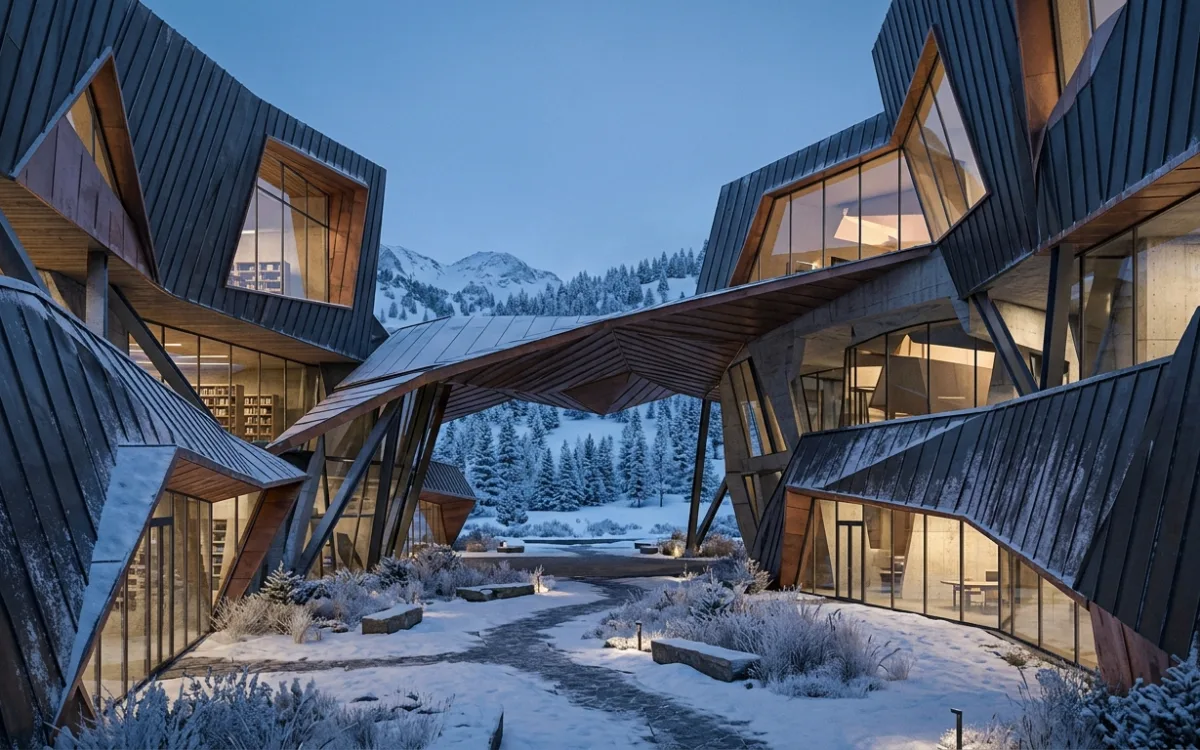
Overcome Rendering Bottlenecks: Cloud AI for Flawless Architectural Renders
Introduction: The Architect's Silent Struggle
Are you an architect, a visualization specialist, or a designer constantly battling your hardware? Do you find yourself staring at a frozen screen, a progress bar inching along, or a crash report, all while your creative vision hangs in the balance? You're not alone. This is the architect's silent struggle – the frustration of a "4GB VRAM laptop really struggling" or the exasperation of "laggy models and LayOuts" that bring your creative flow to a grinding halt.
In the demanding world of architectural visualization, where photorealism is paramount and deadlines are relentless, hardware limitations aren't just an inconvenience; they're a significant impediment to your productivity, creativity, and ultimately, your success. The dream of bringing complex designs to life with stunning detail often collides with the harsh reality of insufficient VRAM, sluggish CPUs, and endless render times.
But what if there was a way to break free from these limitations? What if you could unlock your full potential, render without compromise, and focus purely on design, not technical roadblocks? It's time to understand the true cost of these bottlenecks and discover how to overcome rendering bottlenecks once and for all.
The Hidden Costs of Hardware Limitations in Architectural Visualization
To truly appreciate the solution, we must first understand the problem in depth. Architectural rendering is one of the most computationally intensive tasks in the design world. It's not just about displaying a 3D model; it's about simulating light, materials, and environments with breathtaking accuracy. This process places immense strain on several key hardware components:
Deep Dive into Common Bottlenecks:
- VRAM (Video RAM): This is arguably the most critical bottleneck for modern rendering. VRAM stores all the data your GPU needs to render a scene: textures, geometry, lighting information, and frame buffers. High-resolution textures (4K, 8K), complex materials (PBR), detailed 3D models with millions of polygons, and extensive scene elements (trees, furniture, people) quickly consume VRAM. When your VRAM is full, your system starts "swapping" data to slower system RAM or even your hard drive, leading to massive slowdowns, crashes, or incomplete renders. The dreaded "out of VRAM" error is a common nightmare.
- CPU (Central Processing Unit): While GPUs have taken the lead in rendering speed, the CPU is still vital. It handles scene preparation, geometry processing, physics simulations, and certain types of rendering (especially CPU-based renderers). A slow CPU can bottleneck the data feed to the GPU, or simply make scene setup and interaction painfully slow.
- RAM (System Memory): Your main system RAM stores the entire scene data that the CPU and GPU need to access. Large architectural scenes with many assets, high polygon counts, and multiple applications running simultaneously can quickly exhaust your RAM, forcing your system to use virtual memory on your slower storage drive, leading to significant performance degradation.
- Storage Speed (SSD/NVMe): While often overlooked, the speed of your storage drive impacts how quickly your scene loads, how fast textures are streamed, and how efficiently your system handles virtual memory. A slow HDD can add minutes, or even hours, to project load times and severely impact overall system responsiveness, especially when dealing with large asset libraries.
Why These Are Critical for Architectural Rendering:
- Complex Geometry: Modern architectural designs often feature intricate details, curved surfaces, and highly detailed components. Each polygon adds to the computational load.
- High-Resolution Textures: Photorealism demands high-resolution textures for materials like concrete, wood, glass, and fabric. These textures are VRAM hungry.
- Intricate Lighting & Global Illumination: Simulating realistic light bounces (global illumination), reflections, refractions, and shadows is incredibly complex. These calculations are at the heart of photorealism and demand immense processing power, often involving millions of light rays.
- Large Scenes & Environments: Urban planning projects, sprawling landscapes, or detailed interiors with numerous props all contribute to massive scene files that push hardware to its limits.
The Direct Impact:
The direct consequences of these bottlenecks are severe:
- Slow Render Times: What should take minutes can stretch into hours or even days, bringing your workflow to a standstill.
- Crashes and Instability: Overloaded hardware is prone to crashing, leading to lost work and immense frustration.
- Inability to Work with Large Scenes: You might be forced to simplify your designs, reduce detail, or split large projects into smaller, more manageable (and less cohesive) chunks.
- Compromised Visual Quality: To get a render out on time, you might have to lower texture resolutions, reduce sample counts, or simplify lighting, sacrificing the very photorealism you strive for.
These limitations don't just affect your computer; they directly impact your ability to deliver high-quality work on time and to fully realize your creative vision. It's a constant battle against the clock and the capabilities of your machine, making it incredibly difficult to overcome rendering bottlenecks.
The True Price of Local Rendering: Beyond the Initial Investment
The initial purchase price of a powerful workstation is just the tip of the iceberg when it comes to the true cost of local rendering. The ongoing expenses and hidden drains on your resources can be substantial.
Time is Money: Lost Hours and Missed Opportunities
Every minute spent waiting for a render is a minute not spent designing, collaborating, or engaging with clients.
- Impact on Deadlines: Slow render times can push project deadlines, leading to stressed teams, rushed presentations, and potentially unhappy clients.
- Reduced Iteration Cycles: Architects thrive on iteration. The ability to quickly test different material palettes, lighting scenarios, or design modifications is crucial. When each render takes hours, the number of iterations you can realistically perform is severely limited, stifling creativity and potentially leading to suboptimal designs.
- Client Presentations: Last-minute changes or the need for multiple views for a client presentation can become a logistical nightmare if your hardware can't keep up. The inability to quickly generate high-quality visuals can undermine your professionalism and responsiveness.
Creative Compromise: The Unseen Cost
Perhaps the most insidious cost is the creative compromise. When faced with hardware limitations, architects are often forced to:
- Simplify Designs: Reducing polygon counts, removing intricate details, or avoiding complex geometries to make a scene renderable.
- Lower Quality: Sacrificing texture resolution, reducing global illumination bounces, or using less accurate rendering algorithms to speed up the process.
- Avoid Ambitious Projects: Turning down projects that require extremely detailed or large-scale visualizations because your current setup simply can't handle them.
This means your final output might not fully reflect your initial vision or the true potential of your design, all because your hardware couldn't keep pace.
The Endless Upgrade Cycle: A Financial Drain
The rapid pace of technological advancement means that today's top-tier hardware quickly becomes tomorrow's bottleneck.
- Diminishing Returns: Each subsequent hardware upgrade often yields smaller performance gains for a proportionally larger investment. You might spend thousands on a new GPU, only to find it's still struggling with your most complex scenes a year or two later.
- High Initial Investment: Powerful workstations with high-end GPUs, abundant RAM, and fast storage can cost tens of thousands of dollars. This is a significant capital expenditure (CapEx) for any firm, especially smaller practices.
- Maintenance and Obsolescence: Hardware requires maintenance, and eventually, it becomes obsolete, necessitating further investment. This constant cycle of buying, installing, and maintaining expensive equipment diverts resources that could be better spent elsewhere.
Environmental Impact: The Hidden Footprint
Powerful local workstations and render farms consume substantial amounts of electricity. Running multiple high-end GPUs and CPUs for extended periods contributes to:
- Increased Energy Bills: A direct financial cost that adds up over time.
- Carbon Footprint: A growing concern for environmentally conscious firms. While individual machines might seem small, collectively, the energy consumption of local rendering is significant.
These hidden costs underscore the need for a more sustainable and efficient approach to architectural visualization, one that can truly help you overcome rendering bottlenecks.
Why More Hardware Isn't Always the Answer: Understanding Scalability Limits
The natural inclination when facing rendering bottlenecks is to buy more hardware. A faster GPU, more RAM, a beefier CPU. But there comes a point where simply throwing more money at the problem yields diminishing returns, and even top-tier local setups hit their own scalability limits.
The Ceiling of a Single Machine
Even the most powerful, custom-built workstation has a finite capacity.
- VRAM Limits: While high-end GPUs offer 24GB or even 48GB of VRAM, truly massive scenes – think entire city blocks, highly detailed landscapes with dense foliage, or intricate historical reconstructions – can easily exceed these limits. Once you hit that ceiling, performance plummets, regardless of how fast your GPU is.
- CPU Core Limits: While CPUs offer many cores, the performance gains for rendering often plateau beyond a certain point, especially for GPU-accelerated workflows where the CPU's role is more about feeding data efficiently.
- Physical Constraints: A single machine can only house so many components. Adding more GPUs can lead to power supply issues, cooling challenges, and physical space limitations within the chassis.
For truly massive, photorealistic projects that demand unprecedented detail and scale, a single machine, no matter how powerful, will eventually become a bottleneck itself.
The Complexity of Distributed Rendering: Local Render Farms
Some firms attempt to overcome rendering bottlenecks by building their own local render farms. This involves networking multiple workstations or dedicated render nodes together to share the rendering load. While theoretically powerful, this approach introduces a new set of complexities:
- Setup and Configuration: Building a render farm requires significant IT expertise. This includes networking multiple machines, configuring render management software, ensuring consistent software versions across all nodes, and managing licenses.
- Maintenance and Management: A render farm is a complex system that requires constant monitoring, maintenance, and troubleshooting. Hardware failures, software conflicts, and network issues can bring the entire farm to a halt.
- Software Licensing: Many rendering engines require separate licenses for each render node, significantly increasing software costs.
- Power and Cooling: A local render farm consumes enormous amounts of electricity and generates substantial heat, requiring dedicated cooling solutions and contributing to higher operational costs and environmental impact.
- Underutilization: A local render farm is a fixed asset. During periods of low demand, these expensive machines sit idle, representing a wasted investment. During peak demand, they might still be overwhelmed.
For many architectural practices, the overhead and expertise required to set up and manage a local render farm are simply not feasible or cost-effective.
The Rapid Pace of Technology: Today's Cutting-Edge is Tomorrow's Bottleneck
The technology landscape evolves at an astonishing rate. A GPU that was state-of-the-art two years ago might struggle with the demands of the latest rendering software and increasingly complex project requirements today. This constant obsolescence means that even if you invest heavily in the best hardware now, you'll likely be facing the same upgrade dilemma in a relatively short period. This makes it incredibly difficult to future-proof your practice with local hardware alone.
The limitations of local hardware, whether a single workstation or a complex render farm, highlight the need for a fundamentally different approach to architectural visualization – one that offers true scalability, flexibility, and access to cutting-edge power without the associated headaches and costs.
The Cloud Revolution: Unleashing Unprecedented Power with AI-Driven Rendering
The limitations of local hardware have paved the way for a transformative shift in architectural visualization: cloud rendering. This paradigm leverages the vast, scalable computing resources of data centers around the world, democratizing access to supercomputing power that was once the exclusive domain of large studios or research institutions.
Introduction to Cloud Rendering: Supercomputing on Demand
Cloud rendering works by offloading the computationally intensive rendering process from your local machine to powerful servers in the cloud. Instead of relying on your own CPU and GPU, you tap into a network of high-performance machines, often equipped with dozens or even hundreds of the latest GPUs, virtually unlimited RAM, and lightning-fast storage.
The beauty of cloud rendering lies in its "on-demand" nature. You only pay for the computing resources you use, when you use them. This eliminates the need for massive upfront hardware investments and the ongoing costs of maintenance, upgrades, and power consumption associated with local setups.
The SecondRender Advantage: AI-Powered Cloud Rendering
SecondRender takes the power of cloud rendering to the next level by integrating advanced Artificial Intelligence. Our AI-powered platform is specifically designed to overcome rendering bottlenecks that plague architects and visualizers. Here's how:
- Leveraging the Cloud for Scale: SecondRender harnesses the immense power of cloud infrastructure. This means when you submit a render, you're not limited by the VRAM or processing power of a single machine. Instead, your project can access a virtually limitless pool of resources, dynamically scaled to meet the demands of even the most complex scenes.
- AI for Optimization and Speed: Our proprietary AI algorithms are trained on vast datasets of architectural renders. This allows SecondRender to intelligently optimize the rendering process, often achieving results faster and more efficiently than traditional methods. The AI can analyze your scene, identify areas for optimization, and apply advanced techniques to accelerate render times without compromising quality.
- Seamless Integration: SecondRender is designed to integrate smoothly into your existing architectural workflow, whether you're starting from a simple sketch or a detailed 3D model. Our platform handles the heavy lifting, allowing you to focus on design.
Specific Benefits of SecondRender's Cloud AI:
- On-Demand Scalability: Need to render 10 high-resolution images simultaneously for a client presentation? SecondRender scales instantly. There's no queue, no waiting for local machines to free up.
- Access to Virtually Unlimited VRAM and Processing Power: Say goodbye to "out of VRAM" errors. SecondRender's cloud infrastructure provides access to GPU configurations with VRAM capacities far exceeding what's feasible in a single workstation. This means you can use 8K textures, millions of polygons, and incredibly detailed environments without fear of crashing.
- No Local Hardware Investment Required: Eliminate the endless upgrade cycle. With SecondRender, your rendering capabilities are always cutting-edge, without you having to purchase or maintain expensive hardware. This shifts your expenditure from CapEx to OpEx, offering greater financial flexibility.
- Directly Addresses "Struggling VRAM" and "Laggy Models": By offloading the entire rendering process to powerful cloud servers, SecondRender completely bypasses your local machine's limitations. Your local workstation is freed up for design work, while the cloud handles the intensive calculations. This means your models in your design software will remain responsive, and your renders will complete quickly, regardless of your local hardware.
SecondRender isn't just about faster renders; it's about fundamentally changing how architects approach visualization, empowering them to realize their grandest visions without technical constraints. It's the ultimate tool to overcome rendering bottlenecks and unlock unparalleled creative freedom.
SecondRender in Action: Flawless Renders, Unrestricted Creativity
Imagine a world where your creative vision is never limited by the capabilities of your computer. This is the world SecondRender creates for architects and designers. Our AI-powered cloud rendering platform transforms your workflow, delivering stunning photorealistic results with unprecedented speed and quality.
Showcase SecondRender's Capabilities:
SecondRender empowers you to achieve photorealistic renders from a variety of inputs:
- From Sketches to Photorealism: Start with a simple hand sketch or a conceptual drawing, and let SecondRender's AI interpret and transform it into a detailed, photorealistic architectural visualization. This is invaluable for early-stage design exploration and client communication.
- From 3D Models to Masterpieces: Upload your detailed 3D models from popular architectural software (e.g., SketchUp, Revit, Rhino, ArchiCAD, Blender, 3ds Max) and watch as SecondRender applies advanced rendering techniques, realistic lighting, and high-fidelity materials to produce breathtaking images. Our AI understands architectural context and aesthetics, ensuring your renders are not just technically perfect but also artistically compelling.
- Unparalleled Speed and Quality: Leveraging the power of cloud GPUs and intelligent AI algorithms, SecondRender dramatically reduces render times. What used to take hours or even days on a local machine can now be completed in minutes, all while maintaining or even exceeding the quality you'd expect from a high-end render farm.
Empowering Design Iteration: Rapid Exploration
One of the most significant advantages of SecondRender is its ability to facilitate rapid design iteration.
- Test Multiple Design Options Instantly: No more waiting hours for each render to see how a different facade material, a change in window design, or an alternative lighting scheme impacts the overall aesthetic. With SecondRender, you can quickly generate multiple variations, allowing you to explore design possibilities thoroughly and make informed decisions.
- Accelerated Feedback Loops: Presenting multiple options to clients becomes effortless. You can quickly incorporate feedback and generate revised renders on the fly, streamlining the client approval process and enhancing collaboration. This agility helps you overcome rendering bottlenecks in your design process itself.
Focus on Creativity, Not Computation:
SecondRender frees architects from the technical burden of rendering.
- Concentrate on Design and Vision: Instead of troubleshooting hardware issues, optimizing render settings, or waiting for progress bars, you can dedicate your time and mental energy to what you do best: designing, innovating, and refining your architectural concepts.
- Offload the Heavy Lifting: Let SecondRender's AI handle the complex calculations of ray tracing, global illumination, and material shading. Your role shifts from render technician to pure designer.
Examples of SecondRender's Impact:
- Handling Massive Scenes with Intricate Details: Imagine rendering a sprawling urban master plan with thousands of unique buildings, dense landscaping, and intricate street furniture. SecondRender can process these immense datasets effortlessly, delivering high-resolution outputs without a single "out of VRAM" error.
- Complex Lighting Scenarios: From the subtle nuances of natural daylight at different times of day to elaborate artificial lighting schemes for interior spaces, SecondRender's AI excels at simulating realistic light interactions, producing renders that truly capture the mood and atmosphere of your design.
- High-Resolution Outputs for Any Need: Whether you need a stunning 4K image for a client presentation, a panoramic view for a virtual tour, or a high-DPI print for a competition board, SecondRender delivers, consistently and quickly.
SecondRender isn't just a tool; it's a partner that empowers you to push the boundaries of architectural visualization, ensuring your creative vision is always realized to its fullest potential, helping you to overcome rendering bottlenecks and achieve truly flawless results.
Practical Tips for Optimizing Your Workflow (Even Before the Cloud)
While SecondRender's cloud AI offers a powerful solution to overcome rendering bottlenecks, adopting good 3D modeling and scene optimization practices will always enhance your workflow, whether you're rendering locally or in the cloud. A clean, efficient 3D model will always yield faster, higher-quality results, even when processed by the most advanced AI.
Scene Optimization Fundamentals:
- Polygon Reduction: High polygon counts are a primary cause of slow performance.
- Use Proxies/Placeholders: For distant objects or repetitive elements (trees, cars, people), use low-polygon proxies during modeling and only swap in high-detail models for the final render if absolutely necessary, or let the cloud renderer handle the high-poly versions efficiently.
- Simplify Unseen Geometry: Remove or simplify geometry that will never be visible to the camera (e.g., the back of a cabinet against a wall).
- Decimate Meshes: Use built-in tools in your 3D software to reduce polygon count on complex objects without significantly impacting visual quality.
- Efficient Texture Management: Textures consume significant VRAM and RAM.
- Optimize Resolution: Use textures at appropriate resolutions. An 8K texture for a distant wall might be overkill; a 2K or 4K texture might suffice.
- Compress Textures: Use efficient image formats (e.g., JPG, PNG) and consider texture compression where appropriate.
- Avoid Redundant Textures: Reuse textures where possible, and ensure your material library is clean and organized.
- Instancing: For repetitive objects (e.g., windows, chairs, trees), use instancing instead of duplicating geometry. Instancing tells the renderer to use the same geometry data multiple times, saving VRAM and RAM.
- Layer and Group Organization: A well-organized scene with logical layers and groups makes it easier to manage visibility, isolate objects, and troubleshoot issues. This is especially important when preparing a scene for cloud rendering, as it allows for easier selection and export of specific elements.
Smart Modeling Practices: Building Clean Geometry
- Clean Geometry: Model with good topology. Avoid overlapping faces, non-manifold geometry, and excessive subdivisions where they're not needed. "Clean" geometry is easier for renderers to process.
- Efficient Assets: When importing assets from external libraries, always check their polygon count and texture sizes. Many free assets are poorly optimized and can quickly bloat your scene.
- Component/Block Usage: In software like SketchUp or AutoCAD, use components or blocks for repetitive elements. This not only keeps your file size down but also makes it easier to update multiple instances simultaneously.
Understanding Render Settings: Balancing Quality and Speed
- Local Previews: When working locally, use lower render settings for quick previews (fewer samples, lower resolution, simpler GI settings). This allows for faster iteration during the design phase.
- Progressive Rendering: If your renderer supports it, use progressive rendering for previews. This allows you to see a rough image quickly and stop the render once you have enough detail to assess changes.
- Render Elements/Passes: Understand how to use render elements (e.g., diffuse, reflection, shadow passes) for post-production. This can save render time by allowing you to make adjustments in image editing software rather than re-rendering the entire scene.
The Importance of a Clean 3D Model for Optimal Cloud Rendering Results:
Even with SecondRender's immense power, starting with a clean, optimized 3D model is crucial.
- Faster Uploads: Smaller, more efficient scene files upload faster to the cloud.
- More Predictable Results: Clean geometry and well-managed textures lead to more predictable and accurate rendering outcomes.
- Leveraging AI More Effectively: While SecondRender's AI can handle complex scenes, providing it with an optimized foundation allows it to focus its power on enhancing realism and speed, rather than struggling with inefficient data.
By integrating these best practices into your daily workflow, you'll not only improve your local machine's performance but also ensure that when you leverage SecondRender's cloud AI, you're getting the absolute best possible results, maximizing efficiency and quality.
Future-Proofing Your Practice: Embracing AI for Sustainable Growth
In a rapidly evolving industry, staying ahead means embracing innovation. For architectural practices, this means looking beyond traditional methods and leveraging cutting-edge technologies like AI-powered cloud rendering to build a sustainable and competitive future.
The Strategic Shift: From CapEx to OpEx for Rendering
One of the most significant strategic advantages of adopting SecondRender is the shift in financial model for your rendering capabilities:
- Capital Expenditure (CapEx) to Operational Expenditure (OpEx): Instead of large, infrequent investments in expensive hardware (CapEx) that depreciates and quickly becomes obsolete, you transition to a flexible, pay-as-you-go service (OpEx). This allows for better cash flow management and eliminates the risk of investing in hardware that might not meet future demands.
- Predictable Costs: With cloud services, you pay for what you use, making rendering costs more predictable and scalable with project demand. During busy periods, you scale up; during quieter times, you scale down, without idle hardware draining resources.
Staying Competitive: How AI-Powered Visualization Keeps Your Firm at the Forefront
The quality and speed of your visualizations directly impact your ability to win bids and impress clients.
- Deliver Superior Visuals: SecondRender enables you to consistently produce photorealistic, high-quality renders that stand out from the competition, showcasing your designs in the best possible light.
- Faster Turnaround Times: The ability to generate stunning visuals quickly means you can respond to client requests faster, iterate more rapidly, and meet tight deadlines with confidence. This responsiveness is a key differentiator in today's fast-paced market.
- Embrace Innovation: By adopting AI-powered tools, your firm demonstrates a commitment to innovation and efficiency, positioning you as a forward-thinking leader in the architectural space.
Innovation Without Infrastructure:
SecondRender allows your firm to innovate and scale without the burden of managing complex IT infrastructure.
- Focus on Design and Client Relationships: Free your team from the technical headaches of hardware maintenance, upgrades, and render farm management. This allows your architects and designers to focus their energy on core competencies: design excellence, client engagement, and business development.
- Agility and Flexibility: Easily adapt to new project requirements, scale your rendering capacity up or down as needed, and experiment with new visualization techniques without being constrained by your local hardware.
- Access to the Latest Technology: As rendering technology evolves, SecondRender's cloud infrastructure is continuously updated with the latest GPUs and AI advancements, ensuring you always have access to cutting-edge capabilities without any effort on your part.
The Long-Term Vision: Building a Scalable, Agile Architectural Practice
Embracing AI-powered cloud rendering with SecondRender is more than just a rendering solution; it's a strategic move towards building a more scalable, agile, and resilient architectural practice. It empowers you to:
- Take on More Ambitious Projects: No longer limited by hardware, you can confidently pursue larger, more complex, and more detailed projects.
- Expand Your Creative Horizons: Experiment with new design ideas and visualization styles, knowing that SecondRender can bring them to life.
- Optimize Resource Allocation: Reallocate budget and personnel from IT and hardware management to design, marketing, and client services.
By making the strategic shift to SecondRender, you're not just solving today's rendering problems; you're future-proofing your practice, ensuring you have the tools and flexibility to thrive in the evolving landscape of architectural design and visualization. It's the definitive way to overcome rendering bottlenecks and secure sustainable growth.
Conclusion: Render Without Limits
The architect's silent struggle against hardware limitations is a pervasive challenge, hindering creativity, delaying projects, and draining resources. From the frustration of "4GB VRAM laptops really struggling" to the hidden costs of endless hardware upgrades and compromised design, the traditional approach to architectural rendering is fraught with bottlenecks.
But the future of architectural visualization is here, and it's powered by AI in the cloud. SecondRender offers a revolutionary solution to overcome rendering bottlenecks, liberating architects and visualizers from the constraints of local hardware. By harnessing the immense, scalable power of cloud AI, SecondRender provides on-demand access to virtually unlimited VRAM and processing power, transforming slow, unstable renders into rapid, flawless visualizations.
Imagine focusing purely on your design, iterating with unprecedented speed, and presenting photorealistic renders that truly capture your vision, all without the worry of technical limitations. SecondRender empowers you to realize your grandest architectural visions without compromise, fostering a workflow where creativity reigns supreme and computation is handled effortlessly.
It's time to leave behind the frustration of laggy models and endless render queues. It's time to embrace a future where your imagination is the only limit.
Ready to Break Free? Try SecondRender Today!
Are you ready to overcome rendering bottlenecks and transform your architectural visualization workflow?
Visit SecondRender.com to learn more about how our AI-powered platform can revolutionize your practice. Explore our features, see stunning examples of what's possible, and get started with your first AI-powered render. Experience the freedom of unlimited rendering power and unlock your full creative potential.