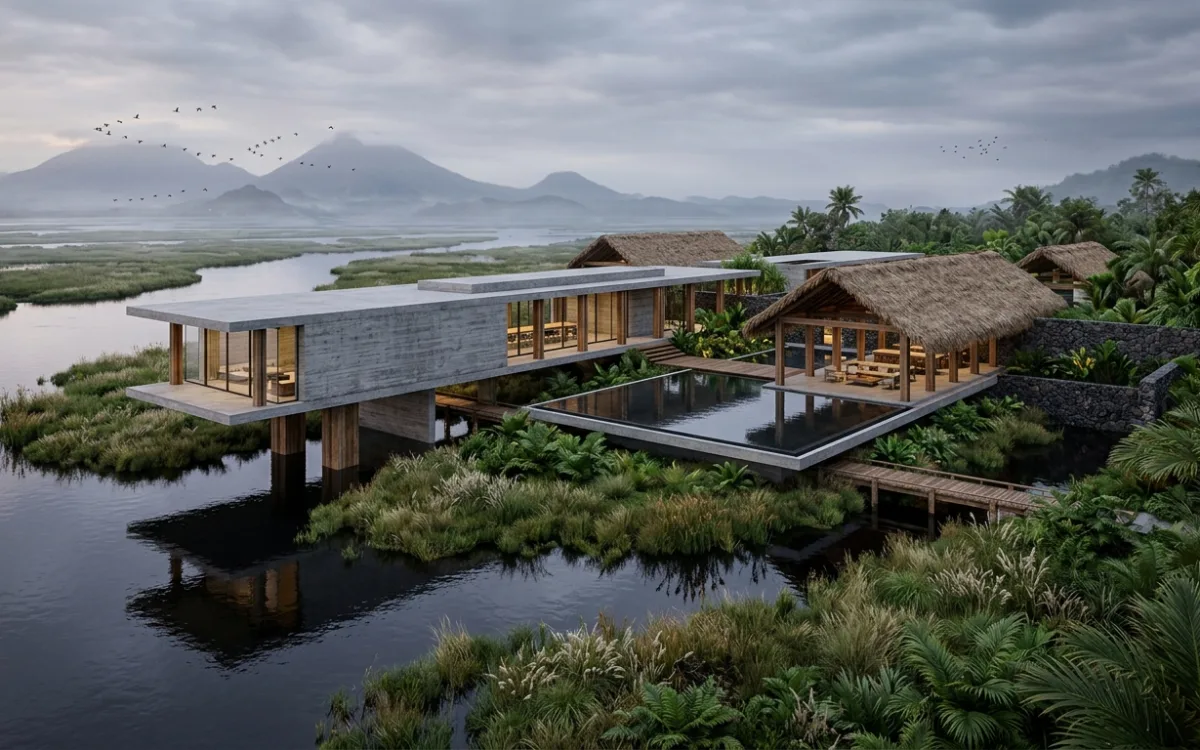
AI Rendering: Master Photorealistic Renders Without the Steep Learning Curve
Introduction: The Architect's Rendering Dilemma
For architects, the ability to translate a vision into a tangible, photorealistic image is more than just a skill – it's a superpower. It's the moment a client truly sees their future space, the point where a design concept transcends lines on a page to become an immersive experience. The enduring dream of producing stunning, photorealistic renders has always been central to architectural practice, yet the daunting reality of achieving them has often been a source of immense frustration.
We understand this struggle intimately. From ambitious architecture students grappling with their first complex projects to seasoned professionals striving to meet tight deadlines, the path to high-quality visualization has traditionally been fraught with obstacles. Tools like Revit, while powerful for modeling, offer limited rendering capabilities, often necessitating a dive into specialized, notoriously complex rendering software. The lack of accessible, intuitive training, coupled with limited expert support, leaves many feeling overwhelmed, their creative energy sapped by technical hurdles rather than channeled into design. This common pain point – the desire for professional-grade visuals clashing with the steep AI rendering learning curve (or rather, the traditional rendering learning curve) – has long been a bottleneck in the design process.
But what if there was a different way? What if the path to stunning visuals wasn't a steep climb, but a gentle ascent? The promise of AI visualization is precisely that: a revolutionary approach offering a significantly gentler path to stunning visuals, democratizing photorealistic rendering for every architect.
This comprehensive guide will explore how artificial intelligence is fundamentally reshaping architectural visualization. We'll deconstruct the traditional challenges, illuminate how AI bridges the learning gap, and demonstrate how platforms like SecondRender empower architects to achieve professional results without the traditional steep learning curve, freeing them to focus on what they do best: design.
The Steep Climb: Why Traditional Rendering Has Been So Challenging
Before we delve into the liberating world of AI, it's crucial to understand the landscape architects have traditionally navigated. The journey to photorealistic rendering has historically been a steep climb, demanding a significant investment of time, resources, and mental energy.
Deconstructing the Complexity: An Overview of Traditional Rendering Software
Traditional rendering software, such as V-Ray, Corona Renderer, Lumion, Enscape, and even the rendering modules within 3ds Max or SketchUp, are incredibly powerful tools. However, their power comes with an inherent complexity that can be overwhelming. These platforms require users to become quasi-experts in a multitude of technical domains:
- Material Science: Understanding PBR (Physically Based Rendering) workflows, creating realistic textures, adjusting reflectivity, refraction, bump, normal, and displacement maps. Each material, from polished concrete to sheer curtain fabric, demands meticulous attention to its physical properties.
- Lighting Physics: Mastering different light types (directional, point, spot, area, IES lights), understanding global illumination, ambient occlusion, and how light interacts with surfaces. Recreating natural daylight or a nuanced interior lighting scheme is an art and a science, requiring precise control over intensity, color temperature, and shadow properties.
- Camera Optics: Simulating real-world camera settings like aperture, shutter speed, ISO, depth of field, and focal length to achieve cinematic compositions and realistic perspectives.
- Render Engine Settings: Navigating a labyrinth of parameters for sampling, noise thresholds, ray bounces, anti-aliasing, and render passes. Optimizing these settings for both quality and speed is a constant balancing act, often learned through trial and error.
Each of these elements interacts in complex ways, and a misstep in one area can dramatically impact the final output, leading to flat, unrealistic, or noisy images.
The Time Sink: Extensive Learning Curves and Slow Iteration Cycles
The most significant barrier for many architects is the sheer time commitment. The AI rendering learning curve for traditional software is notoriously steep. It can take months, if not years, of dedicated practice to become proficient enough to produce truly professional-grade renders. This learning process often involves:
- Tutorial Overload: Sifting through countless tutorials, forums, and documentation, often fragmented and specific to particular software versions or workflows.
- Trial and Error: Spending hours rendering test shots, tweaking settings, and waiting for the results, only to find a subtle error that requires starting over.
- Prolonged Rendering Times: Even with optimized settings, high-resolution photorealistic renders can take hours, or even days, to complete on standard hardware. This bottleneck severely limits the number of design iterations an architect can explore visually.
- Slow Iteration Cycles: The lengthy rendering process stifles creativity. When each visual change requires a significant wait, architects are less likely to experiment, leading to safer, less innovative design explorations. The spontaneity of design is lost in the technical grind.
Resource Demands: Hardware, Training, and Outsourcing
Beyond time, traditional rendering demands significant resources:
- High-End Hardware: To achieve reasonable rendering speeds, architects often need powerful workstations equipped with top-tier CPUs, ample RAM, and professional-grade GPUs. This represents a substantial upfront investment.
- Specialized Training: While some architects manage to self-teach, many opt for expensive courses or workshops to accelerate their learning.
- Outsourcing: For firms lacking in-house expertise or hardware, outsourcing rendering tasks to specialized visualization studios becomes a necessity. While this guarantees quality, it adds significant cost, reduces direct control over the visual narrative, and can introduce communication delays.
Directly addressing the frustration of learning complex software without adequate support, it's clear that the traditional rendering paradigm has often felt like an uphill battle. Architects, whose core expertise lies in design and spatial problem-solving, have been forced to become rendering technicians, diverting precious time and energy away from their primary passion. This is precisely the challenge that AI visualization seeks to overcome, offering a dramatically gentler AI rendering learning curve.
AI Visualization: Bridging the Learning Gap for Architects
Artificial intelligence is not just an incremental improvement; it's a fundamental paradigm shift in how architectural rendering is approached. By automating complex tasks and interpreting creative intent, AI fundamentally transforms the architectural rendering process, effectively bridging the learning gap that has long plagued the industry.
Automation of Complex, Repetitive Tasks
At its core, AI excels at pattern recognition and automation. In the context of architectural visualization, this translates into the intelligent handling of many tasks that traditionally required meticulous manual input and deep technical understanding:
- Intelligent Lighting Setups: Instead of manually placing dozens of lights and tweaking their parameters, AI can analyze the geometry of a scene, understand the desired time of day or mood, and automatically generate a plausible and aesthetically pleasing lighting environment. It can simulate global illumination, ambient occlusion, and realistic shadow casting with minimal user intervention.
- Smart Material Application: AI can interpret basic material assignments (e.g., "concrete," "wood," "glass") and automatically apply high-quality PBR textures, complete with appropriate bump, normal, and reflection maps. It can even suggest variations or optimize materials for specific lighting conditions.
- Scene Composition and Entourage: Beyond the building itself, AI can intelligently populate a scene with context-appropriate entourage – people, vehicles, landscaping elements – ensuring they are scaled correctly, lit consistently, and contribute to the overall realism without requiring manual placement and adjustment of each individual asset.
- Style Transfer and Enhancement: AI can learn from vast datasets of professional architectural photography and apply stylistic elements, color grading, and atmospheric effects to raw renders, elevating them to a polished, presentation-ready state.
By automating these complex, repetitive tasks, AI significantly reduces the technical burden on the architect. The focus shifts from how to achieve a specific technical effect to what visual outcome is desired.
Intuitive Interfaces: Shifting from Technical Commands to Natural Language Prompts
One of the most revolutionary aspects of AI visualization is the move towards more intuitive user interfaces (UI) and user experiences (UX). Traditional software often relies on intricate menus, sliders, and numerical inputs. AI-powered platforms, however, are designed to understand human intent more directly:
- Natural Language Prompts: Imagine simply typing "a modern villa at sunset with warm interior lighting" or "a bustling urban street scene with rain-slicked pavement." AI can interpret these natural language prompts and generate visual elements that align with the description. This empowers architects to communicate their vision in a way that feels natural and intuitive, rather than translating it into technical jargon.
- User-Friendly Visual Controls: Instead of complex numerical inputs, AI tools often feature simplified visual controls. Want more sunlight? Drag a slider. Want a different material? Select from a visually rich library, and AI handles the underlying technical application. This visual-first approach significantly flattens the AI rendering learning curve.
- Contextual Suggestions: AI can analyze your current design and offer intelligent suggestions for materials, lighting styles, or camera angles, acting as a smart assistant that guides you towards optimal results.
This shift from technical commands to natural language prompts and user-friendly visual controls is profound. It means architects no longer need to learn a new "language" of rendering software; they can communicate their design intent directly, and the AI translates it into a photorealistic image.
The Paradigm Shift: Empowering Architects to Focus on Design Intent and Creative Vision
Ultimately, AI visualization represents a paradigm shift. It moves the architect away from the role of a rendering technician and back into the role of a pure designer.
- Focus on Design, Not Software Mechanics: With AI handling the technical heavy lifting, architects can dedicate their mental energy to refining their designs, exploring spatial relationships, and developing compelling narratives, rather than wrestling with software settings.
- Accelerated Creative Exploration: The speed and ease of generating renders with AI mean that architects can explore far more design iterations and visual possibilities within a given timeframe. This fosters greater experimentation and leads to more innovative and refined designs.
- Democratization of High-Quality Visualization: AI makes professional-grade photorealistic rendering accessible to a much broader audience. Small firms, independent architects, and even students can now produce visuals that were once the exclusive domain of large studios with dedicated visualization teams. This significantly reduces the AI rendering learning curve for achieving professional results.
By bridging the learning gap, AI empowers architects to reclaim their creative freedom, transforming the visualization process from a technical chore into an intuitive extension of their design workflow.
SecondRender: Your Partner in Simplified Photorealism
In this new era of AI-powered visualization, SecondRender stands out as a purpose-built solution specifically designed to meet the unique needs of architects and designers. We understand the frustrations of traditional rendering and have engineered our platform to directly address the steep learning curve, making photorealistic results achievable for everyone.
SecondRender is not just another rendering tool; it's an intelligent partner in your design process, leveraging cutting-edge AI to transform your concepts into stunning visuals with unprecedented ease. Our platform is meticulously crafted to empower architects, allowing them to focus on their creative vision rather than getting bogged down in technical complexities.
Here's how SecondRender's key features directly address and flatten the AI rendering learning curve:
- Sketch-to-Render: Imagine taking a rough hand sketch, a simple line drawing, or even a basic massing model, and instantly transforming it into a detailed, photorealistic render. SecondRender's advanced AI interprets your initial concepts, adding depth, texture, and context with minimal input. This feature is revolutionary for early-stage design exploration, allowing architects to visualize ideas rapidly without needing to build complex 3D models first. It's about bringing your ideas to life as quickly as they form in your mind.
- Intuitive UI/UX: We've designed SecondRender for architects, not rendering specialists. Our user interface is clean, uncluttered, and logically structured, ensuring a smooth and almost immediate onboarding experience. You won't find endless nested menus or obscure technical jargon. Instead, you'll encounter straightforward controls and visual feedback that make sense to a designer. This focus on intuitive interaction dramatically reduces the time it takes to become proficient, making the AI rendering learning curve virtually non-existent.
- AI-Powered Suggestions: Stuck on material choices or lighting scenarios? SecondRender acts as your intelligent design assistant. Our AI offers smart recommendations for materials, lighting setups, and stylistic approaches based on your input and desired aesthetic. This accelerates decision-making, helps you explore options you might not have considered, and ensures your renders are always visually compelling. It's like having an expert rendering artist guiding you through every step.
- Rapid Iteration: The traditional rendering process is notorious for its slow iteration cycles. SecondRender shatters this barrier. Our AI engine generates multiple high-quality renders incredibly quickly, allowing for agile design exploration. You can experiment with different materials, lighting conditions, camera angles, and stylistic filters in moments, receiving instant visual feedback. This speed empowers you to refine your designs with unprecedented efficiency, fostering a truly iterative and creative workflow.
SecondRender enables professional-grade results without requiring extensive prior rendering expertise. Our platform democratizes photorealism, putting the power of advanced visualization directly into the hands of architects. You no longer need to spend years mastering complex software; with SecondRender, you can achieve stunning, presentation-ready images from day one, significantly reducing the AI rendering learning curve and allowing you to focus on your core passion: design.
From Concept to Canvas: A Practical AI Rendering Workflow
Leveraging AI for architectural visualization with a tool like SecondRender transforms the traditional, laborious process into an intuitive, almost effortless workflow. Let's walk through a practical, step-by-step guide to how architects can harness AI to bring their visions to life, making the AI rendering learning curve a thing of the past.
1. Inputting Your Vision: The Starting Point
The beauty of AI rendering lies in its flexibility regarding input. You don't need a perfectly detailed 3D model to begin.
- Start with a Simple Sketch: For early-stage concepts, a rough hand sketch or a quick digital drawing can be your starting point. AI can interpret these basic lines and shapes, inferring depth and form to generate initial visual ideas. This is invaluable for rapid ideation and client feedback sessions.
- Upload a CAD Drawing: If you have 2D CAD plans or elevations, these can also serve as a foundation. AI can extrapolate 3D information and begin to build a visual scene around your technical drawings.
- Import a 3D Model: For more developed designs, you can import your existing 3D models from software like SketchUp, Revit, Rhino, or ArchiCAD. SecondRender is designed to integrate seamlessly with your existing workflow, taking your model as the primary geometric input. The AI then takes over the heavy lifting of texturing, lighting, and scene composition.
The key here is that the AI handles the translation from your input to a rich 3D environment, saving you countless hours of manual modeling and detailing.
2. Guiding the AI: Defining Your Desired Aesthetic
Once your initial input is provided, the next step is to guide the AI towards your desired aesthetic. This is where the power of intuitive controls and natural language prompts comes into play.
- Natural Language Prompts: This is often the most powerful way to communicate your vision. Instead of navigating complex menus, you simply describe what you want. For example:
- "A modern minimalist interior with soft morning light streaming through large windows."
- "An industrial loft apartment with exposed brick, concrete floors, and warm, ambient lighting."
- "A contemporary facade at dusk, with dramatic uplighting and lush landscaping."
- "A vibrant urban street scene with people, cars, and a clear blue sky." The AI interprets these descriptions and generates a visual scene that matches your intent.
- Style Presets: SecondRender offers a library of curated style presets. These can range from "Photorealistic Daylight" to "Moody Evening," "Architectural Line Art," or "Watercolor Sketch." Selecting a preset instantly applies a comprehensive set of visual characteristics, giving you a strong starting point that you can then refine.
- Visual Controls: For more granular control, you'll find intuitive sliders and toggles for elements like time of day, weather conditions (sunny, overcast, rainy), material types (wood, concrete, glass), and overall mood (warm, cool, vibrant). These controls are designed to be visually driven, making adjustments straightforward and immediate.
3. Iterate and Refine: Quick Adjustments and Variations
This is where AI truly shines in accelerating the design process. The speed of generation allows for rapid iteration, fostering a dynamic and exploratory workflow.
- Instant Feedback: Make a change to your prompt or adjust a visual slider, and the AI provides near-instant feedback with a new render. This eliminates the frustrating wait times associated with traditional rendering.
- Explore Variations: Want to see your design in different seasons? Or with alternative material palettes? Simply adjust your prompts or presets and generate multiple variations in minutes. This empowers you to present clients with a range of options, showcasing the versatility of your design.
- Refine Details: If a specific material isn't quite right, or the lighting needs a subtle tweak, you can refine these elements with targeted prompts or adjustments. The AI learns from your feedback, continuously improving the output.
4. Achieving Photorealism: Generating Presentation-Ready Images
Once you're satisfied with the direction, SecondRender allows you to generate high-quality, presentation-ready images with unprecedented ease.
- High-Resolution Output: Generate renders at resolutions suitable for client presentations, marketing materials, or portfolio showcases.
- Post-Production Enhancements: While AI handles much of the heavy lifting, SecondRender may also offer built-in tools for final touches like color grading, contrast adjustments, or adding subtle atmospheric effects, all within an intuitive interface.
Actionable Advice: Tips for Effective Prompting and Leveraging AI's Creative Suggestions
To get the most out of your AI rendering workflow:
- Be Specific but Concise with Prompts: Start with broad strokes, then add details. Instead of "house," try "modern two-story house with large windows." Then refine with "modern two-story house with large windows, surrounded by lush green garden, golden hour lighting."
- Use Descriptive Adjectives: Words like "vibrant," "serene," "dramatic," "minimalist," "rustic," "futuristic" can significantly influence the AI's interpretation of mood and style.
- Experiment with Keywords: Don't be afraid to try different combinations of words. The AI's understanding evolves, and certain keywords might yield unexpected but brilliant results.
- Leverage Style Presets as Starting Points: Don't feel obligated to start from scratch with every render. Use a preset that's close to your vision, then use prompts to fine-tune it.
- Don't Over-Prompt Initially: Let the AI do some of the creative heavy lifting. Start with a simple prompt, see what it generates, and then refine based on the output.
- Embrace Iteration: The power of AI is in its speed. Don't settle for the first render. Generate multiple variations, compare them, and learn what works best for your design.
This practical workflow demonstrates how AI tools like SecondRender transform architectural visualization from a technical barrier into an intuitive, creative extension of the design process, making the AI rendering learning curve a gentle slope rather than a daunting peak.
Beyond the Basics: Unlocking Advanced Potential with Ease
One common misconception about AI-powered tools is that their ease of use comes at the expense of control or sophistication. This couldn't be further from the truth, especially with platforms like SecondRender. While the initial AI rendering learning curve is dramatically flattened, these tools also empower architects to explore advanced visual narratives and complex scenarios with unprecedented accessibility.
Advanced Features Made Accessible
AI doesn't just automate; it intelligently simplifies access to powerful rendering capabilities that were once the domain of expert users.
- Custom Material Libraries: While AI provides excellent default materials, architects often have specific material palettes or custom textures they wish to use. SecondRender allows you to import and manage your own custom material libraries. The AI then intelligently applies these materials, ensuring they interact realistically with light and environment, without you needing to manually set up complex PBR nodes. This means you maintain creative control over your material choices while still benefiting from AI's automation.
- Specific Lighting Scenarios: Beyond general "daylight" or "sunset" prompts, AI tools can facilitate highly specific lighting setups. Want to simulate the exact sun path for a particular location and time of year? Or design a complex interior lighting scheme with multiple light sources and their specific temperatures and intensities? AI can interpret these detailed requests and generate accurate, physically plausible lighting, often with visual controls that are far simpler than traditional light editors. You can experiment with dramatic chiaroscuro effects or subtle ambient glows without becoming a lighting engineer.
- Environmental Controls: AI allows for nuanced control over the surrounding environment. This includes:
- Detailed Landscaping: Beyond generic trees, you can specify types of flora, density, and even seasonal variations.
- Urban Context: Easily integrate your building into a realistic urban fabric, complete with surrounding buildings, street furniture, and pedestrian activity.
- Atmospheric Effects: Add fog, haze, rain, or snow with simple prompts or sliders, instantly altering the mood and realism of your render. The AI ensures these effects are consistent with the lighting and perspective.
These advanced features, traditionally requiring deep technical knowledge and extensive manual setup, are made accessible through intuitive interfaces and AI's interpretive capabilities. Architects can now experiment with complex visual storytelling without encountering technical barriers.
AI's Role in Post-Production: Enhancing Renders with Entourage, Atmospheric Effects, and Stylistic Filters
The power of AI extends beyond the initial render generation, significantly streamlining and enhancing the post-production phase.
- Intelligent Entourage Placement: Manually adding people, vehicles, and other contextual elements to a render is a tedious and time-consuming task. AI can intelligently place entourage, ensuring they are correctly scaled, lit, and integrated into the scene. You can specify the type of activity (e.g., "people strolling," "cars driving," "children playing") and the AI will populate the scene realistically, adding life and scale to your visualizations.
- Automated Atmospheric Effects: Instead of painstakingly layering effects in Photoshop, AI can apply sophisticated atmospheric effects directly to your renders. This includes volumetric fog, subtle haze, lens flares, and depth of field, all adjusted to enhance the realism and mood of the image.
- Stylistic Filters and Color Grading: AI can act as a powerful colorist and stylist. You can apply various stylistic filters – from cinematic looks to specific artistic interpretations (e.g., "watercolor," "oil painting," "blueprint style") – with a single click or prompt. AI can also perform intelligent color grading, balancing tones, adjusting contrast, and enhancing the overall visual appeal of your render, mimicking the work of a professional retoucher.
By integrating these "post-production" capabilities directly into the rendering process, AI tools like SecondRender empower architects to achieve highly polished, sophisticated visuals without needing to switch between multiple software applications or possess advanced graphic design skills. This holistic approach further flattens the AI rendering learning curve for achieving truly professional and nuanced results, allowing architects to focus on the creative narrative rather than the technical execution.
The ROI of a Gentle Learning Curve: Time, Cost, and Creative Freedom
The shift to AI-powered architectural visualization, characterized by a significantly gentler AI rendering learning curve, offers tangible and strategic returns on investment for architectural practices of all sizes. These benefits extend far beyond mere convenience, impacting project timelines, financial outlays, and, most importantly, the creative potential of architects.
Time Savings: Drastically Reduced Project Turnaround Times and Increased Capacity for Design Iterations
Perhaps the most immediate and impactful benefit of AI rendering is the dramatic reduction in time spent on visualization.
- Accelerated Workflow: What once took hours or days of manual setup, rendering, and post-production can now be achieved in minutes. This means architects can generate high-quality visuals for every stage of a project, from initial concept sketches to final client presentations, without significant delays.
- Rapid Iteration Cycles: The ability to generate multiple render variations almost instantly transforms the design process. Architects can explore more options, test different material palettes, lighting conditions, and design configurations without the fear of time overruns. This leads to more refined designs and more confident presentations.
- Meeting Tight Deadlines: In a competitive industry, the ability to quickly produce compelling visuals is a significant advantage. AI rendering allows firms to respond to client requests and project deadlines with unprecedented agility, increasing their capacity to take on more projects.
- Reduced Rework: By visualizing designs more frequently and accurately throughout the process, potential issues or client misunderstandings can be identified and addressed earlier, reducing costly rework later in the project lifecycle.
Cost Efficiency: Minimizing the Need for Expensive Software Licenses, Specialized Hardware, or Outsourcing Rendering Tasks
The financial benefits of a gentle AI rendering learning curve are equally compelling.
- Lower Software Costs: While traditional rendering often requires multiple expensive software licenses (modeling, rendering engine, post-production tools), AI platforms often offer a more integrated solution, potentially reducing overall software expenditure.
- Reduced Hardware Investment: AI rendering, especially cloud-based solutions like SecondRender, offloads the computational burden from local machines. This means firms can achieve high-quality renders without investing in prohibitively expensive, high-end workstations and GPUs, which also have a limited lifespan.
- Elimination of Outsourcing Costs: For many firms, outsourcing rendering to specialized visualization studios is a significant operational cost. By empowering in-house architects to produce professional-grade renders, AI tools eliminate or drastically reduce the need for external services, saving substantial amounts of money over time.
- Optimized Staffing: Instead of needing dedicated rendering specialists, existing architectural staff can quickly become proficient in visualization, maximizing the value of your current team and reducing the need for specialized hires.
Empowered Creativity: Architects Regain Control Over Their Visualization Process, Fostering Greater Experimentation and Design Exploration
Beyond the tangible metrics of time and money, AI rendering offers an invaluable return in terms of creative freedom and empowerment.
- Direct Control Over Visual Narrative: Architects are no longer reliant on external renderers or complex software to translate their vision. They can directly control the visual narrative, ensuring the renders accurately reflect their design intent and communicate the desired emotional impact.
- Fostering Experimentation: The ease and speed of AI rendering encourage architects to experiment more freely. They can test bold design choices, unconventional material combinations, or dramatic lighting scenarios without the penalty of lengthy rendering times or complex setups. This leads to more innovative and distinctive designs.
- Enhanced Design Exploration: Visualization becomes an integral part of the design process itself, rather than a separate, post-design activity. Architects can use AI renders as a feedback loop, informing and refining their design decisions in real-time.
- Increased Job Satisfaction: By removing technical barriers and empowering architects to fully realize their creative visions, AI tools contribute to higher job satisfaction and a more engaging design process.
The strategic advantage of integrating AI visualization into your practice is clear. It's not just about making renders faster or cheaper; it's about fundamentally transforming the design workflow, making it more efficient, more creative, and ultimately, more rewarding. The gentle AI rendering learning curve is an investment that pays dividends across every facet of an architectural practice.
Conclusion: Embrace the Future of Architectural Visualization
The journey to photorealistic architectural renders has historically been a challenging one, marked by steep learning curves, complex software, and significant time and resource investments. For too long, the technical demands of visualization have overshadowed the creative intent of architects, forcing them to become software technicians rather than pure designers.
However, the advent of artificial intelligence has democratized photorealistic rendering, making the AI rendering learning curve accessible and manageable for every architect. We've explored how AI fundamentally transforms this process by automating complex tasks, introducing intuitive interfaces, and empowering architects to focus on their core passion: design.
The transformative benefits are undeniable:
- Efficiency: Drastically reduced project turnaround times and accelerated iteration cycles.
- Quality: Professional-grade photorealistic renders achievable with minimal prior expertise.
- Creative Liberation: Architects regain direct control over their visual narratives, fostering greater experimentation and design exploration.
The future of architectural visualization is here, and it's intelligent, intuitive, and incredibly powerful. It's a future where the barrier to stunning visuals is removed, allowing your designs to speak for themselves with clarity and impact. Embrace this future and unlock a new realm of creative possibilities for your practice.
Call to Action: Ready to transform your workflow and create stunning renders without the struggle? Discover how SecondRender can simplify your architectural visualization process. Visit our website to learn more and get started today.