Master Archviz Rendering: Accelerate Your Skills with AI Practice
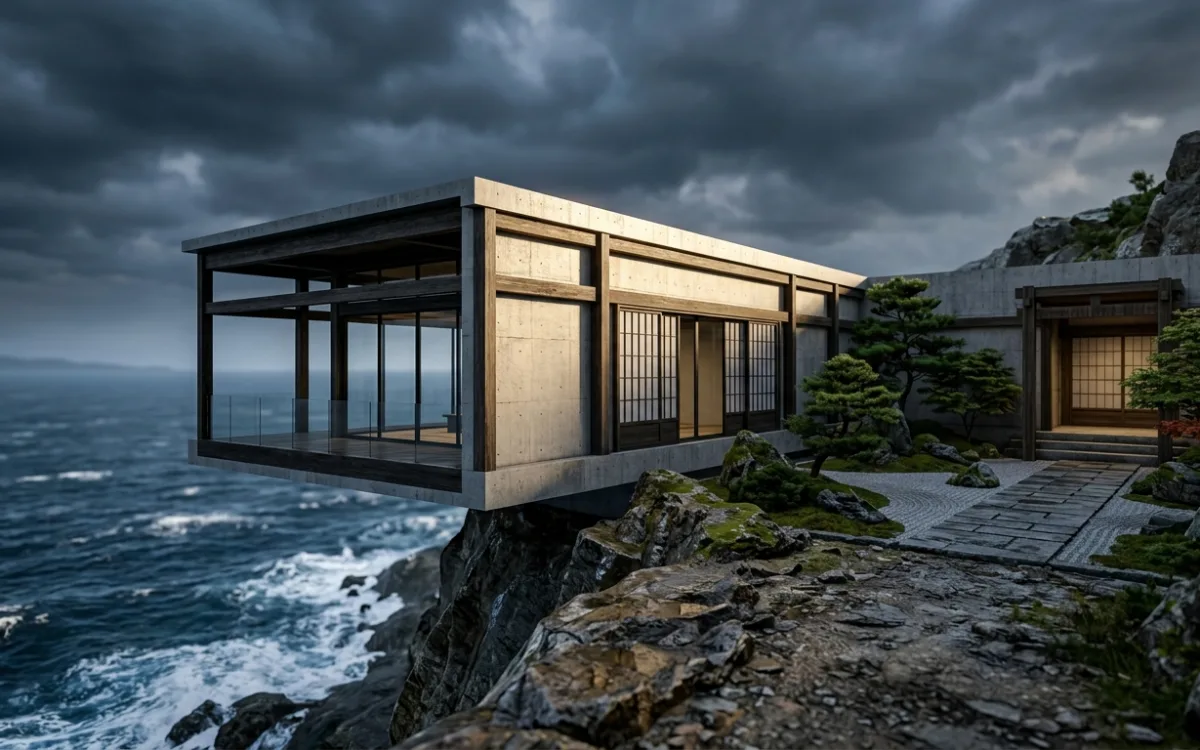
Introduction: The Relentless Pursuit of Photorealism
Every architect dreams of seeing their designs brought to life with breathtaking realism. From the initial sketch to the final presentation, the drive to communicate vision with stunning clarity is relentless. Yet, the journey from a conceptual idea to a photorealistic architectural visualization (archviz) render is often fraught with challenges. It's a common sentiment among professionals and students alike: "I'm currently working on improving my rendering skill." This shared journey underscores the complexity and artistry involved in mastering archviz.
Achieving photorealism isn't just about technical proficiency; it's about blending artistic intuition with a deep understanding of light, materials, and composition. It demands patience, a keen eye for detail, and a willingness to constantly learn and adapt. This comprehensive guide is designed to be your roadmap, outlining a structured approach to practice and skill improvement that will not only elevate your renders but also accelerate your mastery of architectural visualization. We'll explore deliberate practice techniques, deconstruct the elements of a perfect render, and reveal how cutting-edge AI tools can dramatically improve archviz rendering skills and streamline your workflow.
Why Deliberate Practice is Your Archviz Superpower
In the world of architectural visualization, simply "rendering" isn't enough to foster significant growth. To truly excel, you need to move beyond casual rendering and embrace deliberate practice – focused, intentional "render practice" aimed at specific areas of improvement. Think of it like an athlete training for a competition; every session has a purpose.
Deliberate practice is crucial for several reasons:
- Building Muscle Memory: Repetition is key to internalizing software commands, keyboard shortcuts, and complex workflows. The more you practice, the more intuitive these actions become, freeing up your cognitive load to focus on creative decisions rather than technical hurdles.
- Developing a Critical Eye: Consistent, focused practice hones your ability to discern subtle nuances in light, shadow, reflection, and texture. You'll start to notice what makes a real-world scene look authentic and how to replicate that in your digital environments. This critical eye is indispensable for achieving true realism.
- Mastering Core Principles: Archviz is built on fundamental principles of photography, art, and physics. Deliberate practice allows you to systematically tackle and master these principles – understanding how light interacts with surfaces, the psychology of color, or the impact of composition.
- Boosting Confidence and Speed: As you consistently tackle and overcome rendering challenges, your confidence in your abilities will soar. This confidence, coupled with improved muscle memory and a deeper understanding of the craft, naturally leads to faster, more efficient rendering workflows. You'll spend less time troubleshooting and more time creating.
By approaching your rendering efforts with a deliberate mindset, you transform every project into a learning opportunity, steadily building the expertise needed to consistently produce stunning, photorealistic architectural visualizations.
Deconstructing the Perfect Render: Core Elements to Master
Before you can effectively improve archviz rendering skills, it's essential to understand the fundamental components that coalesce to form a truly exceptional render. Each element plays a critical role, and mastery of one often enhances the others.
Lighting: The Soul of Your Scene
Lighting is arguably the most crucial element in any render. It defines mood, highlights architectural features, and dictates how materials appear.
- Natural Light Sources:
- Sun: Understand sun angles, intensity, and color temperature throughout the day. Practice creating sharp, dramatic shadows for midday scenes or soft, long shadows for golden hour.
- Sky/Environment: Learn to use HDRI (High Dynamic Range Imaging) maps to accurately capture and project real-world lighting and reflections onto your scene. Experiment with different sky conditions (overcast, clear, sunset) to evoke varied atmospheres.
- Atmosphere: Incorporate volumetric effects like fog or haze to add depth and realism, especially in exterior scenes.
- Artificial Light Sources:
- Types: Master various light types (spot, point, area, IES profiles) and their specific applications.
- Properties: Understand intensity, color, falloff, and how to use light blockers or diffusers to shape light.
- Impact on Mood: Learn how warm vs. cool lights, direct vs. indirect illumination, and strategic placement can dramatically alter the emotional resonance of an interior or exterior shot.
Materials & Textures: The Fabric of Reality
Realistic materials are what ground your render in reality, preventing the dreaded "plastic look."
- PBR Workflows: Embrace Physically Based Rendering (PBR) workflows, which accurately simulate how light interacts with surfaces. Understand the core PBR maps: Albedo/Base Color, Roughness, Metallic, Normal, Height/Displacement, and Ambient Occlusion.
- Creating Realistic Surfaces:
- Wood: Focus on grain direction, subtle variations in color, and appropriate roughness/glossiness.
- Concrete: Emphasize imperfections, subtle staining, and varying levels of aggregate exposure.
- Glass: Master transparency, reflections, refractions, and the impact of thickness and tint.
- Fabric: Understand weave patterns, fuzziness, and how light scatters across soft surfaces.
- Texture Mapping: Learn UV mapping techniques to ensure textures are applied correctly and without distortion. Experiment with procedural textures for added realism and variation.
Composition & Framing: The Art of Presentation
Even with perfect lighting and materials, a poorly composed shot will fall flat. Apply principles of photography to your architectural visualizations.
- Rule of Thirds: Position key architectural elements along intersecting lines or at their intersections for dynamic balance.
- Leading Lines: Use architectural features (walls, roads, railings) to guide the viewer's eye through the scene.
- Depth: Create a sense of depth through foreground elements, atmospheric perspective, and varying levels of detail.
- Camera Angles: Experiment with eye-level, low-angle (hero shots), and high-angle (overview) perspectives to convey different messages and emotions.
- Negative Space: Understand how empty space can draw attention to your subject and create a sense of calm or grandeur.
Post-Production: The Final Polish
Post-production is where you refine and enhance your raw render, adding the finishing touches that elevate it from good to great.
- Color Correction & Grading: Adjust white balance, exposure, contrast, and color saturation to achieve a desired mood and visual consistency.
- Atmospheric Effects: Add subtle haze, mist, or lens flares to enhance realism and depth.
- Depth of Field (DOF): Use selective focus to draw attention to specific elements and mimic real-world camera optics.
- Human Elements & Entourage: Integrate realistic people, vehicles, and vegetation to add scale, life, and context to your scene. Ensure they are well-integrated in terms of lighting and perspective.
- Vignetting & Chromatic Aberration: Use these subtle effects sparingly to add a photographic quality.
Storytelling: Conveying Emotion and Narrative
Beyond technical accuracy, the most impactful renders tell a story.
- Mood & Atmosphere: Use all the elements above – light, color, composition, and entourage – to evoke a specific feeling: tranquility, dynamism, warmth, grandeur.
- Narrative: Think about what your image communicates. Is it a bustling city street, a serene home, or a futuristic concept? Every element should contribute to this narrative.
- Target Audience: Consider who you are presenting to and what message resonates most with them.
Mastering these core elements individually and understanding how they interact is the foundation upon which you will improve archviz rendering skills and create truly compelling architectural visualizations.
Structuring Your Practice: From Concept to Completion
Randomly opening your rendering software and hoping for the best is a recipe for slow progress. To truly improve archviz rendering skills, you need a structured, deliberate approach to your practice sessions.
Setting Clear Goals
Instead of a vague "render practice," define specific, measurable objectives for each session or project. This focus allows for targeted learning and easier progress tracking.
- Examples of Specific Goals:
- "Master exterior daylight rendering for a residential facade, focusing on realistic shadow casting."
- "Perfect a specific material, like polished concrete or frosted glass, ensuring accurate reflections and refractions."
- "Achieve a believable night render for an interior scene, balancing artificial and ambient light sources."
- "Experiment with three different camera angles and compositions for a single architectural element."
Project-Based Learning
Break down your learning into small, manageable projects. This prevents overwhelm and allows you to focus intensely on specific skills.
- Small, Focused Projects:
- A Single Room: Practice interior lighting, material creation (e.g., wood floor, painted walls, fabric sofa), and composition within a confined space.
- A Facade Detail: Focus on intricate material blending, weathering effects, and the interplay of light and shadow on complex geometry.
- A Residential Interior: Tackle the challenges of balancing natural and artificial light, creating cozy atmospheres, and integrating furniture and decor.
- A Simple Object Study: Render a single chair, lamp, or piece of furniture to master material properties and lighting on a smaller scale.
Time Blocking & Consistency
Dedicate regular, uninterrupted time slots specifically for rendering practice. Consistency is more important than sporadic long sessions.
- Schedule It: Treat your practice time like an important meeting. Even 30-60 minutes a few times a week can yield significant results over time.
- Minimize Distractions: Turn off notifications, close unnecessary tabs, and create an environment conducive to deep work.
Reference-Based Practice
One of the most effective ways to learn is by emulating excellence.
- Recreate Real-World Photography: Find high-quality architectural photographs and try to replicate them in your rendering software. Pay close attention to lighting, material properties, camera settings, and post-production effects. This forces you to analyze and understand how real scenes are lit and composed.
- Analyze High-Quality Renders: Study professional archviz renders. Deconstruct them: What kind of lighting is used? How are the materials behaving? What makes the composition strong? Then, try to apply those techniques to your own practice projects.
Documenting Your Progress
Keep a visual diary of your practice work. This allows you to see how far you've come and identify areas for further improvement.
- Portfolio of Practice: Create a separate folder for your practice renders. Include different iterations of the same scene as you refine your skills.
- Notes and Reflections: Alongside each render, jot down what you were trying to achieve, the challenges you faced, the techniques you used, and what you learned. This self-reflection is invaluable for solidifying knowledge.
By adopting these structured practice methods, you'll transform your rendering efforts from a hit-or-miss endeavor into a systematic path to mastery, allowing you to consistently improve archviz rendering skills with every session.
Accelerating Your Learning Curve with AI (SecondRender)
One of the biggest hurdles when trying to improve archviz rendering skills through deliberate practice is the sheer time investment required for iteration. Traditional rendering can be a slow, painstaking process, turning experimentation into a costly endeavor in terms of hours and computational resources. This often slows down the learning process, making architects hesitant to test new ideas, lighting setups, or material choices.
The Challenge of Iteration
Imagine you're trying to master exterior daylight. You render a scene, realize the shadows are too harsh, adjust the sun angle, and then wait another hour (or more) for the next render. This cycle of "render, wait, analyze, adjust, render again" can stretch a simple learning exercise into an entire day, severely limiting the number of variations you can explore and the speed at which you can learn. This is where the traditional workflow actively hinders your ability to rapidly improve archviz rendering skills.
SecondRender's Role in Rapid Prototyping
This is precisely where AI-powered platforms like SecondRender revolutionize the learning and creative process. SecondRender transforms sketches and 3D models into photorealistic renders with unprecedented speed. Instead of waiting hours, you can generate high-quality visualizations in minutes, sometimes even seconds.
Experimentation Without Penalty
With SecondRender, the cost of experimentation plummets. You can freely test different lighting setups, material choices, camera angles, and even stylistic approaches without the heavy time penalty of traditional rendering. Want to see how your facade looks under a cloudy sky versus a bright sunny day? Or how a different type of wood texture impacts the interior mood? SecondRender allows you to generate these variations almost instantly. This rapid feedback loop is a game-changer for skill development.
Instant Visual Feedback
The ability to see the impact of your design decisions immediately is incredibly powerful for learning. You make an adjustment, and within moments, you have a photorealistic render reflecting that change. This instant visual feedback allows for faster learning and refinement, helping you understand cause and effect in rendering much more intuitively. You can quickly identify what works, what doesn't, and why, accelerating your journey to improve archviz rendering skills.
Focus on Design, Not Just Rendering
By leveraging AI to handle the technical rendering burden, SecondRender frees you to focus on what you do best: architectural design and artistic vision. Instead of getting bogged down in render settings, noise reduction, or complex material node setups, you can dedicate your energy to composition, mood, and the architectural intent of your project. This shift in focus not only makes the process more enjoyable but also allows you to develop a stronger design sensibility, knowing that the visualization aspect can keep pace with your creative flow.
Ready to streamline your workflow and dramatically accelerate your ability to improve archviz rendering skills? Get started with SecondRender to transform your practice into mastery.
The Indispensable Role of Feedback & Iteration
Even the most dedicated practice can hit a plateau without external input. When you're working on improving your rendering skill, getting "thoughts or feedback" on your personal practice work is not just helpful; it's absolutely essential for growth. Feedback provides an objective perspective, highlighting blind spots and offering new avenues for improvement.
Seeking Constructive Criticism
Actively seek out feedback from various sources. Don't wait for someone to offer it; ask for it.
- Peer Reviews: Share your work with fellow architects or render artists. They understand the challenges and can offer relevant insights.
- Mentor Guidance: If you have access to an experienced archviz professional, their guidance can be invaluable.
- Online Communities: Platforms like Reddit (e.g., r/archviz), dedicated forums, or Discord servers offer a wealth of knowledge and a supportive environment for sharing work and receiving critiques.
- Self-Critique: Develop your own critical eye. After a render, step away for a bit, then come back with fresh eyes. What could be improved? Compare it to your references.
Types of Feedback
Not all feedback is created equal. Learn to differentiate and prioritize.
- Technical Feedback: "Your shadows are too sharp for an overcast day," or "The glass material looks too opaque." This is actionable and directly relates to software settings and physical properties.
- Artistic Feedback: "The composition feels unbalanced," or "The mood isn't quite right for a residential space." This helps refine your aesthetic choices.
- Design Feedback: "Does this render effectively communicate the design intent?" This is crucial for architects, ensuring the visualization serves the architectural narrative.
Implementing Feedback Effectively
Receiving feedback is only half the battle; knowing how to act on it is key.
- Listen Actively: Don't get defensive. Understand the perspective of the person giving feedback.
- Prioritize: You don't have to implement every piece of feedback. Identify the most impactful suggestions that align with your learning goals.
- Experiment: Use feedback as a prompt for experimentation. Try different solutions to address the critique.
- Track Changes: Make notes on what feedback you received and how you addressed it. This reinforces learning.
Iterative Improvement Cycle
Rendering is an inherently iterative process. Embrace the continuous loop: Render -> Feedback -> Refine -> Render Again. Each cycle brings you closer to mastery. This iterative approach is fundamental to how you improve archviz rendering skills over time.
SecondRender as a Feedback Accelerator
This iterative cycle, traditionally slow, is dramatically accelerated by AI tools like SecondRender.
- Rapid Variation Generation: Received feedback that your lighting is too flat? With SecondRender, you can quickly generate multiple variations with different lighting setups (e.g., different HDRI, sun angles, artificial light intensities) in minutes.
- Testing Solutions Instantly: Someone suggests adjusting a material's roughness? Apply the change in your 3D model or sketch, feed it into SecondRender, and instantly see the photorealistic result. This allows you to test multiple solutions to a single piece of feedback in the time it would take to render one traditional image.
- Focused Refinement: Because the AI handles the heavy lifting of rendering, you can focus purely on implementing the feedback and refining your design and artistic choices, rather than waiting for the software. This makes the feedback loop incredibly efficient and effective for skill development.
By combining structured practice with active feedback and leveraging AI for rapid iteration, you create a powerful learning environment that will significantly improve archviz rendering skills and propel you towards photorealistic mastery.
Targeted Practice Scenarios for Rapid Skill Growth
To effectively improve archviz rendering skills, it's beneficial to engage in targeted practice scenarios that address specific challenges and nuances within architectural visualization. This focused approach allows you to break down complex skills into manageable learning objectives.
Residential Architectural Visualization
As mentioned by many aspiring renderers, residential projects offer unique opportunities and challenges.
- Cozy Interiors: Practice creating warm, inviting atmospheres using a balance of natural and artificial light. Focus on soft furnishings, realistic wood, and subtle reflections.
- Exterior Curb Appeal: Master rendering facades, landscaping, and outdoor living spaces that convey a sense of home and lifestyle. Pay attention to vegetation and environmental context.
- Material Palettes: Residential projects often feature a rich variety of materials. Dedicate practice to mastering brick, stone, siding, various woods, and interior finishes.
Interior vs. Exterior Focus
Each environment presents distinct lighting and compositional challenges.
- Interior Practice: Focus on controlling bounced light, managing multiple artificial light sources, and creating intimate compositions. Experiment with different times of day (morning light, evening ambiance).
- Exterior Practice: Master large-scale lighting (sun, sky), environmental context (trees, roads, surrounding buildings), and grander compositions. Practice integrating entourage seamlessly.
Day vs. Night Renders
Understanding how light changes dramatically and impacts mood is crucial.
- Daylight Renders: Focus on accurate sun angles, realistic shadows, and the interplay of direct and indirect light. Experiment with different weather conditions (clear, overcast, partly cloudy).
- Night Renders: Master artificial lighting (streetlights, interior glows, landscape lighting), atmospheric effects (fog, haze), and how to create dramatic contrasts and focal points in darkness.
Material-Specific Studies
Dedicate entire sessions to mastering a single material type.
- Glass: Practice different types (clear, frosted, tinted, reflective), understanding refraction, reflections, and how thickness affects appearance.
- Water: Master realistic pools, oceans, or rain puddles, focusing on surface tension, reflections, and transparency.
- Concrete: Experiment with various finishes (polished, rough, exposed aggregate), imperfections, and weathering effects.
- Wood: Focus on grain direction, different finishes (matte, glossy, stained), and how light interacts with its fibrous surface.
- Vegetation: Learn to integrate realistic trees, shrubs, and grass, paying attention to translucency, subsurface scattering, and natural variation.
Camera Angle & Composition Drills
Experimenting with different perspectives is key to finding the most impactful shots.
- Eye-Level Shots: Practice creating realistic human-perspective views that ground the viewer in the scene.
- Hero Shots: Experiment with low angles to emphasize height and grandeur, making a building appear monumental.
- Detail Shots: Focus on close-ups of specific architectural elements or material junctions to highlight craftsmanship.
- Aerial/Drone Views: Practice composing shots from above to showcase site context and overall design.
- One-Point vs. Two-Point Perspective: Understand when and how to use each to achieve different visual effects.
By systematically working through these targeted practice scenarios, you'll build a robust skill set, allowing you to confidently tackle any archviz project and continuously improve archviz rendering skills across a wide range of contexts.
Overcoming Common Archviz Rendering Challenges
Even seasoned professionals encounter common pitfalls in archviz. Knowing how to identify and overcome these challenges is a critical part of learning to improve archviz rendering skills.
Dealing with Noise & Grain
Noise (speckles or graininess) is a common issue, especially in interior scenes or areas with complex lighting.
- Solutions:
- Increase Samples/Bounces: While increasing render time, more samples generally lead to cleaner images.
- Optimize Light Sources: Ensure lights are appropriately sized and positioned. Avoid overly small or intense lights that can cause fireflies.
- Denoisers: Utilize built-in denoisers in your rendering software or post-production tools.
- Material Optimization: Check for overly reflective or refractive materials that might be contributing to noise.
Achieving Realistic Materials: Avoiding the "Plastic Look"
This is a hallmark of amateur renders. Materials that look flat, overly shiny, or lack imperfections.
- Solutions:
- PBR Workflows: Always use PBR materials with accurate maps (Albedo, Roughness, Metallic, Normal, etc.).
- Vary Roughness/Glossiness: Real-world surfaces are rarely uniformly shiny. Use texture maps or procedural noise to introduce subtle variations in roughness.
- Imperfections: Add subtle dirt, scratches, smudges, or fingerprints using grunge maps or blend materials.
- Displacement/Normal Maps: Use these to add geometric detail and surface texture without increasing polygon count excessively.
- Subsurface Scattering (SSS): For materials like skin, wax, or certain plastics, SSS is crucial for realism.
Solving Flat or Unrealistic Lighting
Lighting that lacks depth, contrast, or doesn't feel natural.
- Solutions:
- Primary & Secondary Light Sources: Establish a clear dominant light source (e.g., sun) and then use secondary lights (sky, bounced light, fill lights) to soften shadows and add depth.
- Contrast: Ensure there's a good balance between light and shadow. Avoid over-lighting every area.
- Color Temperature: Use appropriate color temperatures for different light sources (warm for incandescent, cool for daylight).
- HDRI Maps: Utilize high-quality HDRI maps for realistic environmental lighting and reflections.
- Volumetric Effects: Add subtle fog or haze to create atmospheric perspective and depth.
Battling Long Render Times
Waiting hours for a single image can stifle creativity and slow down learning.
- Solutions:
- Optimize Geometry: Reduce unnecessary polygons, especially for distant objects. Use proxies for complex models.
- Efficient Materials: Avoid overly complex material setups or excessively high-resolution textures where not needed.
- Render Settings: Learn to balance quality settings with render speed. Start with lower settings for test renders.
- Render Farms: For large projects, consider cloud-based render farms.
- Leverage AI Tools: This is where SecondRender shines. By transforming your sketches and 3D models into photorealistic renders in minutes, it dramatically cuts down on render times for iteration and concept visualization. This allows you to improve archviz rendering skills by focusing on design and getting instant feedback, rather than waiting.
Avoiding Over-Processed Post-Production
While post-production is essential, overdoing it can make renders look artificial or "photoshopped."
- Solutions:
- Subtlety is Key: Aim for subtle enhancements rather than drastic changes.
- Reference Real Photos: Compare your post-processed render to real architectural photography to ensure it still looks natural.
- Layered Approach: Use adjustment layers in Photoshop (or similar software) so you can easily dial back effects.
- Focus on Fundamentals: Ensure your raw render is as good as possible before relying heavily on post-production to fix issues.
By proactively addressing these common challenges, you'll not only produce higher-quality renders but also develop a more robust understanding of the archviz process, allowing you to continually improve archviz rendering skills with confidence.
Beyond Technical: Cultivating Your Artistic Vision
While technical proficiency is the bedrock of archviz, true mastery lies in cultivating an artistic vision. To truly improve archviz rendering skills, you must look beyond the buttons and sliders and develop an eye for aesthetics, mood, and storytelling.
Developing an Eye for Detail
It's not just about what to render, but how to make every element compelling and believable.
- Observe the Real World: Pay attention to how light falls on surfaces, the subtle imperfections in materials, the way shadows behave, and the overall atmosphere of real architectural spaces. Carry a camera or use your phone to capture interesting lighting scenarios or material textures.
- Study Photography: Analyze professional architectural photography. What makes a shot impactful? How is light used? What is the composition? How do they convey scale and emotion?
- Micro-Details: It's the small things that add up to realism – a slight scuff on a floor, a subtle variation in a brick texture, a tiny bit of dust on a window sill.
Understanding Mood & Atmosphere
A render isn't just a factual representation; it's an emotional experience.
- Color Psychology: Learn how different colors evoke specific feelings. Warm tones for coziness, cool tones for serenity, vibrant colors for energy.
- Light as a Mood Setter: Understand how the quality, direction, and color of light can drastically alter the emotional impact of a scene. A dramatic, high-contrast render evokes a different feeling than a soft, diffused one.
- Environmental Context: How does the surrounding environment contribute to the mood? A stormy sky creates drama, while a clear blue sky suggests optimism.
Storytelling Through Imagery
Your architectural visualization should communicate more than just geometry; it should tell a story about the space and its potential inhabitants.
- Narrative Elements: Think about the "who, what, when, where, why" of your scene. Is it a quiet morning, a bustling evening, a futuristic concept, or a historical restoration?
- Human Element Integration: People in your renders shouldn't just be scale figures; they should be part of the narrative. What are they doing? How do they interact with the space?
- Purposeful Composition: Use composition to guide the viewer's eye to the most important parts of your story. Highlight the key features that convey the project's intent.
Staying Inspired
Artistic vision requires constant nourishment.
- Explore Other Art Forms: Look beyond archviz. Study painting, sculpture, film, and photography for inspiration on composition, color, and storytelling.
- Visit Architecture: Physically experience well-designed spaces. Pay attention to how light, materials, and scale feel in person.
- Follow Industry Leaders: Keep up with the work of top archviz studios and artists. Analyze their techniques and artistic choices.
By consciously cultivating your artistic vision alongside your technical skills, you'll transcend mere rendering and create architectural visualizations that are not only photorealistic but also deeply evocative and compelling, truly allowing you to improve archviz rendering skills to an expert level.
Conclusion: Your Path to Archviz Mastery Starts Now
The journey to master rendering skills is a continuous and rewarding one, demanding dedication, a keen eye, and the right tools. We've explored how deliberate practice, focused on core elements like lighting, materials, and composition, forms the bedrock of skill improvement. We've also highlighted the indispensable role of constructive feedback and iterative refinement in accelerating your learning curve.
Crucially, we've seen how AI-powered platforms like SecondRender are transforming this journey. By dramatically reducing the time and effort required for iteration, SecondRender empowers you to experiment freely, receive instant visual feedback, and focus your energy on design and artistic vision rather than technical rendering bottlenecks. This acceleration is key to how you can rapidly improve archviz rendering skills and achieve photorealistic results faster than ever before.
Your architectural vision deserves to be seen in its best light, communicated with clarity, emotion, and unparalleled realism. With consistent effort, focused learning, and smart tools, you can unlock your full potential in architectural visualization.
Ready to accelerate your archviz journey and transform your practice into mastery? Try SecondRender today and bring your architectural dreams to life with stunning photorealism.