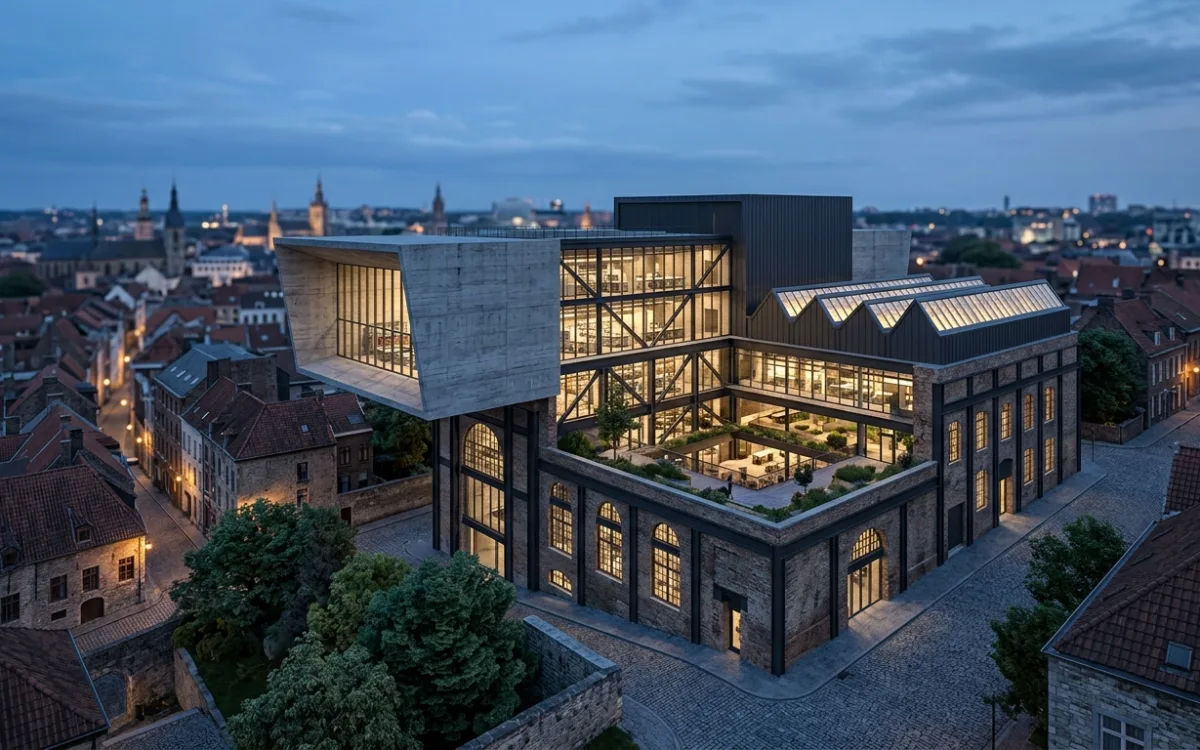
Stop Waiting: SecondRender's AI Slashes Architectural Rendering Times by 80%
The world of architectural design is a constant race against the clock. Deadlines loom, client expectations soar, and the vision in your mind demands to be seen in its full, photorealistic glory. But there's a persistent, often soul-crushing bottleneck that plagues nearly every architect: the agonizing wait for renders to complete. Hours, sometimes days, spent watching a progress bar crawl, while creativity is stifled and productivity grinds to a halt.
What if you could reclaim that lost time? What if you could iterate on designs with unprecedented speed, present stunning visuals to clients almost instantly, and focus on the art of architecture rather than the mechanics of rendering? The good news is, this isn't a distant dream. With the advent of AI-powered platforms like SecondRender, the future of architectural visualization is here, promising to dramatically speed up architectural rendering and transform your entire workflow.
1. The Agony of Waiting: Why Slow Rendering is an Architect's Nightmare
Every architect knows the feeling. You've poured your heart and soul into a design, meticulously crafted every detail in your 3D model, and now it's time to bring it to life. You hit "render," and the dreaded progress bar appears. What follows is often a test of patience, a digital purgatory where minutes stretch into hours, and hours into an entire workday, or even overnight. This universal frustration isn't just an inconvenience; it's a significant impediment to modern architectural practice.
The direct impact of this lost time is profound. Project timelines, already tight, become even more constrained. Every hour spent waiting for a render is an hour not spent designing, collaborating, or securing new business. This directly impacts profitability, as resources are tied up in a computationally intensive process that yields no immediate creative output. The pressure to meet deadlines often forces architects into an unenviable choice: either compromise on the quality of their visuals or risk missing crucial submission dates. Neither option is palatable for a professional committed to excellence.
Beyond the logistical headaches, slow rendering creates significant creative bottlenecks. The iterative nature of design demands rapid feedback. An architect might want to experiment with different material palettes, lighting scenarios, or camera angles. Each change, however minor, often necessitates a full re-render, effectively punishing experimentation. This inability to iterate quickly stifles creativity, leading to fewer design explorations and potentially less innovative, less refined final designs. The joy of spontaneous ideation is replaced by the calculated risk of committing to a render that might take hours to produce, only to reveal a subtle flaw or a missed opportunity.
2. Unpacking the Bottleneck: What Makes Architectural Renders So Slow?
To truly appreciate the solution, it's essential to understand the underlying challenges that make architectural rendering such a time-consuming process. It's not simply a matter of "making the computer work faster"; the complexity involved is immense.
At its core, architectural visualization aims to simulate reality. This means accurately depicting how light interacts with surfaces, how materials reflect and refract, and how shadows fall. This pursuit of photorealism introduces several computational hurdles:
-
The Inherent Complexity of Architectural Scenes: Unlike simpler 3D models, architectural scenes are incredibly intricate. They often feature:
- High-polygon models: Detailed furniture, intricate facades, complex landscaping, and structural elements can easily push polygon counts into the millions or even billions.
- High-resolution textures: Realistic materials require high-resolution image maps for diffuse color, bump, normal, displacement, roughness, and metallic properties, each adding to the data load.
- Realistic lighting: Simulating natural and artificial light sources, including their intensity, color, and falloff, is crucial. This involves complex calculations for direct and indirect illumination.
-
Computational Demands of Ray Tracing and Global Illumination:
- Ray Tracing: This fundamental rendering technique simulates the path of light rays from the camera into the scene, bouncing off objects until they reach a light source or exit the scene. Each bounce involves complex calculations to determine color, intensity, and direction. For photorealism, millions or even billions of rays must be traced.
- Global Illumination (GI): GI accounts for indirect light – light that bounces off multiple surfaces before reaching the camera, illuminating areas not directly hit by a light source. Techniques like path tracing, photon mapping, or irradiance caching are incredibly computationally intensive, as they simulate the scattering of light throughout the entire scene.
- Complex Material Shaders: Modern materials use sophisticated shaders that define how light interacts with their surfaces (e.g., subsurface scattering for skin, anisotropic reflections for brushed metal, volumetric effects for fog). These calculations add further layers of complexity to each ray trace.
-
Hardware Limitations: Traditional rendering heavily relies on brute-force computational power.
- Expensive GPUs: Graphics Processing Units (GPUs) are excellent at parallel processing, making them ideal for ray tracing. However, top-tier GPUs are incredibly expensive, and even the best can struggle with highly complex scenes.
- Powerful CPUs: Central Processing Units (CPUs) handle scene setup, geometry processing, and other sequential tasks. A powerful multi-core CPU is essential, but even these have limits.
- RAM and Storage: Large scenes demand vast amounts of RAM to hold geometry and texture data, and fast storage is needed to load these assets efficiently. The constant need for expensive hardware upgrades to keep pace with increasing demands is a significant financial burden for many firms.
-
Software Inefficiencies: While rendering engines have become incredibly sophisticated, they still operate within the constraints of traditional algorithms. Optimizing these engines for every conceivable scene and hardware configuration is an ongoing challenge, and even the most advanced software can hit performance ceilings when faced with extreme complexity.
These factors combine to create a perfect storm of computational demand, making the process to speed up architectural rendering a monumental task for traditional methods.
3. The Hidden Costs: Beyond Just Time Lost
The impact of slow rendering extends far beyond the immediate frustration of waiting. There are significant hidden costs that can erode profitability, stifle creativity, and even lead to architect burnout.
-
Reduced Design Exploration: When each render takes hours, architects are naturally hesitant to experiment. They might stick with the "safe" option or make fewer iterations, simply because the time cost of exploring alternatives is too high. This leads to designs that are potentially less innovative, less refined, and don't fully explore the creative potential of a project. The subtle nuances that elevate a good design to a great one are often discovered through rapid iteration, a luxury that slow rendering denies.
-
Increased Project Costs: The financial implications are substantial.
- Overtime: Architects and visualization specialists often work late hours or weekends to compensate for rendering times, leading to increased labor costs.
- Hardware Investments: The constant pressure to upgrade to the latest, most powerful (and expensive) GPUs and CPUs is a recurring capital expenditure. Firms might invest tens of thousands in render workstations or even dedicated render farms, only for them to become outdated within a few years.
- Opportunity Costs: Time spent waiting for renders is time not spent on billable work, client meetings, business development, or professional development. This represents a direct loss of potential revenue.
-
Client Dissatisfaction: In today's fast-paced world, clients expect quick turnarounds. Delays in presenting visuals, even if due to technical rendering limitations, can erode trust and create an impression of inefficiency. Clients want to see their vision come to life promptly, and slow renders can lead to frustration, missed feedback windows, and even project scope creep if decisions are delayed. A seamless, responsive visualization process enhances client relationships and fosters confidence.
-
Architect Burnout: The mental toll of waiting, re-rendering, and constantly battling technical bottlenecks cannot be overstated. Architects are passionate about design, but the repetitive, non-creative task of managing renders can be draining. The stress of impending deadlines, coupled with the inability to quickly see the results of their creative efforts, contributes to burnout, reducing job satisfaction and potentially leading to higher staff turnover. The constant pressure to speed up architectural rendering through traditional means often falls squarely on the shoulders of the design team, adding to their workload without adding to their creative output.
4. The AI Revolution in Architectural Visualization
Just as AI has begun to transform industries from healthcare to finance, it is now poised to revolutionize creative fields, and architectural visualization is no exception. Artificial Intelligence is no longer a futuristic concept; it's a powerful tool that can analyze, predict, and optimize complex data in ways that traditional algorithms simply cannot.
At its core, AI's strength lies in its ability to learn from vast datasets. In the context of images and 3D scenes, this means AI can be trained on millions of photorealistic renders, understanding the intricate relationships between geometry, materials, lighting, and the final pixel output. It learns patterns, identifies redundancies, and develops an intuitive "understanding" of what makes an image look realistic.
This capability is setting the stage for a new paradigm in rendering efficiency and quality. Instead of brute-force calculation, AI can employ intelligent prediction and optimization. It can anticipate how light will behave, intelligently denoise images without losing detail, and even generate missing information, all based on its learned knowledge of visual reality. This shift from purely deterministic calculations to intelligent, data-driven inference is the key to unlocking unprecedented speed and quality in architectural visualization. The promise is not just to make existing processes faster, but to fundamentally change how we approach the creation of visual content, making it more accessible, more efficient, and more creatively liberating.
5. SecondRender's Breakthrough: Slashing Rendering Times by 80% with AI
This is where SecondRender steps in, offering a transformative solution to the age-old problem of slow architectural rendering. We've harnessed the power of advanced AI to create a proprietary engine specifically built to meet the unique demands of architects and designers. Our goal is simple: to dramatically speed up architectural rendering without compromising the photorealistic quality you need to impress clients and realize your vision.
How does SecondRender achieve this remarkable feat of slashing rendering times by up to 80%? Our AI engine doesn't just make traditional rendering slightly faster; it fundamentally rethinks the process.
-
Intelligent Denoising and Optimization: Traditional rendering often generates a "noisy" image that then needs extensive post-processing or many more render samples to clean up. SecondRender's AI is trained on vast datasets of noisy and clean renders. It intelligently identifies and removes noise while preserving fine details and textures, effectively achieving a clean, production-ready image with significantly fewer render samples. This alone can cut render times dramatically. Furthermore, our AI can analyze scene geometry and intelligently optimize it on the fly, identifying areas where detail can be reduced without visual impact, or where instancing can be more effectively applied.
-
Predictive Lighting Solutions: Simulating global illumination and complex light bounces is one of the most time-consuming aspects of rendering. SecondRender's AI has learned the physics of light. It can predict how light will behave in a scene, how it will bounce and illuminate indirect areas, and how shadows will fall, often requiring far fewer computational steps than traditional ray tracing algorithms. This predictive capability allows for highly accurate lighting results in a fraction of the time.
-
Smart Material Interpretation: Our AI understands the properties of various materials. It can interpret complex PBR (Physically Based Rendering) shaders and optimize their calculation, ensuring that reflections, refractions, and subsurface scattering are rendered efficiently while maintaining their physical accuracy.
The '80% faster' promise isn't just a marketing claim; it's a real-world transformation. Imagine a render that used to take 10 hours now completing in just 2 hours. An overnight render could be finished during your lunch break. This means you can generate multiple high-quality images in the time it once took to produce just one. This acceleration isn't achieved by cutting corners; it's achieved by leveraging AI's ability to learn, predict, and optimize the rendering pipeline with unparalleled efficiency.
Crucially, SecondRender maintains the photorealistic quality that architects demand. Our AI is trained to produce visuals that are indistinguishable from those rendered with traditional, time-consuming methods. You get the speed without sacrificing the stunning detail, accurate lighting, and realistic materials that bring your designs to life. With SecondRender, the power to speed up architectural rendering is finally in your hands, allowing you to focus on what you do best: designing exceptional spaces.
6. More Than Just Speed: Transforming Your Architectural Workflow
While the dramatic reduction in rendering times is a headline feature, SecondRender's AI offers far more than just raw speed. It fundamentally transforms the architectural workflow, empowering architects in ways previously unimaginable.
-
Empowering Limitless Design Iterations and Creative Freedom: The biggest barrier to design exploration has always been the time cost of visualization. With SecondRender, that barrier is shattered. Architects can now experiment with countless design variations – different facade materials, alternative landscaping, varied interior finishes, or subtle changes in lighting – and see the results almost instantly. This freedom to iterate without penalty fosters a truly creative environment, allowing designers to explore every avenue and refine their vision to perfection. No longer are you forced to commit to a design choice simply because re-rendering is too time-consuming.
-
Faster Feedback Loops with Clients, Leading to Quicker Approvals: Client communication is paramount. The ability to generate high-quality visuals rapidly means you can present design options to clients much sooner. Imagine making a design change during a client meeting and being able to show a new render within minutes, not hours or days. This immediate feedback loop facilitates clearer communication, allows for real-time adjustments, and significantly accelerates the approval process, keeping projects on track and clients delighted.
-
Freeing Up Architects to Focus on Design and Innovation, Not Technical Bottlenecks: The mental energy spent managing render queues, troubleshooting errors, and optimizing settings is substantial. SecondRender offloads much of this technical burden. By automating and accelerating the rendering process, architects are freed from these mundane tasks, allowing them to redirect their focus to core design challenges, conceptual development, and strategic thinking. This shift not only boosts productivity but also enhances job satisfaction, as architects can dedicate more time to their passion.
-
Reducing the Reliance on Constant, Expensive Hardware Upgrades: Traditional rendering demands a continuous investment in cutting-edge GPUs and CPUs. As SecondRender leverages the power of AI and cloud-based processing, the reliance on your local, expensive hardware is significantly reduced. This means less capital expenditure on workstations, lower maintenance costs, and a more sustainable approach to your firm's technology infrastructure. You get access to state-of-the-art rendering capabilities without the constant upgrade cycle.
In essence, SecondRender doesn't just speed up architectural rendering; it elevates the entire design process, making it more agile, more creative, and ultimately, more rewarding for architects and their clients.
7. Actionable Strategies to Optimize Your Rendering Workflow (Even Without AI)
While AI-powered solutions like SecondRender represent the pinnacle of rendering efficiency, there are still fundamental best practices that can significantly speed up architectural rendering even with traditional methods. Adopting these strategies will not only improve your current workflow but also make your models more "AI-ready" for future integration.
Scene Optimization: The Foundation of Efficiency
A well-optimized scene is the bedrock of fast rendering. Every element you add, every polygon, every texture, contributes to the computational load.
-
Efficient Poly Count Management:
- Proxies: For distant objects or repetitive elements (trees, cars, furniture), use low-polygon proxy models that are only fully loaded at render time. This keeps your viewport fast and reduces memory usage.
- Instancing: When you have multiple identical objects (e.g., chairs around a table, bricks in a wall), use instancing instead of duplicating geometry. Instances share the same mesh data, dramatically reducing file size and memory.
- Level of Detail (LOD): Implement LOD for complex objects. Objects far from the camera can use simpler models, while those up close use high-detail versions.
- Clean Geometry: Avoid unnecessary polygons. Use quad-based topology where possible, and remove hidden or overlapping geometry that won't be seen.
-
Texture Management:
- Appropriate Resolution: Use textures with resolutions appropriate for their visibility. A texture on a distant wall doesn't need to be 8K. Downsize textures where possible.
- File Formats: Use efficient file formats like JPG for diffuse maps (where some compression is acceptable) and PNG or TIFF for maps requiring lossless quality (normals, displacement). Avoid overly large, uncompressed formats unless absolutely necessary.
- Texture Atlases: Combine multiple small textures into a single, larger texture atlas to reduce draw calls and improve memory caching.
- PBR Workflows: Embrace Physically Based Rendering (PBR) workflows. While they might seem complex, PBR materials are often more efficient and yield more realistic results with fewer tweaks.
-
Efficient Modeling Practices:
- Merge Objects: Combine smaller, related objects into single meshes where appropriate to reduce the number of individual objects in your scene.
- Purge Unused Data: Regularly clean your scene file of unused materials, textures, and geometry.
- Avoid Overlapping Geometry: Overlapping faces or objects can cause rendering artifacts and increase calculation times.
Mastering Render Settings: A Delicate Balance
Understanding your render engine's settings is crucial for balancing speed and quality.
-
Samples and Bounces:
- Samples: More samples generally mean less noise but longer render times. Start with lower samples and gradually increase until noise is acceptable.
- Bounces: Reduce the number of light bounces for global illumination if realism isn't compromised. Often, 2-4 diffuse bounces and 1-2 reflection/refraction bounces are sufficient for many scenes.
- Noise Thresholds: Many modern renderers allow you to set a noise threshold. The renderer will stop sampling a pixel once it reaches this threshold, saving time.
-
Progressive vs. Bucket Rendering:
- Progressive: Renders the entire image gradually, refining it over time. Good for quick previews.
- Bucket: Renders the image in small squares (buckets). Often faster for final renders but provides less immediate feedback. Choose based on your workflow and render engine capabilities.
-
Render Elements (AOV's): Render out separate passes (e.g., diffuse, reflection, refraction, shadows, Z-depth, object ID) for post-production. This allows you to make significant adjustments in Photoshop or Nuke without re-rendering the entire image, saving immense time on revisions.
Smart Lighting Setups: Illuminating with Purpose
Lighting is critical for realism but can be a major render hog.
-
HDRI vs. Physical Lights:
- HDRIs (High Dynamic Range Images): Excellent for realistic exterior and interior ambient lighting. They provide complex lighting information from a single source, often more efficiently than many individual lights.
- Physical Lights: Use physical lights (area lights, spot lights, point lights) sparingly and strategically. Only place them where they are truly needed to define a specific light source or highlight an area.
- Light Portals: For interiors lit by exterior HDRIs, use light portals (often simple planes) in windows to guide light rays more efficiently into the scene, reducing noise and render times.
-
Optimizing Light Sources:
- Shadow Samples: Reduce shadow samples for lights that are far away or contribute minimally to the scene.
- Light Exclusions: Exclude lights from illuminating objects where their contribution is negligible or unwanted.
- Volumetric Effects: Volumetric lighting (fog, god rays) is beautiful but extremely computationally expensive. Use it judiciously and optimize its settings (e.g., lower sample counts, simpler noise functions).
Leveraging Traditional Render Farms for Peak Loads (and their Limitations)
For projects with tight deadlines and numerous renders, traditional render farms can offer a temporary solution to speed up architectural rendering. These services allow you to offload your rendering tasks to a network of powerful computers, significantly reducing local render times.
- Pros: Can handle large volumes of renders, frees up your local workstation, accessible on-demand.
- Cons:
- Cost: Can be very expensive, especially for complex scenes or long render times. Costs accumulate per hour/core.
- Setup Time: Requires careful scene preparation, asset uploading, and configuration, which can be time-consuming.
- Troubleshooting: Debugging issues on a remote farm can be challenging.
- Scalability Limits: While they offer scale, they are still bound by the same traditional rendering algorithms, meaning the fundamental time per frame for a complex scene remains high. They simply run more frames concurrently.
While these strategies are crucial for optimizing your traditional workflow, they often represent incremental improvements. The fundamental shift in efficiency comes from embracing AI, which can bypass many of these traditional bottlenecks altogether.
8. The Future is Fast: Embracing AI for Competitive Advantage
The architectural industry is dynamic, constantly evolving with new technologies and demands. In this landscape, staying competitive means embracing innovation. AI is no longer a niche tool; it's rapidly becoming an indispensable asset for the modern architectural practice.
For firms looking to gain a significant competitive advantage, integrating AI-powered visualization platforms is not just an option, it's a necessity. The ability to produce high-quality renders in a fraction of the time means:
- More Projects, Faster Turnarounds: You can take on more projects without increasing your team size or hardware investment, delivering results faster than competitors.
- Superior Client Presentations: Presenting more refined, iterated designs earlier in the process leads to happier clients and quicker approvals.
- Enhanced Design Quality: The freedom to iterate endlessly fosters truly innovative and well-considered designs.
- Reduced Costs: Less reliance on expensive hardware and overtime translates directly to a healthier bottom line.
The potential for even greater innovation and automation in architectural visualization is immense. As AI continues to advance, we can anticipate even more sophisticated tools for design generation, material creation, and real-time interaction. Embracing AI now positions your firm at the forefront of this revolution, ensuring you are prepared for the future of design and visualization. The most significant step you can take to truly speed up architectural rendering and future-proof your practice is to integrate AI into your workflow.
9. Stop Waiting, Start Designing: Experience SecondRender
The days of agonizing waits, creative compromises, and budget-draining hardware upgrades are coming to an end. SecondRender offers a powerful, intelligent solution that redefines what's possible in architectural visualization.
We recap the core benefits:
- Unparalleled Speed: Dramatically speed up architectural rendering times by up to 80%, turning hours into minutes.
- Consistent Photorealistic Quality: Achieve stunning, production-ready visuals without compromise.
- Creative Liberation: Empower limitless design iterations, fostering innovation and design excellence.
- Workflow Transformation: Accelerate client feedback, reduce hardware dependency, and free your team to focus on design.
Don't let slow renders hold your vision back. Your designs deserve to be seen, and your time deserves to be spent on creativity, not computation.
Get started with SecondRender today and transform your architectural workflow.
See SecondRender in action: Visit our website for a demo or to learn more about how our AI-powered platform can revolutionize your practice. The future of architectural visualization is fast, and it's here with SecondRender.