Programs for Architectural Rendering: The 3 Families, Honestly Compared
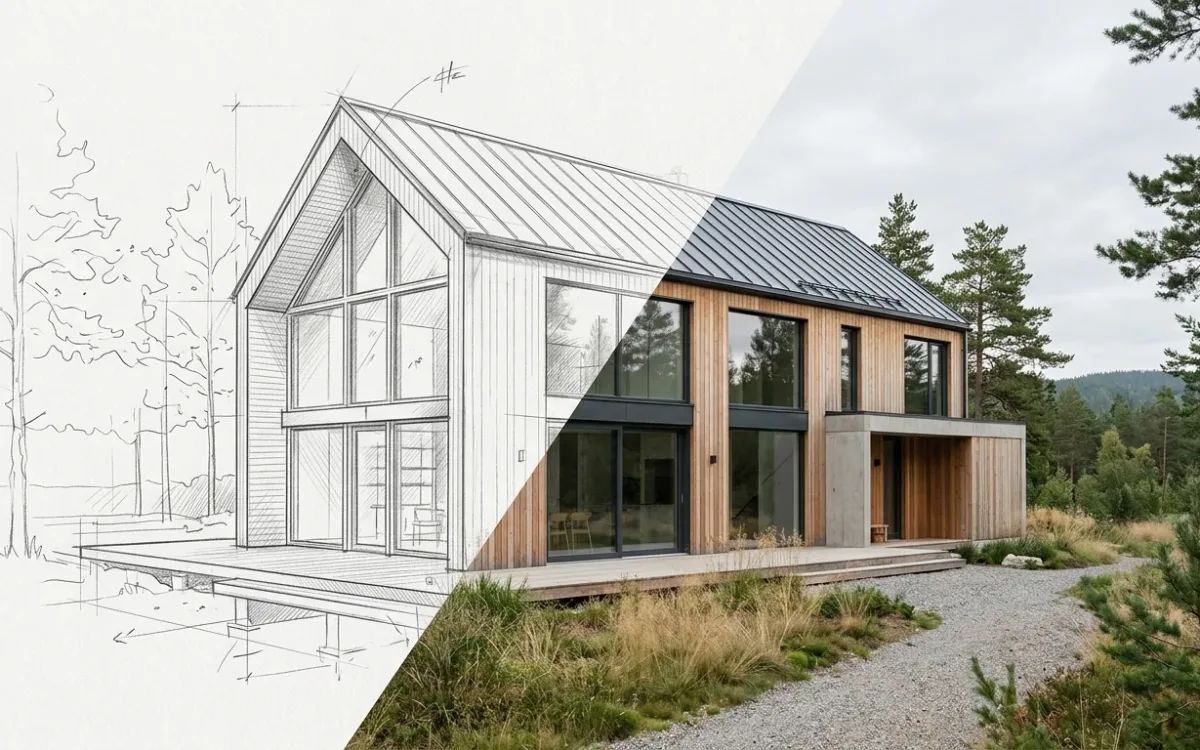
Programs for architectural rendering fall into 3 families, and most disappointment with rendering software comes from buying the wrong family, not the wrong product. Craft engines give you maximum control for a maximum learning curve. Real-time engines give you speed inside a full 3D workflow. AI renderers give you photorealism from whatever representation you already have. Three answers to one question, and only one of them fits what you actually produce.
Disclosure, at the top where it belongs. I build SecondRender, which is one of the programs in the third family, so I have a commercial interest in your conclusion. I got here sideways: an architect saw an AI app I had built for another industry and asked whether it could render his CAD models, I said yes, then spent 2 weeks finding out what yes required, and built the real product together with practicing architects. The rule I set myself for this piece: every family gets its real strengths, and my own family gets its limits printed at full size. If the section on AI renderers is not the most critical section here, I have failed.
The 3 families of architectural rendering programs, and the tax each one charges
Every rendering program answers one question: where does the realism come from? The answer decides what you pay.
Craft engines reconstruct reality from zero. You supply everything: geometry, materials, lighting, vegetation, camera work. The engine computes the physics, and at the top end it produces the best images in the industry. The price is the reconstruction tax: software, hardware, asset libraries and months of skill, spent rebuilding the physical world before a single image exists.
Real-time engines prepay the tax and give you change. Optimized assets and GPU pipelines make iteration cheap, but the model, the libraries and the hardware are still on the invoice.
AI renderers skip the reconstruction. Models trained on photography already carry how light, materials and vegetation behave, so the input requirement collapses. A sketch, a SketchUp screenshot or a flat render is enough.
Craft engines: V-Ray and Corona
The reference standard for offline photorealism. If your deliverable is a flagship marketing image, art-directed down to the leaf, this family is the right answer, in the hands of someone who has made the investment. Nothing below is an argument against that.
The investment is the honest part of the datasheet. Learning curves run months to years. A capable GPU workstation is table stakes. Asset libraries (Megascans, Evermotion and friends) are a real budget line. And per-image time is measured in days: on architecture forums, the standing description of this workflow is days to weeks per hero image, spent on materials, lighting and post-production.
That is not inefficiency. It is what reconstruction costs, and the people who do it well are doing skilled work no preset produces.
Best for: visualization professionals, firms with dedicated viz staff, and images where the image itself is the product.
Real-time engines: Lumion, Enscape, Twinmotion, D5 Render
The biggest quality-of-life improvement of the last decade for architects who model in 3D anyway. Live sync with SketchUp, Revit, Rhino and Archicad. Instant feedback. Walkthroughs, which no still image replaces. Per-image time in minutes instead of hours.
The honest part: you still pay most of the reconstruction tax. A complete, reasonably clean 3D model is mandatory. The asset and hardware requirements are real (threads about VRAM limits and laggy scenes are a permanent genre in every architecture forum). Output is genuinely good and usually sits a visible notch below tuned offline rendering. And each engine is its own skill to keep current.
Best for: practices that live in 3D models daily, present with walkthroughs, or need many good images per project at speed.
AI renderers: SecondRender and its category
My family, so apply the skepticism you would apply to any vendor describing its own market. The claim I will defend: for architects who are not visualization specialists, this family changes what is possible, because it removes the requirement to have a finished 3D scene at all.
A photorealistic image from a hand-drawn sketch, a Procreate drawing, a CAD screenshot or an old flat render, in about 30 seconds, with style, lighting, season and environment set by presets. No render farm. No asset library. No overnight wait.
Now the part the category's marketing mostly omits. Generative models trade some predictability for that speed. The same input does not guarantee the same output. And carrying an object, detail for detail, from one rendered perspective into a second one is still a hard problem for every tool in this family, mine included. Those are properties of the technology, not bugs in one product. Serious products engineer around them: in SecondRender, fidelity mode keeps the source authoritative (your geometry and physical materials are preserved, a style transfers rendering quality only) and a saved style holds one look across a whole project. That narrows both problems considerably. It does not erase them. If your deliverable is 12 perfectly matched views of one design, the craft family is still the reliable road, and it is better to know that on day 1 than to discover it on deadline.
One further limit, and it is not a temporary one. Art-directed hero imagery is craft work, made by people who direct light rather than generate it. AI rendering does not produce that and does not replace the people who do. It serves the architect who never had access to visualization at all, for whom the alternative was not a studio image. It was no image.
Best for: architects and designers who need presentation-grade images during design, on deadlines and budgets that never justified the craft stack.
Comparing programs for architectural rendering: prerequisites, not features
Feature lists rank these programs by quality ceiling. The ceiling decides the purchase only when the image is the product. For most practicing architects it is not. A render is a communication artifact inside a live design process, and it arrives with a deadline attached. One architect put it this way in a forum thread: "we all love spending weeks on a single atmospheric shot, but the real market often demands something else: Speed".
So compare the prerequisites instead. What does each program need from you before it produces anything at all?
| Craft (V-Ray, Corona) | Real-time (Lumion, Enscape, D5, Twinmotion) | AI (SecondRender and its category) | |
|---|---|---|---|
| Needs a finished 3D model | Yes, plus materials and lighting | Yes | No, a sketch or screenshot is enough |
| Hardware | Serious GPU workstation | Serious GPU | Any laptop, it runs in the cloud |
| Time to competence | Months to years | Weeks to months | Minutes |
| Time per image | Hours to days | Minutes | About 30 seconds |
| Consistency across many views | Excellent | Excellent | The category's weak point, managed but real |
| Top-end art direction | The reference standard | Good | Not the tool for it |
Read that table downwards, not across. Each column is a different job, priced differently.
How to choose architectural rendering software in practice
Ask what you actually produce, not what impresses you.
- You are a visualization professional, or the image is the product: craft engine. Nothing else reaches that ceiling.
- Your practice models everything in 3D and presents walkthroughs: real-time engine, and it will earn its license fee.
- Your designs get judged through images your budget never did justice to, or you want realistic feedback while the design can still change: AI renderer. Start with whatever drawing is on your desk today.
- The honest fourth answer: many practices end up with 2. A real-time engine inside the 3D workflow, and an AI renderer for everything earlier, rougher or more urgent. These families are not competing for the same hour of your week.
For the economics underneath all of this, the complete guide to architectural rendering goes deeper into what each path costs and why. If the sketch-first workflow is the part that caught your attention, here is exactly how sketch to render works.
The cheapest way to place any program on this map is to test it against a project you are working on right now. For mine, that test is one upload and about 30 seconds, and the first render is free.